EasyManua.ls Logo

Sony Cable Box - Front Panel Controls

Sony Cable Box
48 pages
Print Icon
To Next Page IconTo Next Page
To Previous Page IconTo Previous Page
Loading...
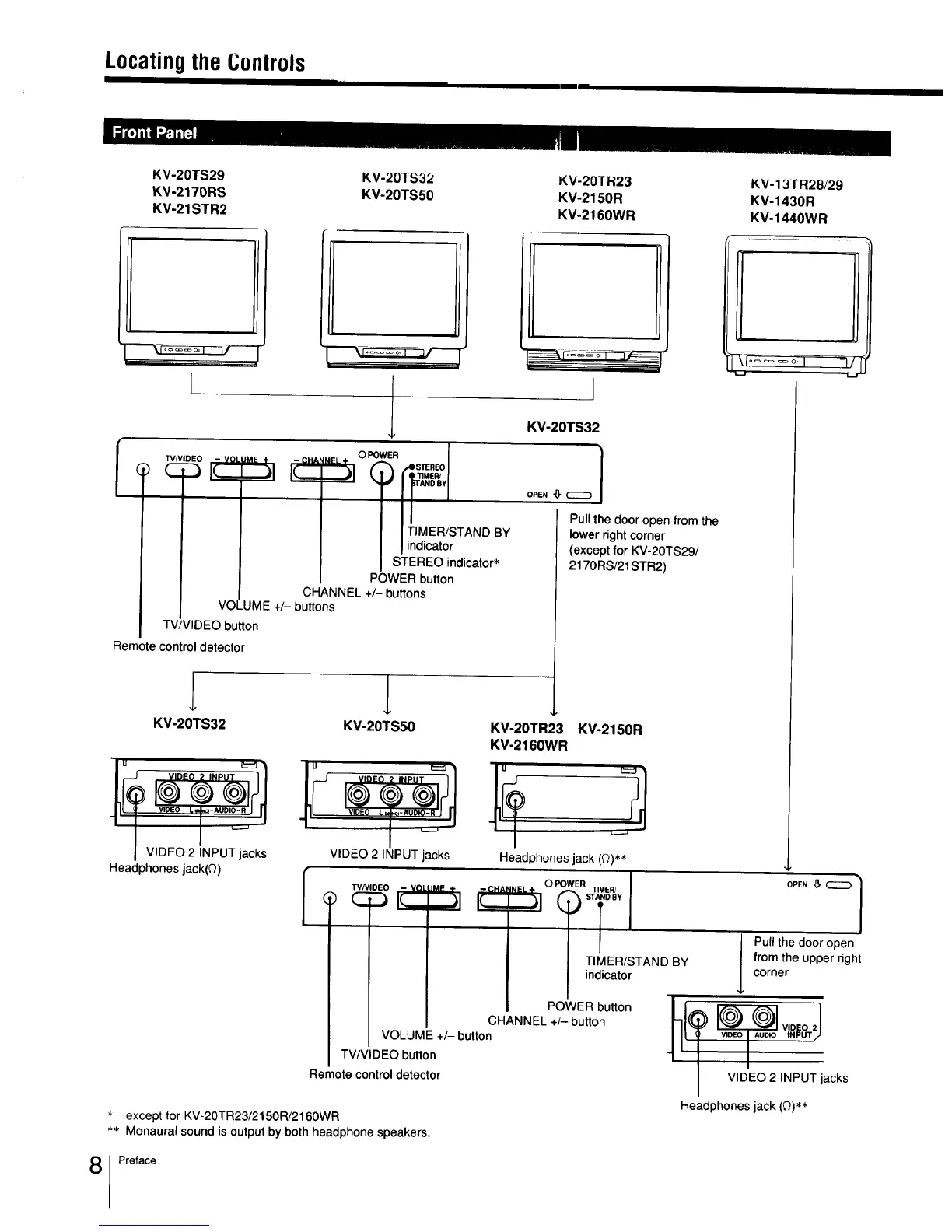
Locatingthe Controls
KV-20TS29
'_V-2170RS
KV-21STR2
KV-201S32
KV-20TS50
KV-20]R23
KV-2150R
KV-2160WR
KV-13TR28/29
KV-1430R
KV-1440WR
I
iNeLĂ· O POWER I
| I TIMER/STAND BY
| I indicator
I STEREO indicator*
POWER button
CHANNEL +/- buttons
VOLUME +/- buttons
TV/VIDEO button
Remote control detector
KV-20TS32 KV-20TS50
VIDEO 2 INPUT jacks
I VIDEO 2 INPUT jacks
Headphones jack(Q)
_.-_--_
I
KV-20TS32
|
Pull the door open from the
lower right corner
(except for KV-20TS29t
2170RS/21 STR2)
KV-20TR23 KV-2150R
KV-2160WR
Headphones jack (0)**
TIMER/STAND BY
indicator
POWER button
CHANNEL +/- button
VOLUME +/- button
]l
OPEN _, _ /
/
J ull the door open
from the upper right
corner
VIDEO 2 INPUT jacks
TV/VIDEO button
Remote control detector
Headphones jack (Q)**
except for KV-20TR23/2150R/2160WR
** Monaural sound is output by both headphone speakers.
Preface