CCD-TR501E/TR502E/TR620E 3-859-127-13.E/R
32
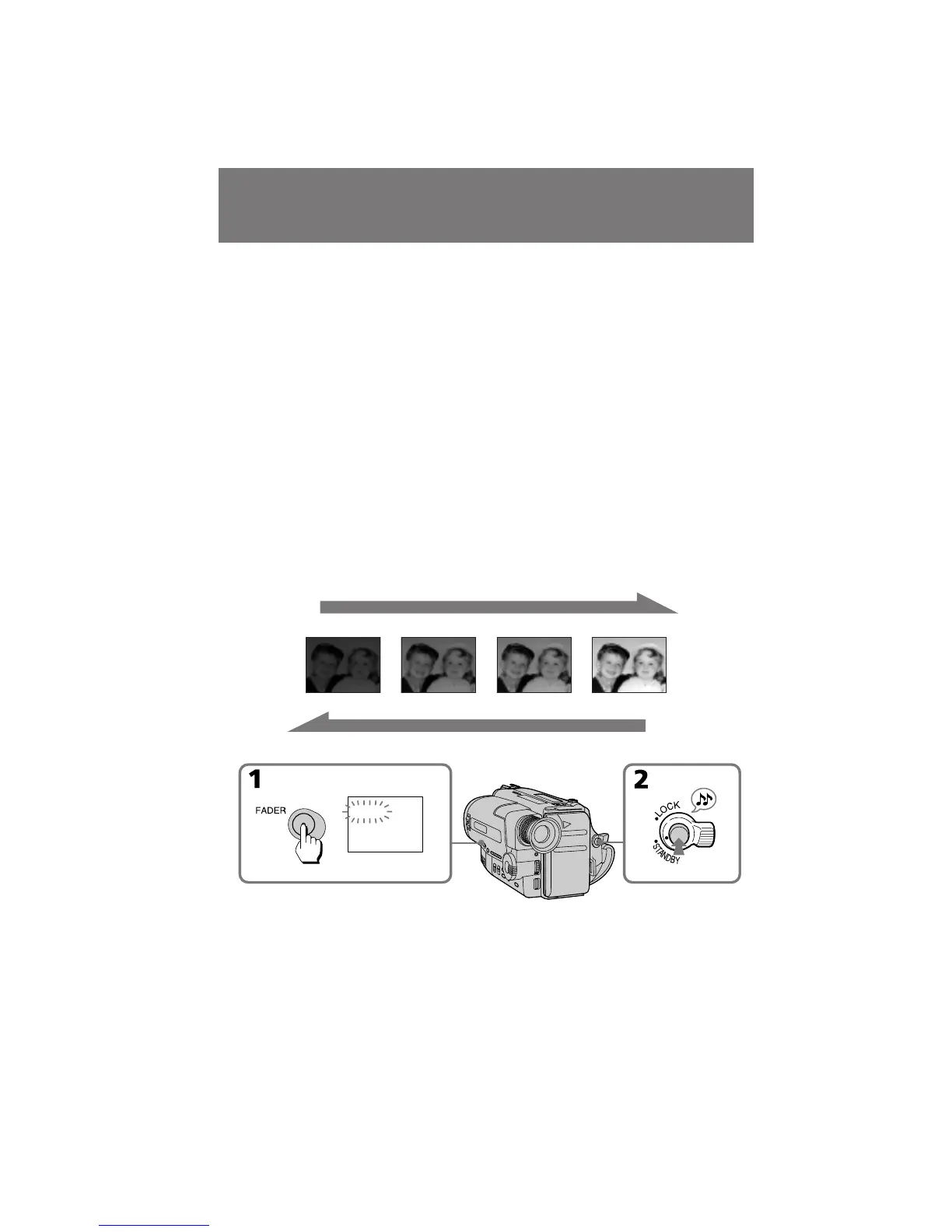
You can fade in or out to give your recording a
professional appearance.
When fading in, the picture gradually fades in
from black while the sound increases.
When fading out, the picture gradually fades to
black while the sound decreases.
When fading in [a]
(1)While the camcorder is in Standby mode,
press FADER. The FADER indicator starts
flashing.
(2)Press START/STOP to start recording. The
FADER indicator stops flashing.
When fading out [b]
(1)During recording, press FADER. The FADER
indicator starts flashing.
(2)Press START/STOP to stop recording. The
FADER indicator stops flashing, and then
recording stops.
Fade-in and fade-out
ǂ‰ÂÌËÂ Ë ‚˚‚‰ÂÌËÂ
ËÁÓ· ‡ÊÂÌËfl
Ç˚ ÏÓÊÂÚ ‚‚Ó‰ËÚ¸ Ë ‚˚‚Ó‰ËÚ¸
ËÁÓ· ‡ÊÂÌËÂ, Ô Ë‰‡‚‡fl LJ¯ÂÈ Á‡ÔËÒË
Ô ÓÙÂÒÒËÓ̇θÌ˚È ‚ˉ.
èË ‚‚‰ÂÌËË ËÁÓ· ‡ÊÂÌË ÔÓÒÚÂÔÂÌÌÓ
‚‚Ó‰ËÚÒfl ÓÚ ˜Â ÌÓ„Ó ËÎË ÏÓÁ‡Ë˜ÂÒÍÓ„Ó Ò
Ó‰ÌÓ‚ ÂÏÂÌÌ˚Ï ÔÓ‚˚¯ÂÌËÂÏ Á‚Û͇.
èË ‚˚‚‰ÂÌËË ËÁÓ· ‡ÊÂÌË ÔÓÒÚÂÔÂÌÌÓ
‚˚‚Ó‰ËÚÒfl ‰Ó ˜Â ÌÓ„Ó ËÎË ÏÓÁ‡Ë˜ÂÒÍÓ„Ó Ò
Ó‰ÌÓ‚ ÂÏÂÌÌ˚Ï ÔÓÌËÊÂÌËÂÏ Á‚Û͇.
ÑÎfl ‚‚‰ÂÌËfl ËÁÓ· ‡ÊÂÌËfl [a]
(1)äÓ„‰‡ ‚ˉÂÓ͇Ï ‡ ̇ıÓ‰ËÚÒfl ‚ ÂÊËÏÂ
„ÓÚÓ‚ÌÓÒÚË, ̇ÊÏËÚ FADER. à̉Ë͇ÚÓ
FADER ̇˜ÌÂÚ ÏË„‡Ú¸.
(2)ç‡ÊÏËÚ START/STOP ‰Îfl ̇˜‡Î‡ Á‡ÔËÒË.
à̉Ë͇ÚÓ FADER Ô ÂÒÚ‡ÌÂÚ ÏË„‡Ú¸.
ÑÎfl ‚˚‚‰ÂÌËfl ËÁÓ· ‡ÊÂÌËfl [b]
(1)ÇÓ ‚ ÂÏfl Á‡ÔËÒË Ì‡ÊÏËÚ FADER.
à̉Ë͇ÚÓ FADER ̇˜ÌÂÚ ÏË„‡Ú¸.
(2)ç‡ÊÏËÚ START/STOP ‰Îfl ÓÒÚ‡ÌÓ‚‡
Á‡ÔËÒË. à̉Ë͇ÚÓ FADER Ô ÂÒÚ‡ÂÚ
ÏË„‡Ú¸ Ë Á‡ÔËÒ¸ ÓÒڇ̇‚ÎË‚‡ÂÚÒfl.
FADER
[a]
RECSTBY
RECSTBY
[b]



 To Next Page