CCD-TR501E/TR502E/TR620E 3-859-127-13.E/R
44
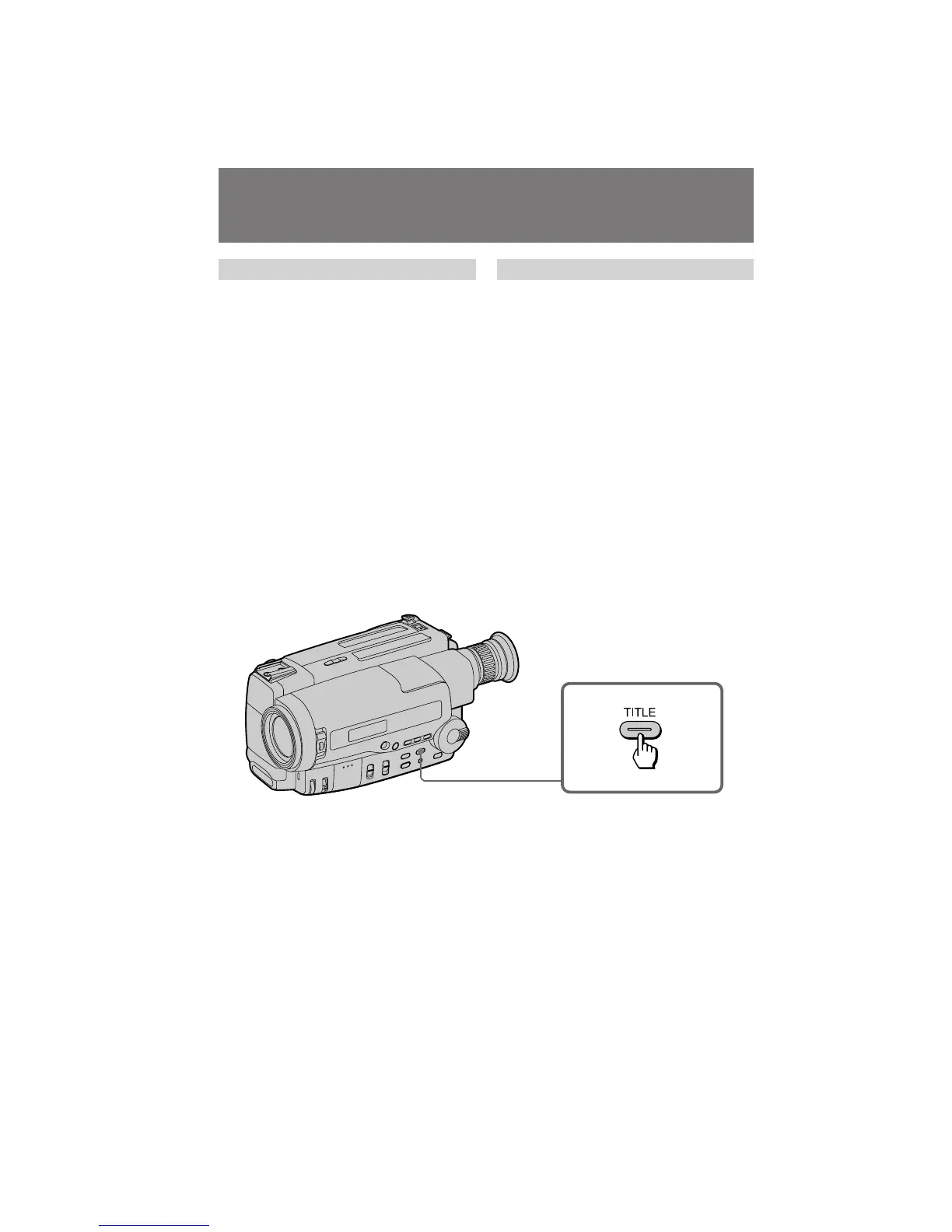
Using titles
To superimpose from the beginning
(1)Set the POWER switch to CAMERA.
(2)Turn STANDBY up.
(3)Press TITLE repeatedly until the desired title
appears. The title flashes.
(4)Press START/STOP to start recording.
(5)Press TITLE when you want to turn off the
title.
To superimpose on the way of
recording
(1)Press TITLE repeatedly until the desired title
appears. The title flashes.
(2)When the title stops flashing, press TITLE.
The title disappears.
(3)Press START/STOP to start recording.
(4)Press TITLE when you want superimpose the
title.
(5)Press TITLE when you want to turn off the
title.
Superimposing a title
àÒÔÓθÁÓ‚‡ÌË ̇‰ÔËÒÂÈ
ÑÎfl ̇ÎÓÊÂÌËfl ÓÚ Ì‡˜‡Î‡
(1)ìÒÚ‡ÌÓ‚ËÚ ‚˚Íβ˜‡Ú‡Î¸ POWER ‚
ÔÓÎÓÊÂÌËÂ CAMERA.
(2)èÓ‚Â ÌËÚÂ STANDBY ‚‚Â ı.
(3)çÂÓ‰ÌÓÍ ‡ÚÌÓ Ì‡ÊËχÈÚ TITLE, ÔÓ͇ ÌÂ
ÔÓfl‚ËÚÒfl Ê·Âχfl ̇‰ÔËÒ¸. 燉ÔËÒ¸
·Û‰ÂÚ ÏË„‡Ú¸.
(4)ç‡ÊËÏÚ START/STOP ‰Îfl ̇˜‡Î‡ Á‡ÔËÒË.
(5) ç‡ÊÏËÚ TITLE, ÍÓ„‰‡ Ç˚ Á‡ıÓÚËÚÂ
‚˚Íβ˜ËÚ¸ ̇‰ÔËÒ¸.
ÑÎfl ̇ÎÓÊÂÌËfl ‚ Ô ÓˆÂÒÒ Á‡ÔËÒË
(1) çÂÓ‰ÌÓÍ ‡ÚÌÓ Ì‡ÊËχÈÚ TITLE, ÔÓ͇ ÌÂ
ÔÓfl‚ËÚÒfl Ê·Âχfl ̇‰ÔËÒ¸. 燉ÔËÒ¸
·Û‰ÂÚ ÏË„‡Ú¸.
(2) äÓ„‰‡ ̇‰ÔËÒ¸ Ô ÂÒÚ‡ÌÂÚ ÏË„‡Ú¸,
̇ÊÏËÚ TITLE. 燉ÔËÒ¸ ËÒ˜ÂÁÌÂÚ.
(3) ç‡ÊÏËÚ START/STOP ‰Îfl ̇˜‡Î‡ Á‡ÔËÒË.
(4) ç‡ÊÏËÚ TITLE, ÍÓ„‰‡ Ç˚ ÔÓÊ·ÂÚÂ
̇ÎÓÊËÚ¸ ̇‰ÔËÒ¸.
(5) ç‡ÊÏËÚ TITLE, ÍÓ„‰‡ Ç˚ Á‡ıÓÚËÚÂ
‚˚Íβ˜ËÚ¸ ̇‰ÔËÒ¸.
ç‡ÎÓÊÂÌË ̇‰ÔËÒË


 To Next Page