Storing Discs and Caddies
● Remove the caddy from the drive unit before moving the drive.
● Do not store the disc and caddy in a location subject to:
– high humidity
– high temperature
– excessive dust
– direct sunlight
Care of Discs
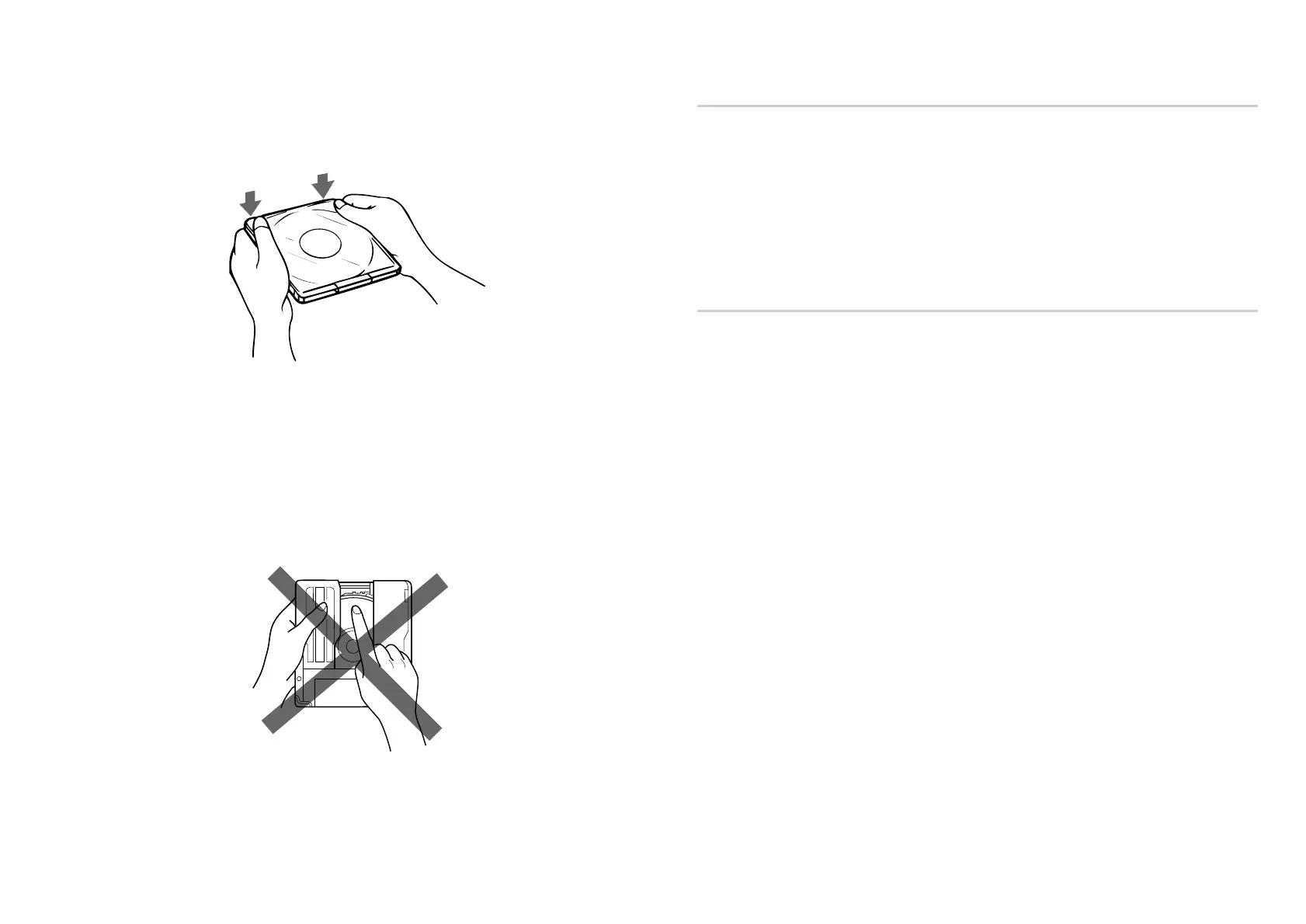
● Hold the disc by its edge. Do not touch the surface.
● Wipe the CD-ROM disc with the optional CD cleaner to clean it.
● Do not wipe a CD-R disc with a cleaner before recording data. To avoid
scratching the recording surface, blow away dust using an air blower.
Using Discs and Caddies 23
3 Close the lid firmly.
Important:
● Do not drop the disc or the caddy.
● The caddy is designed so that its shutter automatically opens when it is
inserted into the drive unit. Do not open the shutter manually and touch
the disc.
● Data cannot be recorded if the recording surface is contaminated.
● The caddy is precisely adjusted at the factory. Do not disassemble it.
22 Using Discs and Caddies



 To Next Page