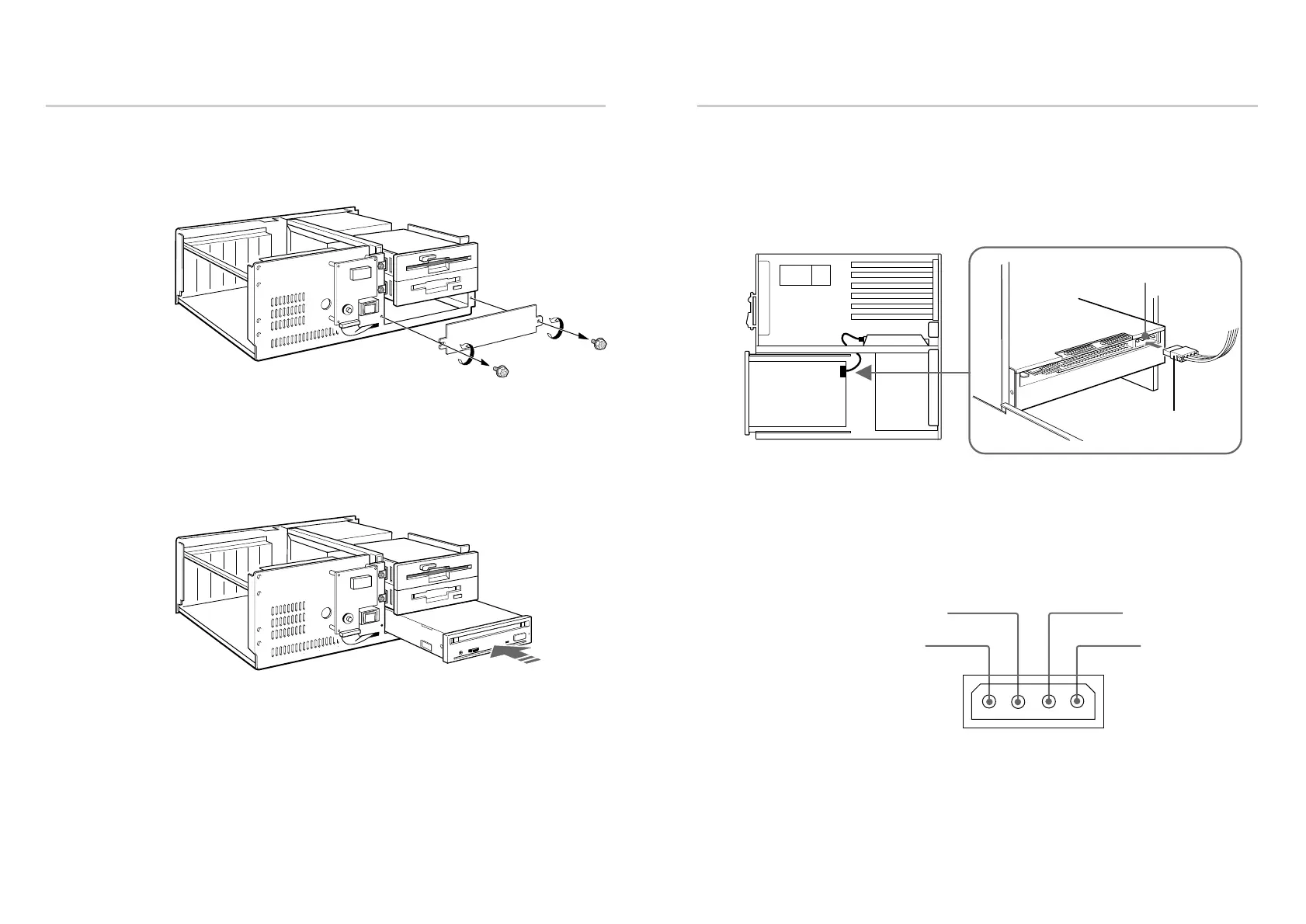
Connecting the Drive
■ Power-in connector
Insert the plug and push it firmly in place.
The power supply connector recommended has Molex 8980-3 contacts and
a Molex 8981-04P housing.
Pin assignment
Installing the Drive Unit into the Computer 15
Mounting the Drive
1 Remove the screws and brackets from both sides of the drive spaces.
2 If mounting rails are necessary, attach them to the drive unit in the same
way as the ones on your floppy disk drive and slide the drive unit into
the bottom half-height space. Otherwise screw the drive unit in place.
14 Installing the Drive Unit into the Computer



 To Next Page