Specifications
■ General
Host interface SCSI-2, single ended, 50 pin
Read Function
Acceptable discs: CD-ROM Mode-1 data discs
CD-ROM Mode-2 data discs
CD-ROM XA discs
CD-Audio discs
Audio-combined CD-ROM discs
(includes CD-EXTRA)
CD-I discs
CD-I Ready Discs
CD Bridge discs
CD-R discs (Conforming to
“Orange Book Part II”)
Write Function
Applied Format: CD-ROM Mode-1
CD-ROM Mode-2
CD-ROM XA
CD-Audio
Audio-combined CD-ROM
CD-I
CD-I Ready
CD Bridge
Writing Method: Disc at once
Track at once
Variable packet writing
(Packet size: max. 1 Mbyte)
Fixed packet writing
(Packet size: max. 1 Mbyte)
Multi-session
Cache memory (R/W) 1 Mbyte
Disc diameter: 12 cm
Rotational speed
Innermost track: 600 min
–1
(600 rpm) at CLV = 1.4 m/s
(normal)
1200 min
–1
(1200 rpm) (double)
2400 min
–1
(2400 rpm) (quadruple)
Outermost track: 200 min
–1
(200 rpm) at CLV = 1.2 m/s
(normal)
400 min
–1
(400 rpm) (double)
800 min
–1
(800 rpm) (quadruple)
Specifications 27
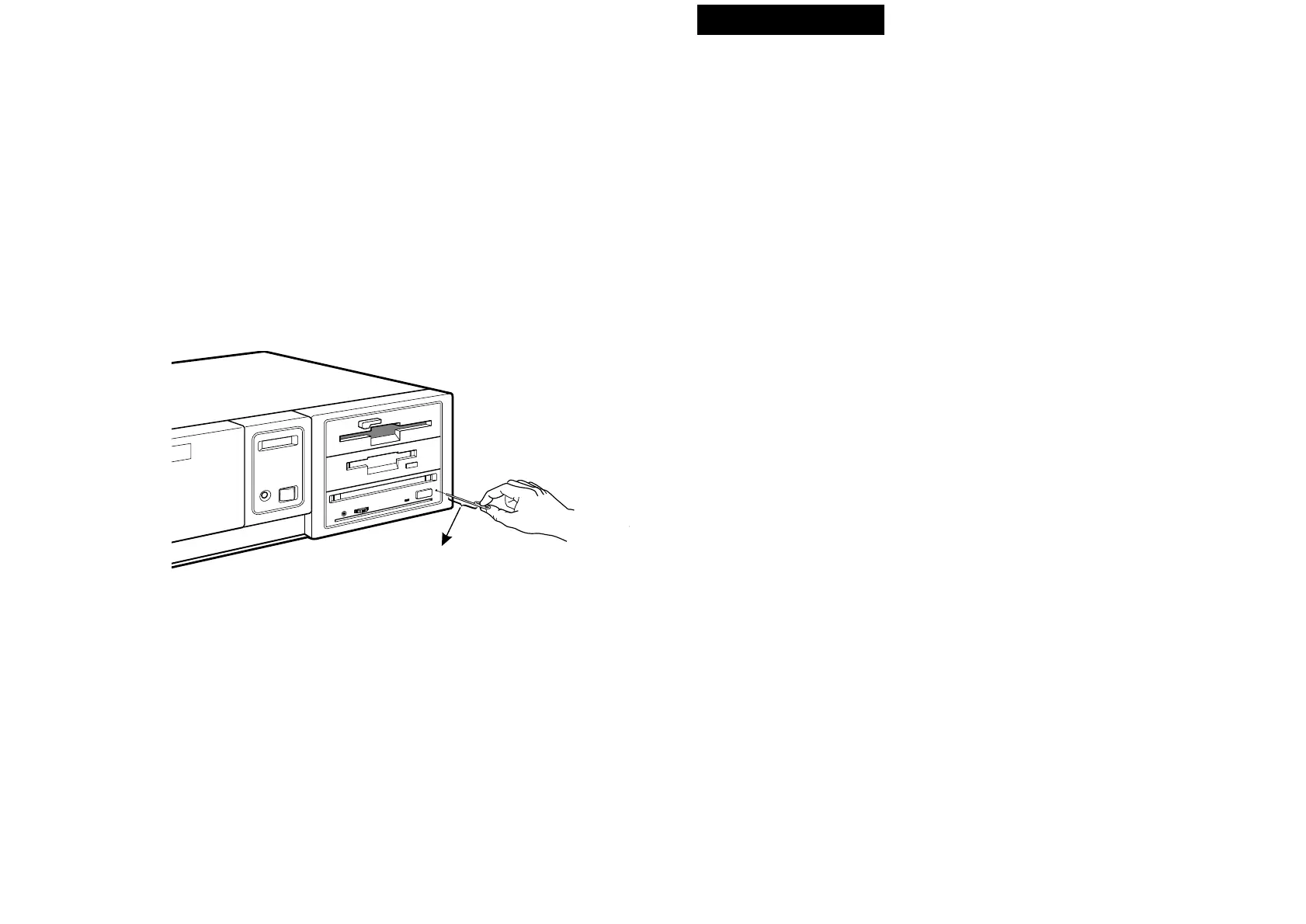
■ Ejecting a caddy manually in an emergency
In the event of electrical or mechanical failure of the drive unit, a manual
emergency eject is provided to allow removal of the caddy from the drive
unit.
1 Turn off the power of your computer.
2 Insert a pointed object, such as a paper clip, into the emergency eject
hole, and push with hand. (Typical required force is 46N [4.7 kg])
After removing the caddy from the drive unit, consult your dealer or
qualified service personnel.
26 Operating the Drive



 To Next Page