26
Adjusting the equalizer curve
You can store and adjust the equalizer settings
for frequency and level.
1 Press (SOURCE) to select a source
(radio, CD, MD, or AUX).
2 Press (MENU), then rotate the
./> control dial until “EQ7 Tune”
appears.
3 Press the ./> control dial.
4 Press the –m or M+ button to
select the desired equalizer curve,
then press the ./> control dial.
Each time you press the –m or M+
button, the item changes.
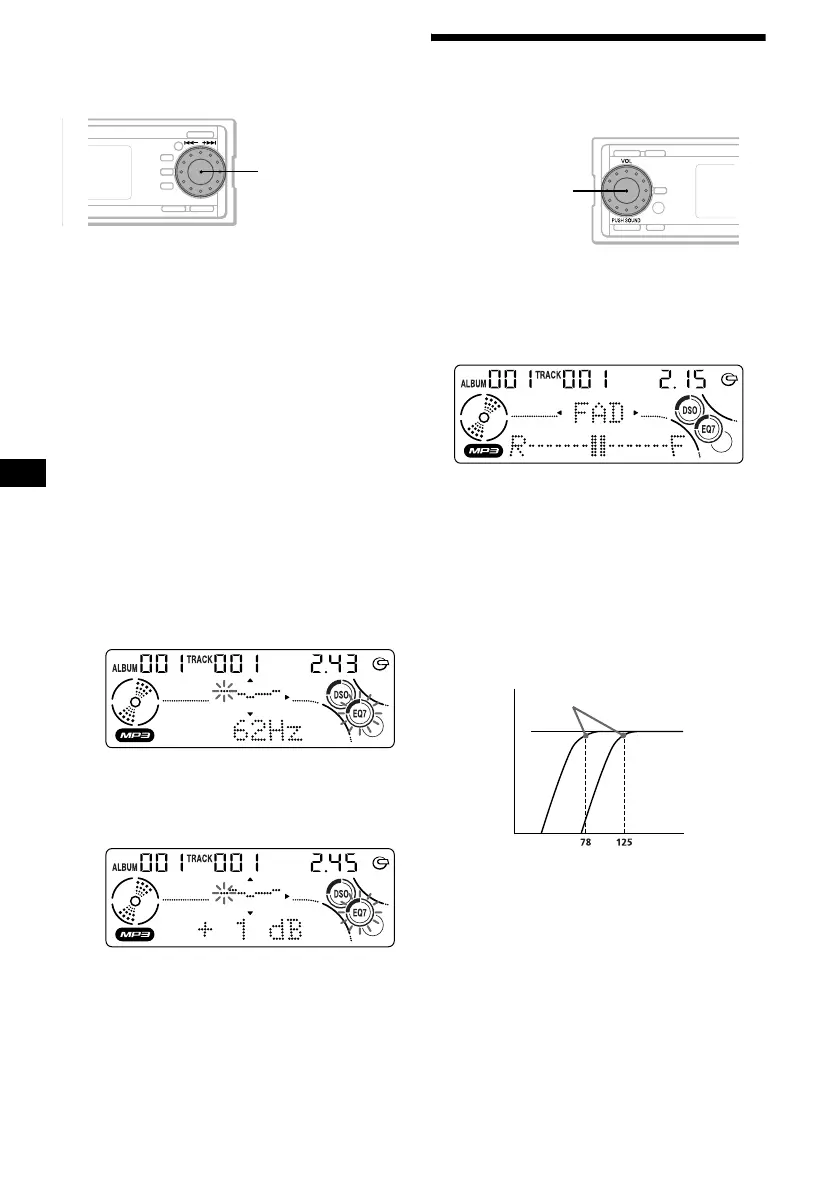
5 Select the desired frequency and level.
1 Press the –m or M+ button to
select the desired frequency.
Each time you press the –m or M+
button, the frequency changes.
62 Hz y 157 Hz y 396 Hz y 1.0 kHz
y 2.5 kHz y 6.3 kHz y 16 kHz
2 Rotate the ./> control dial to
adjust the desired level.
The level is adjustable by 1 dB steps from
–10 dB to +10 dB.
To restore the factory-set equalizer curve,
press the ./> control dial for 2
seconds.
6 Press the ./> control dial.
After the effect setting is complete, the
display returns to the normal playback mode.
Adjusting the front and rear
volume
1 Press (SOURCE) to select a source
(radio, CD, MD, or AUX).
2 Press the VOL control dial repeatedly
until “FAD” appears.
3 Rotate the VOL control dial to adjust
the volume of front/rear speakers.
After 3 seconds, the display returns to the
normal playback mode.
Adjusting the cut-off frequency for the
front/rear speakers
To match the characteristics of the installed
speaker system, you can select the cut-off
frequency of the speakers.
./> control
dial
VOL control dial
Cut-off frequency
Frequency (Hz)
Level
off













 To Next Page