SONY®
PL-FfTlSTFfTIClrl :3
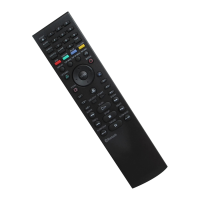
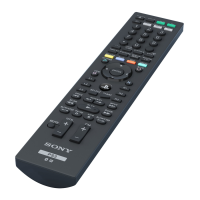
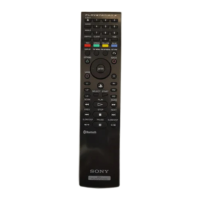
Blu-ray Dise Remote Control/Télécommande Blu-ray Dise
Blu-ray Dise-Fernbedienung / Mando a distancia de Blu-ray Dise
Teleeomando Blu-ray Dise / Blu-ray Disc-afstandsbediening
Comando à Distância Blu-ray Dise
Instruction Manual/ Mode d'en;
Manual de instrucciones an
Manual de InstruçOes
CECHZR1E
3-113-129-12(1) A
~L-"""""T"RT",an _
B
C
SONY
1
PLAY~'f,{TION ,
WARNING '
• Before using this producL carefully read this manual and retain it for future reference. Read
also the instruetions foc the PL·WSTATIO. - 3 sy tem..
Battery use
• Never throw batteries into a fire.
• Do not use batteries other than those specified, and always replace with the same type of
battery. Do not mix old and new batteries.
• Insert batteries with the plus and minus ends in the correct direction.
• Remove batteries when they have reached the end of their life, or if the BD Remote Control is
ta be stored for an extended period of time.
Use and handling
• Do not expose the BD Remote Control ta high temperatures, high humidity or direct sunlight.
• Do not allow liquid or sm ail particles to get into the product.
• Do not put heavy abjects on the product.
• Never disassemble or modify the product.
• Do not throw or drap the product, or subject it ta strong physical shock.
• Do not place any rubber or vinyl materials on the product exterior for an extended period of
rime.
• When cleaning the product, use a soft, dry clotho Do not use solvents or other chemicals.
Preparing for use
Inserting the batteries
Remove the cover from the BD Remote Control rear and insert the supplied batteries. Set the
batteries in the correct position.
Registering the BD Remote Control with the
PS3™
system
Before using the BD Remote Control, you must register ("pair") the remote control with the
PS3™ system. This operation is perforrned only once when you are using the remote control for
the first time.
1
Turn on the PS3™ system.
2
From the system's home menu, select;:; (Settings)
>
0
6
(Accessory Settings)
>
"Register Bluetooth® Deviee", and then press the x button.
3
Select the type of device to register.
4
Followthe on-screen instructions.
Hints
• Only one BD Remote Control can be registered with the PS3™ system .
• If you register the BD Remote Control with another PS3™ system, you will have ta re-register
if you want ta use the remote control again with the fust PS3™ system.
Basic operations ..-,::~
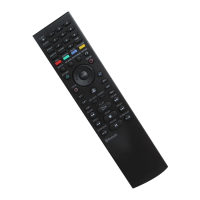
Basie operation of the BD Remote Control
This manual explains button operations for Blu-ray Dise (BD) playback. The same operations can
also be performed when playing DVD videos or audio CDs with the exception of sorne functions.
Notice
Sorne content may have preset playback conditions set by the content developer. ln this case,
sorne button operations of the remote control may not be available.
!Al
button operations (refer to diagram)
EJECTbutton Eject the dise.
AUDIO button
Change audio on BOs with multiple audio tracks reeorded.
ANGLE button
Change viewing angles on BOs with multiple angles recorded on
the same scene.
SUBTITLE button
Change the language for subtitles on BOs with subtitles
recorded.
CLEAR button Clear entered numbers.
TIMEbutton
View the elapsed time or remaining time of a title or chapter.
0-9 button
Enter numbers.
RED,GREEN, Perforrn functions assigned ta eaeh button.
YELLOW. BLUE button
(Assigned functions vary depending on the content being
-
played,
DISPLAY button View status information or other information on the content
being played.
TOP MENU button
View the content's top menu.
POP UPIMENU button View the content's pop-up menu.
RETURN button
Retum ta a specifie point in the video.
[ê]
button operations (refer to diagram)
LVOPTIONS, DNIEW,
x,
OIBACK button
Directional buttons
.a (pS button)
Perforrn the same operations as the SIXAXlSTM Wireless
ControUer for the PST'" system.
Ll.Rl.L2.R2,L3.R3
button
SELECT. START bunoo
E'\
1ER
llmIoü
Perfœm the same operation
<JS
the x button on the SIXAXIST>l
, '''îrekss Comrollèr for the PS3n< system.
[Q:
button operations (refer to diagram)
Start playback.
Stop playback.
Stop playback temporarily.
Fast forward or fus{ reverse playback, Playback speed changes
lime : press -
_ - - oc
DOl
chapter.
m==!:m:~-
0_"'"
œ
tœ
BD Remoœ Control when the PS3™ system is tumed off (in standby
stem.
battefy charge is low
. _ caarge is low, the remote control may not operate properly or the distance
••.•••••••, •••••.•• :. uu
cao operate the remote control may become shorter. ln this case, replace bath
Il:!!== .•.•
tll
new ones.

 Need help?
 General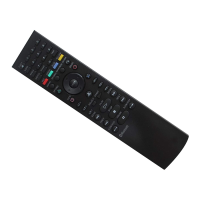



 To Next Page