15
Getting Started
Charge the battery before using the phone. A new battery is not fully
charged. To charge the battery, attach the battery pack to the handset,
then connect the supplied AC adapter.
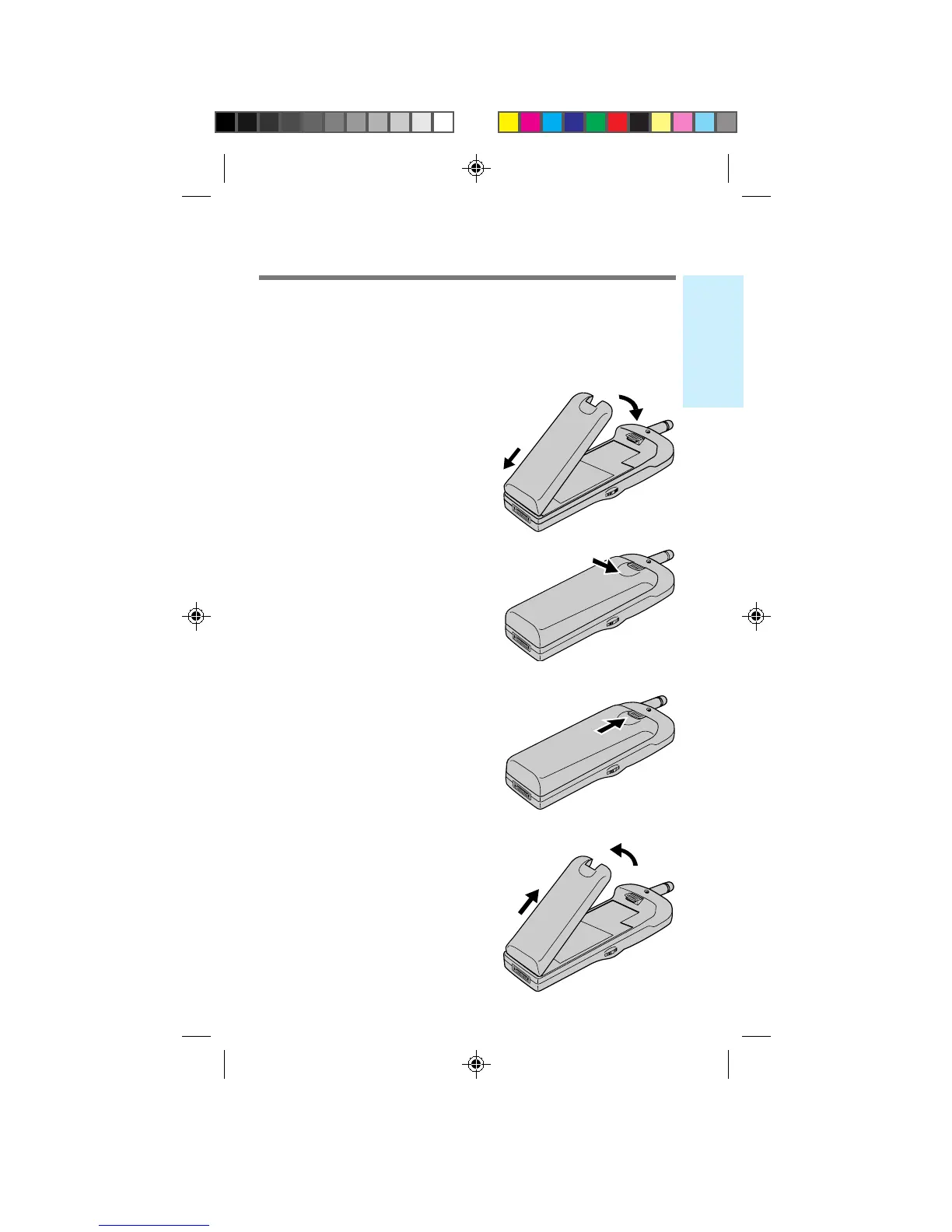
Attaching the battery pack
1 Hook the battery
pack onto the
bottom of the
phone 1, and
ease the battery
pack down 2.
2 Attach the battery
pack by pressing
down firmly on
the thumb indent.
To remove the battery pack
1 Push the battery
pack release tab
upwards.
2 Lift the top of the
battery pack 1,
and pull it out 2.
Charging the battery pack
1
2
2
1
B2200 10-20draft3 8/21/98, 12:11 PM15



 To Next Page