28
GB
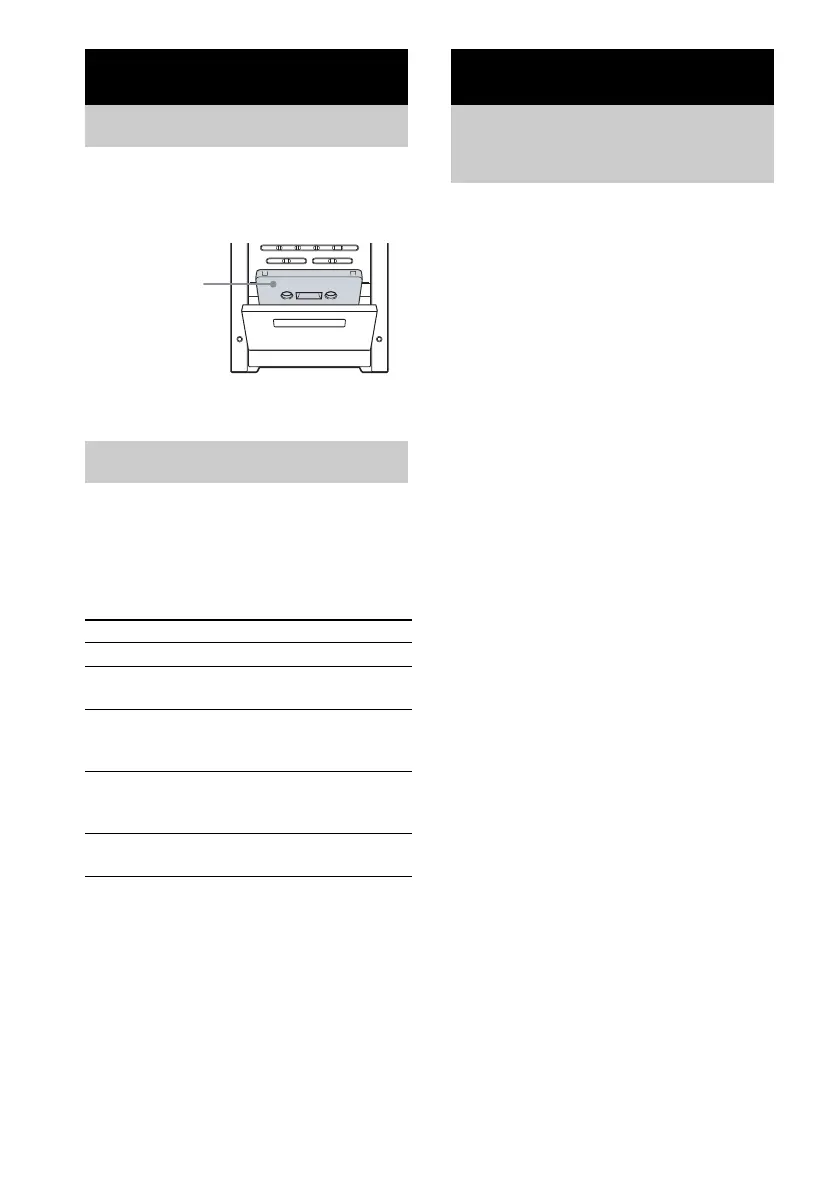
1 Press Z PUSH OPEN on the unit.
2 Load a recorded/recordable tape into
the cassette holder.
You can use TYPE I (normal) tape.
1 Load a tape.
2 Press TAPE N.
Other operations
You can record a whole CD on a tape.
You can use TYPE I (normal) tape.
Use buttons on the unit for the operation.
1 Load a recordable tape.
2 Press DVD NX and load a disc you
want to record.
3 Press x twice to cancel the Resume
Play.
4 Press CD SYNC.
The tape deck stands by for recording.
“REC” flashes.
5 Press z REC PAUSE/START.
Recording starts.
Tips
• If the tape reaches the end of the front side before
completing the recording, the tape stops
automatically and the CD/DVD player enters
Resume Play mode.
• To continue the recording on the reverse side, press
x twice to first cancel the Resume Play, eject and
reload the tape, then perform steps 1 and 2 of “To
perform Synchro Recording from a desired track”
(page 28). You can then continue Synchro Recording
from the desired track.
To perform Synchro Recording
from a desired track
You can select the first track in Synchro
Recording.
1 After performing steps 1 to 4, press . or
> repeatedly to select the desired track
number.
2 Press z REC PAUSE/START while the
selected track number is flashing.
Recording starts.
Tape – Play
Loading a tape
Playing a tape
To Do this
Stop play Press x.
Fast-forward or
rewind
Press m or M.
Switch to TAPE
function from
another source
Press TAPE N.
Playback starts automatically
when a tape is loaded.
Cut the sound Press MUTING.
Press MUTING again or
VOLUME + to restore sound.
Remove a tape Press Z PUSH OPEN on the unit
in stop mode.
With the side
you want to
play/record
facing forward.
Tape – Recording
Recording your favorite
CD tracks on a tape
— CD-TAPE Synchro Recording


 To Next Page