7
GB
Getting started
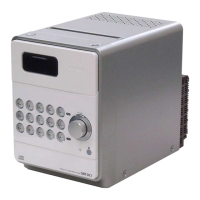
N-Mark
Place a smartphone/tablet equipped
with the NFC function close to this mark
to perform BLUETOOTH registration,
connection or disconnection by a one-
touch action (page 19).
Remote sensor
The IR mark is not indicated on the
unit.
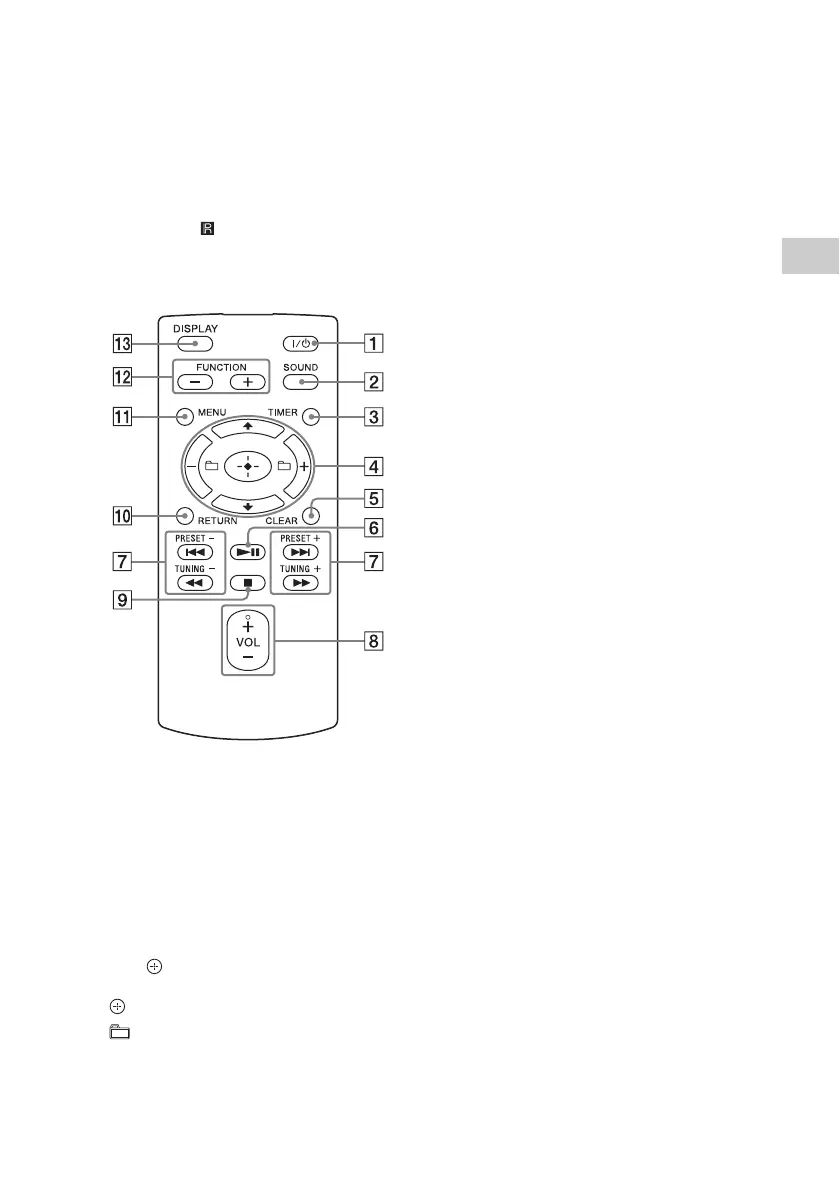
Remote
/ (power) button
Use to turn the power on or off.
SOUND button
Use to control the sound quality
(page 29).
TIMER button
Use to set the clock or play timer (page 9,
29).
// (enter) button
Press / to select an item, then press
to enter.
+/– button
Use to select a folder (album) on an MP3
disc or USB device.
CLEAR button
Use to delete a programmed track or
folder (page 12).
(play/pause) button
Use to start or pause playback.
/ (previous/next)/PRESET +/–
buttons
Use to cue the beginning of a track or
file.
Use to select a preset number of the
radio station tuned in.
/ (fast-rewind/fast-forward)/
TUNING +/– buttons
Use to fast-rewind or fast-forward a
track or file.
Use to tune-in a desired radio station.
VOL +/– button
Use to adjust the volume.
(stop) button
Use to stop playback.
RETURN button
Use to return to the previous status.
MENU button
Use to display the menu. Press / to
select the items in the menu. If MENU is
pressed twice, the operation is canceled.
FUNCTION –/+ button(s)
Press to change the functions. Each press
of the + button changes to the next
function in the following sequence:
CD USB BT AUDIO DAB*
FM AUDIO IN NETWORK
*DAB is for CMT-X7CDB only.
DISPLAY button
Use to change the information displayed
in the display window when the power is
on. An underscore “_” is displayed in the
place of an unrecognizable character.
If you press this button when the power
is turned off, the clock time is displayed.


 To Next Page