Getting started
13
Setting the date and time
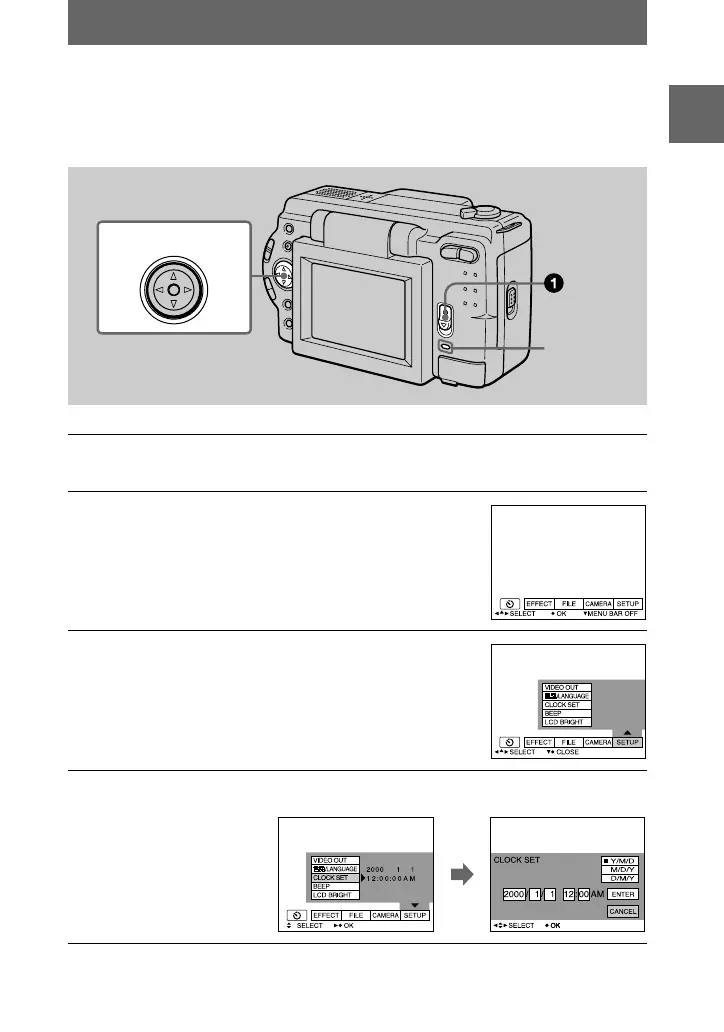
When you first use your camera, set the date and time. If these are not set, the
CLOCK SET screen appears whenever you turn on your camera for recording.
1
Slide down the POWER switch to turn on the power.
The POWER lamp lights up.
2
Press
v
on the control button.
The menu bar appears on the LCD screen.
3
Select [SETUP] with
B
on the control button,
then press the center
z
.
4
Select [CLOCK SET] with
v
/
V
on the control button, then press the
center
z
.
Control button
POWER
lamp


 To Next Page
 Loading...






