20
Recording moving images (DSC-
S50 only)
Moving images with audio are recorded in MPEG format.
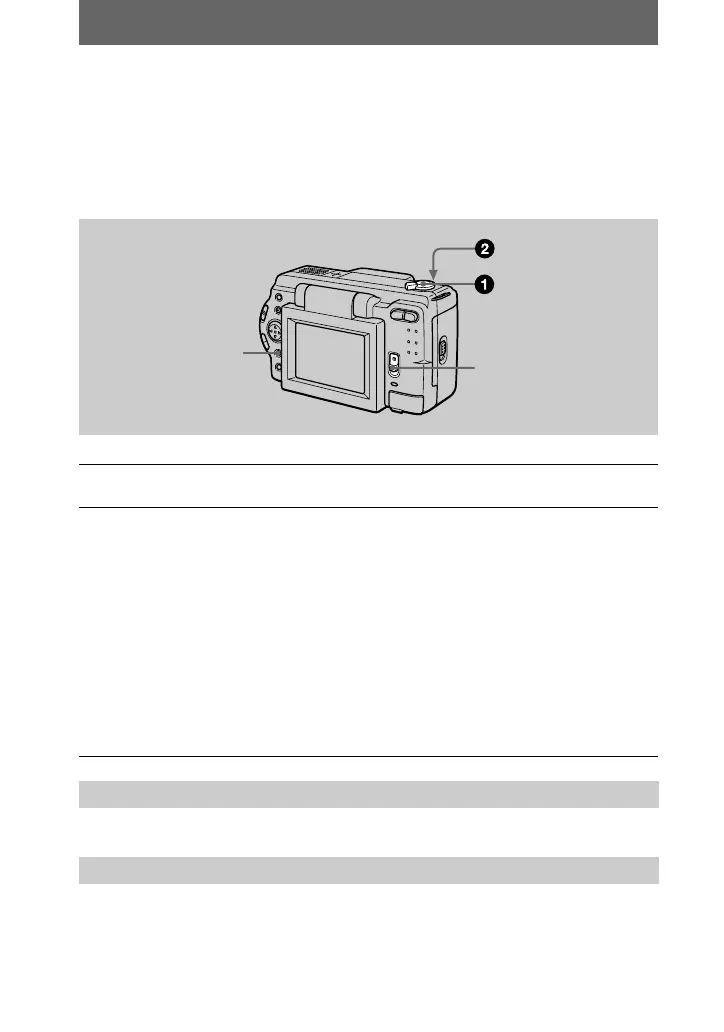
To record moving images, slide the POWER switch down to turn on the power and
insert a “Memory Stick.”
See pages 17 and 18.
Press DISPLAY to turn on/off the indicators on the LCD screen.
These indicators are not recorded. See page 64 for a detailed description of the
indicators.
1
Set the MODE selector to MOVIE.
2
Press the shutter button fully down.
“REC” appears on the LCD screen, and the image and sound are recorded on
the “Memory Stick.”
If you press the shutter button momentarily
The image and sound are recorded for five seconds. You can change the
recording time to 10 or 15 seconds with [REC TIME SET] in the menu settings
(page 33).
If you hold the shutter button down
The image and sound are recorded while the shutter button is held down for up
to 60 seconds. However, when [IMAGE SIZE] in the menu setting is set to
[320×240], the maximum recording time is 15 seconds (page 33).
Zooming or using the self-timer, etc.
LCD screen indicators during recording
DISPLAY
POWER switch



 To Next Page
 Loading...





