38
GB
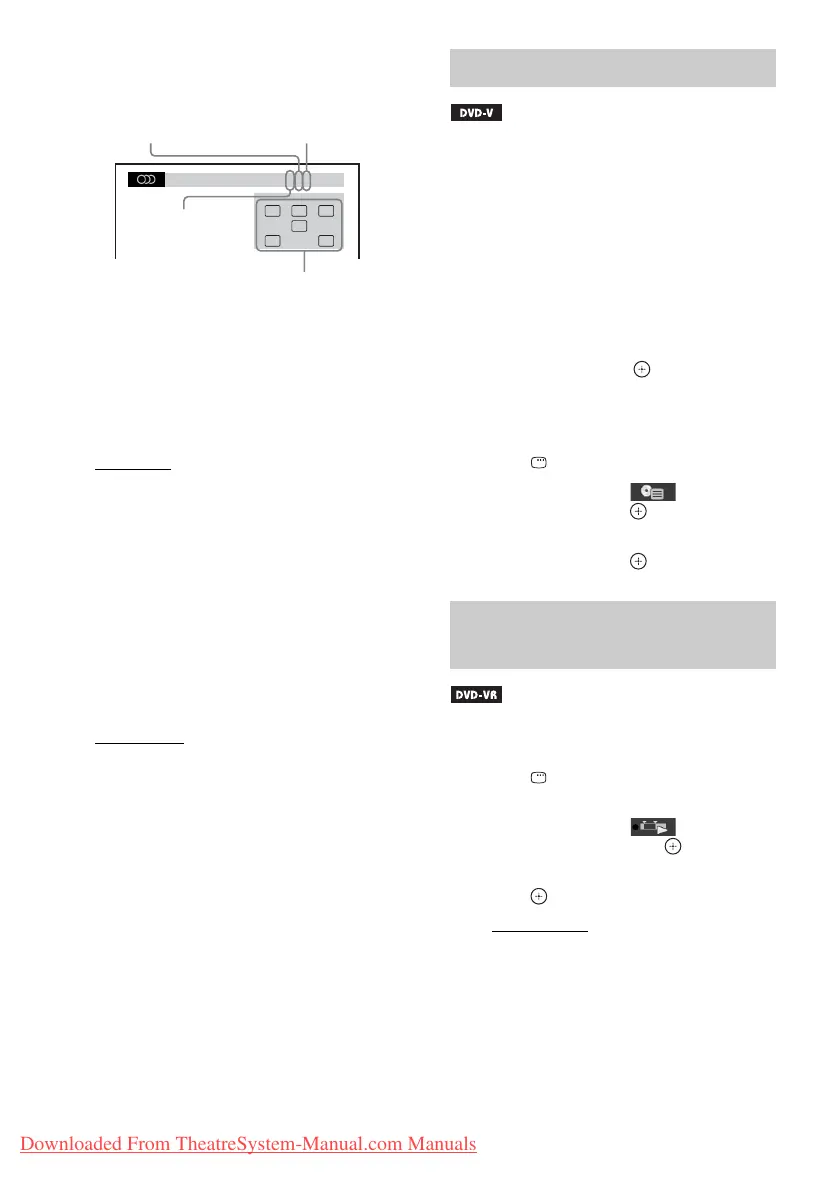
Example:
Dolby Digital 5.1 channel
x DVD-VR
You can toggle audio tracks when a disc
contains multiple audio tracks.
x VIDEO CD/CD/DATA CD (MP3 file)/DATA
DVD (MP3 file)/USB device (audio file)
You can change the sound track.
• [STEREO]
: The stereo sound.
• [1/L]: The sound of the left channel
(monaural).
• [2/R]: The sound of the right channel
(monaural).
x DATA CD (DivX video file)/DATA DVD
(DivX video file)/USB device (DivX video
file)
You can toggle audio tracks when a video file
contains multiple audio tracks.
x Super VCD
You can change the sound track.
• [1:STEREO]
: The stereo sound of audio track
1.
• [1:1/L]: The sound of the left channel of audio
track 1 (monaural).
• [1:2/R]: The sound of the right channel of
audio track 1 (monaural).
• [2:STEREO]: The stereo sound of audio track
2.
• [2:1/L]: The sound of the left channel of audio
track 2 (monaural).
• [2:2/R]: The sound of the right channel of
audio track 2 (monaural).
When you play a DVD which contains several
titles, you can select the title you want using
DVD TOP MENU.
When you play a DVD that allows you to select
items such as the language for the subtitles and
the language for the sound, select these items
using DVD MENU.
1 Press DVD TOP MENU or DVD MENU.
2 Press C/X/x/c or the number buttons to
select the item you want to play or
change, then press .
To display the DVD’s menu on the
Control Menu
1 Press DISPLAY.
2 Press X/x to select [DISC
MENU], then press .
3 Press X/x to select [MENU] or [TOP
MENU], then press .
This function is only available for DVD-VRs
with a playlist created.
1 Press DISPLAY while the system is
in stop mode.
2 Press X/x to select [ORIGINAL/
PLAY LIST], then press .
3 Press X/x to select a setting, then
press .
• [PLAY LIST]: You can play the titles in
the order of the existing playlist.
• [ORIGINAL]: You can play the titles as
they were originally recorded.
1: ENGLISH
DOLBY DIGITAL 3 / 2 .1
LFE
CL R
LS RS
Surround (L/R)
Front (L/R) +
Center
LFE (Low
Frequency Effect)
Currently playing program format
Using the DVD’s menu
Selecting an original title or
edited title on a DVD-VR
Downloaded From TheatreSystem-Manual.com Manuals



 To Next Page