40
GB
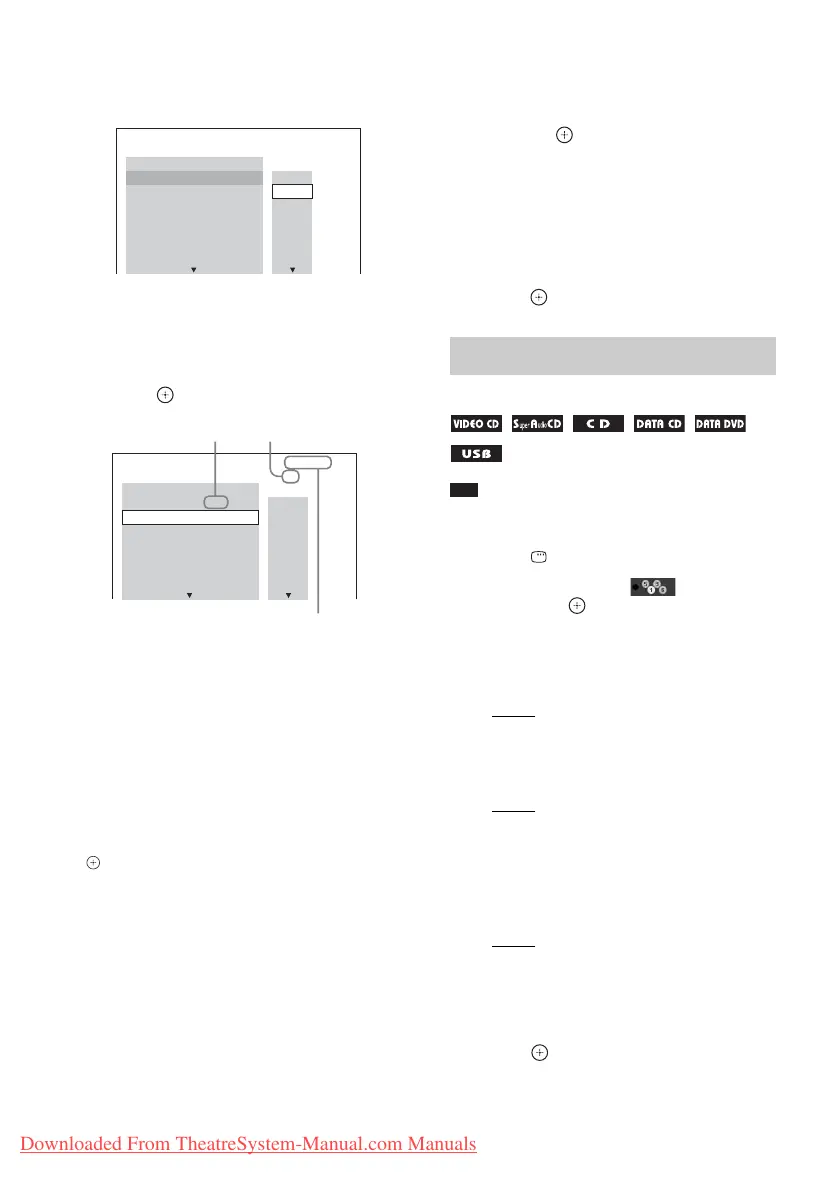
4 Press c.
The cursor moves to the track row [T] (in
this case, [01]).
5 Select the track you want to program.
Ex. To set track 2 as the first
programmed track
Press X/x to select [02] under [T], then
press .
6 To program other tracks, repeat Steps
4 to 5.
7 Press N to start Program Play.
To return to normal playback
Press CLEAR when the display for the program
setting is not displayed on the TV screen, or
select [OFF] in Step 3. To play the same
program again, select [ON] in Step 3 and press
.
To change or cancel a program
1 Follow Steps 1 to 3 of “Playing in
programmed order.”
2 Press X/x to select the program
number of the track you want to
change or cancel.
If you want to delete the track from the
program, press CLEAR.
3 Follow Step 5 of “Playing in
programmed order” for new
programming.
To cancel a program, select [--] under [T],
then press .
To cancel all of the tracks in the
programmed order
1 Follow Steps 1 to 3 of “Playing in
programmed order.”
2 Press X and select [ALL CLEAR], then
press .
Note
• The same song may be played repeatedly when you
are playing MP3 files.
1 Press DISPLAY during playback.
2 Press X/x to select [SHUFFLE],
then press .
3 Press X/x to select the item to be
shuffled.
x VIDEO CD/Super Audio CD/CD
• [OFF]: Off.
• [TRACK]: You can shuffle tracks on the
disc.
x During Program Play
• [OFF]: Off.
• [ON]: You can shuffle tracks selected in
Program Play.
x DATA CD (audio files only)/DATA
DVD (audio files only)/USB device
(audio files only)
• [OFF]: Off.
• [ON (MUSIC)]: You can shuffle audio
files in the folder on the current disc/USB
device. When no folder is selected, the
audio files in the first folder are shuffled.
4 Press to start Shuffle Play.
PROGRAM 0: 00:00
T
2. TRACK
1. TRACK
– – – –
01
02
03
04
05
06
– –
– –
– –
– –
– –
– –
ALL CLEAR
3. TRACK
7. TRACK
6. TRACK
5. TRACK
4. TRACK
PROGRAM 0: 03:51
T
1. TRACK
02 – –
01
02
03
04
05
06
– –
– –
– –
– –
– –
– –
ALL CLEAR
2. TRACK
3. TRACK
7. TRACK
6. TRACK
5. TRACK
4. TRACK
Selected track
Total time of the programmed tracks
Track number [T]
Playing in random order
(Shuffle Play)
Downloaded From TheatreSystem-Manual.com Manuals



 To Next Page