Step
4:
Making
setting
adjustments
before
recording
Adl~sting
the
LCD
p~ne
..
Open the LCD panel
90
degrees to the
camcorder
(CD),
then rotate it to the best
angle to record
or
play
(@).
(D90
deg
rees
to
the
camcorder
DISP/BATT
INFO
@180
degrees
(max.)
To
turn
off
the
LCD
backlight
to
make
the
battery
last
longer
Press
and
hold DISP/BATT INFO for a few
seconds until
:C(J;"
appears.
This setting is practical when you use
your camcorder in bright conditions
or
when you want to save battery power. The
recorded image will
not
be affected by the
setting. To
turn
on
the LCD backlight,
press
and
hold DISP/BATT INFO for a few
seconds until
:C(J;"
disappears.
" Notes
• Do not press the buttons
on
the LCD frame
accidentally when you open
or
adjust the LCD
panel.
.~.
Tips
•
If
you rotate the LCD panel 180 degrees, you
can close the LCD panel with the LCD screen
facing out. This
is
convenient during playback
operations.
• Touch
A (HOME)
-+
i:I
(SETTINGS)
-+
[SOUND/DISP
SET]
-+
[LCD BRIGHT]
(p. 66),
and
adjust the brightness
of
the LCD
screen.
• The information
is
displayed
or
hidden (display
+-+
no display) each time you press DISPI
BATT INFO.
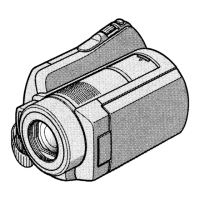
Fasten the grip belt
and
hold your
camcorder correctly.
•
19


 To Next Page