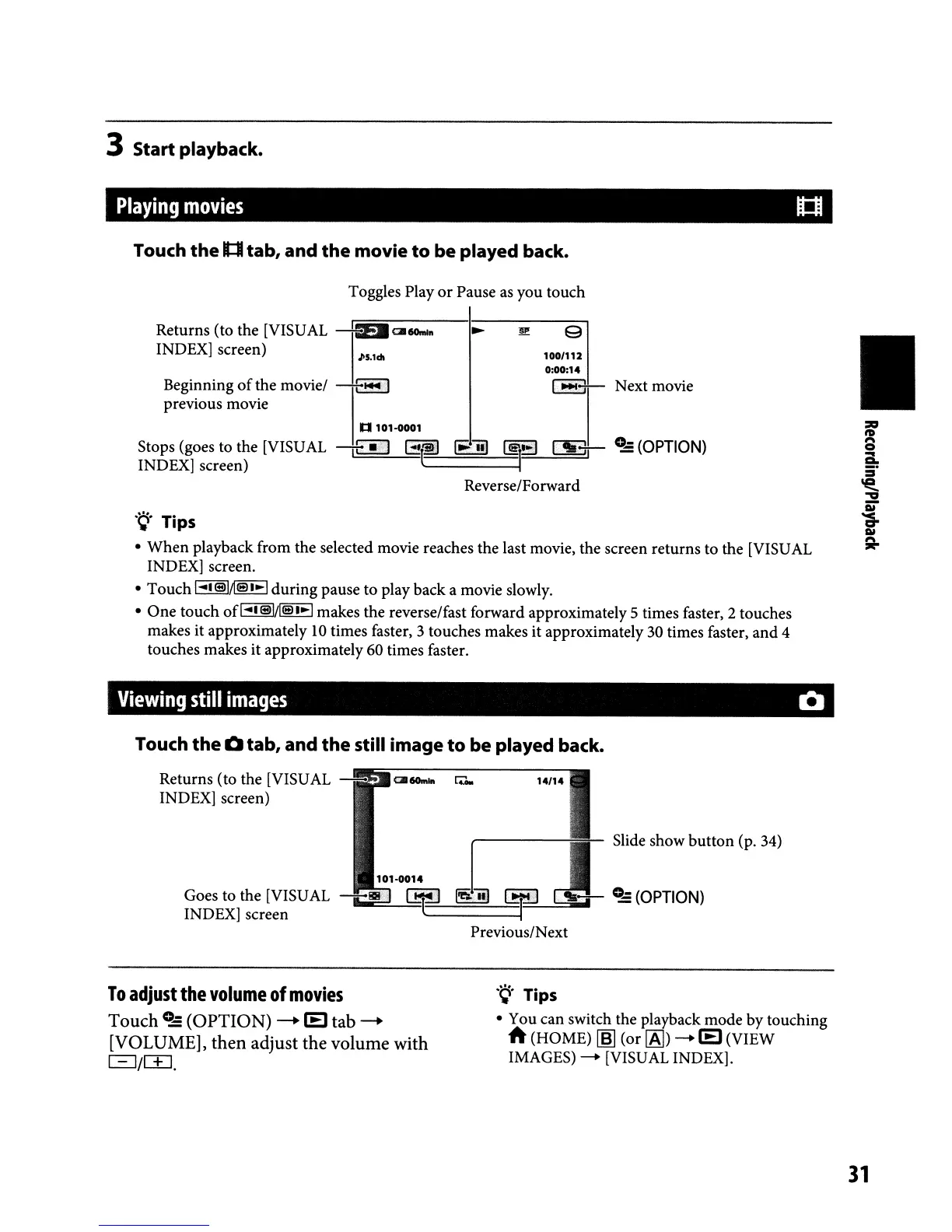
3 Start playback.
Playing
movies
u::u
Touch
the
1::1
tab, and
the
movie
to
be played back.
Toggles Play
or
Pause as you touch
JlS.ldl
Returns (to the [VISUAL
--4Ea~6OmI"
INDEX] screen)
Beginning
of
the movie/
-+-~
I
previous movie
100/112
0:00:14
1
....
11
Next movie
•
n
101-0001
Stops (goes to the [VISUAL -,E!.:J
Gt'!i)
~
~
~
0..,::
(OPTION)
INDEX] screen) .
Reverse/Forward
.~.
Tips
•
When
playback from the selected movie reaches the last movie, the screen returns to the [VISUAL
INDEX] screen.
• Touch
1"'1
siMa
'.-1
during pause to play back a movie slowly.
•
One
touch ofl"'lsl/[ell.-1 makes the reverse/fast forward approximately5 times faster, 2 touches
makes it approximately
10
times faster, 3 touches makes it approximately 30 times faster,
and
4
touches makes it approximately 60 times faster.
Viewing
still
images
Q
Touch
the
0 tab, and
the
still image
to
be played back.
Slide show
button
(p. 34)
"'-00"
I
Goes to the [VISUAL
-88'
Lj:::::J
ffi.]il
INDEX] screen
E.
===~
Returns (to the [VISUAL -
~6Om'"
r.:;,.
14/14
INDEX] screen)
Previous/Next
To
adjust
the
volume
of
movies
Touch
0..,::
(OPTION)
--+
lEI
tab
--+
[VOLUME], then adjust the volume with
81m.
.~.
Tips
• You can switch the playback mode by touching
A (HOME)
~
(or
[AJ)
-+
lEI
(VIEW
IMAGES)
-+
[VISUAL INDEX].
31



 To Next Page