6-36
DCR-SR32E/SR33E/SR42/SR42A/SR42E/SR52E/SR62/SR62E/SR72E/SR82/SR82C/SR82E_ADJ
7. CAMERA Adjustment 4
[Automatic Adjustment Program execution items and
sequence]
1. Data Setting during Camera Adj.
2. Picture Frame Setting (Center Frame)
3. F No. Standard Data Input
4. MAX GAIN Adj.
5. Mechanical Shutter Adj.
6. Release of Data Setting during Camera Adj.
[Adjusting method]
1) Select the model (NTSC Model or PAL Model) with the Model
Select radio button.
Note: NTSC model: DCR-SR62/SR82/SR82C
PAL model: DCR-SR52E/SR62E/SR72E/SR82E
2) Click the [Start] button of the CAMERA Adjustment 4.
3) The Automatic Adjustment Program executes “1. Data Setting
during Camera Adj.”.
4) Upon successful completion of the “1. Data Setting during
Camera Adj.”, the following message is displayed during the
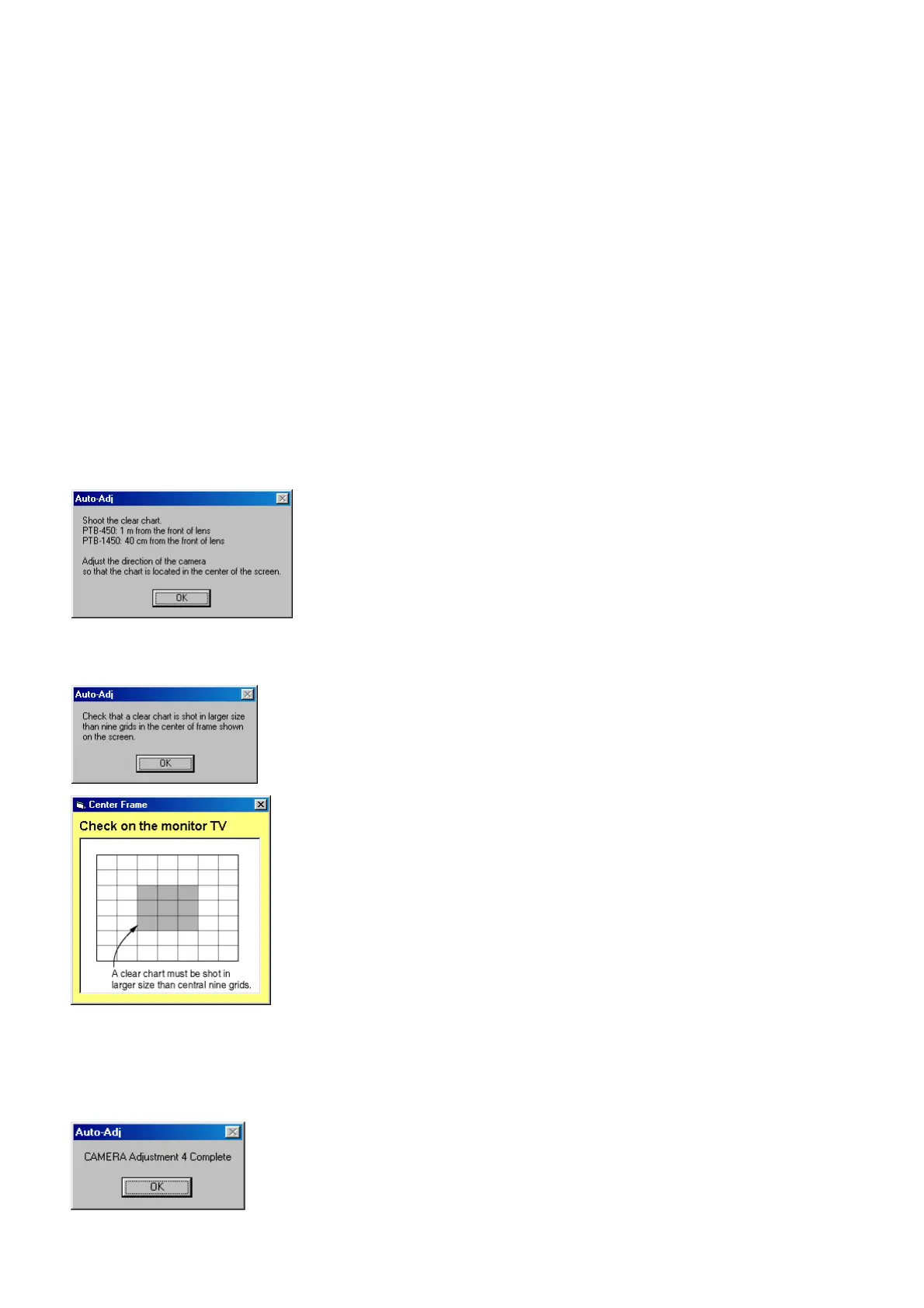
execution of “2. Picture Frame Setting (Center Frame)”. Set
the subject in accordance with the message.
5) If the [OK] button is clicked, the following message is dis-
played, and then check the size of clear chart shot on the moni-
tor screen.
6) After the checking, if the [OK] button in the message window
is clicked, the adjustment items from “3. F No. Standard Data
Input” to “5. Mechanical Shutter Adj.” are executed.
7) Upon successful completion of all items of the CAMERA
Adjustment 4, the following message is displayed. Click the
[OK] button.
Ver. 1.7 2008.04



 To Next Page