6-30
DCR-SR32E/SR33E/SR42/SR42A/SR42E/SR52E/SR62/SR62E/SR72E/SR82/SR82C/SR82E_ADJ
1-8. CAMERA SYSTEM ADJUSTMENTS
(MEGA model)
1. Function of Each Button on Camera System
Adjustment Screen
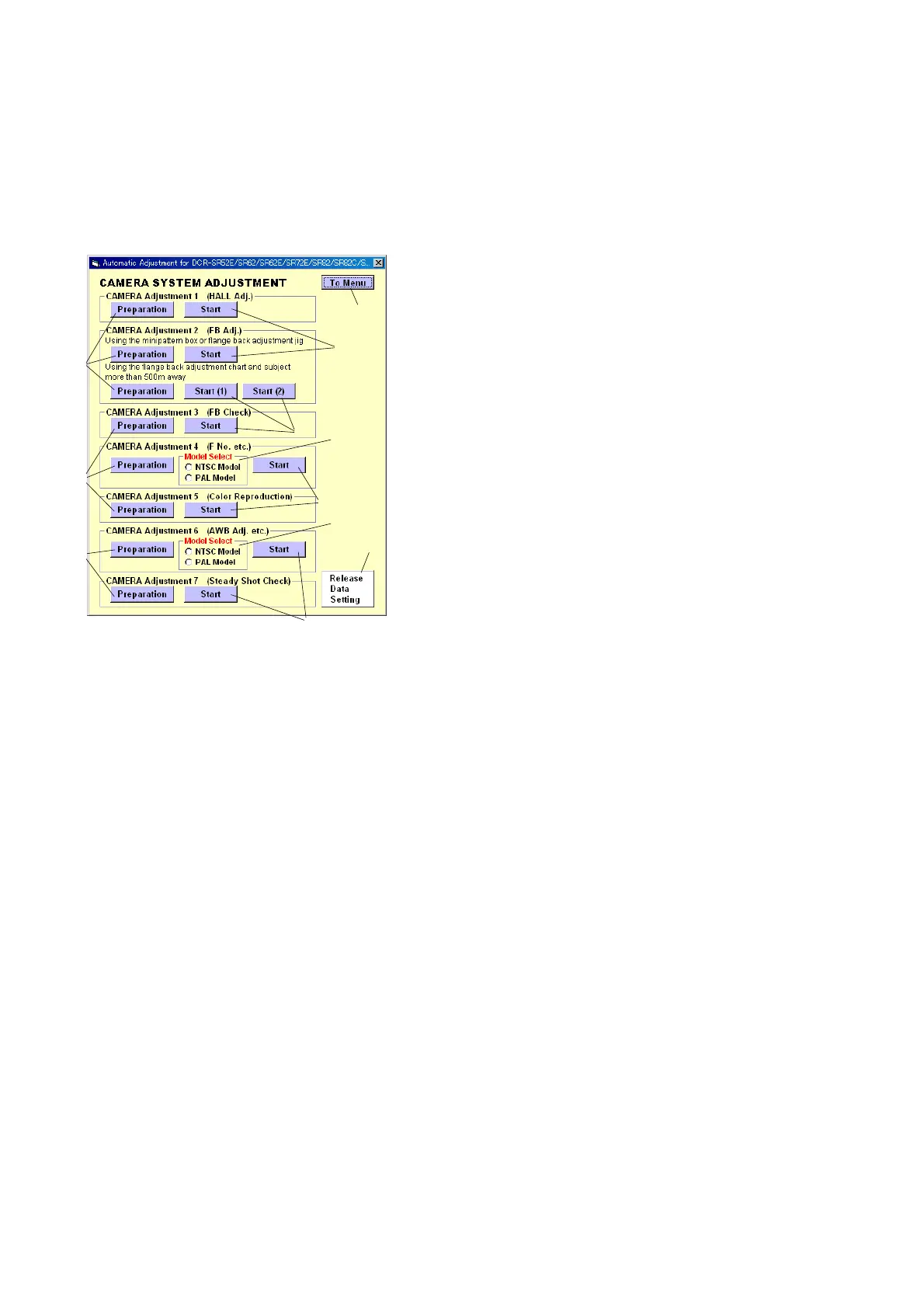
Click the [CAMERA SYSTEM ADJUSTMENT] button on the Main
Menu screen, and the “CAMERA SYSTEM ADJUSTMENT”
screen in Fig. 6-1-15 will appear.
Fig. 6-1-15
1 [To Menu] button
The Main Menu screen comes back.
2 [Preparation] button
Notes for adjustment or jigs used are displayed.
3 [Start] button
Each adjustment from “Camera Adjustment 1” to “Camera
Adjustment 7” starts.
4 Model Select radio button
Selects the model to be adjusted.
Note: NTSC model: DCR-SR62/SR82/SR82C
PAL model: DCR-SR52E/SR62E/SR72E/SR82E
5 [Release Data Setting] button
The data setting at the adjustment is cancelled.
During the data setting, the button color changes from “white”
to “red”. When the data setting is cancelled, the button color
returns to “white”.
(Use this button when an error occurred in the camera adjust-
ment. If the adjustment completed successfully, the data set-
ting is automatically cancelled and the button color returns to
“white”.)
5
4
3
2
1
2
3
3
2
3
4
Ver. 1.7 2008.04



 To Next Page