6-44
DCR-SR32E/SR33E/SR42/SR42A/SR42E/SR52E/SR62/SR62E/SR72E/SR82/SR82C/SR82E_ADJ
4. Touch Panel Adjustment
[Automatic Adjustment Program execution items and
sequence]
1. Touch Panel Adj.
2. Release of Data Setting during LCD Adj.
[Adjusting method]
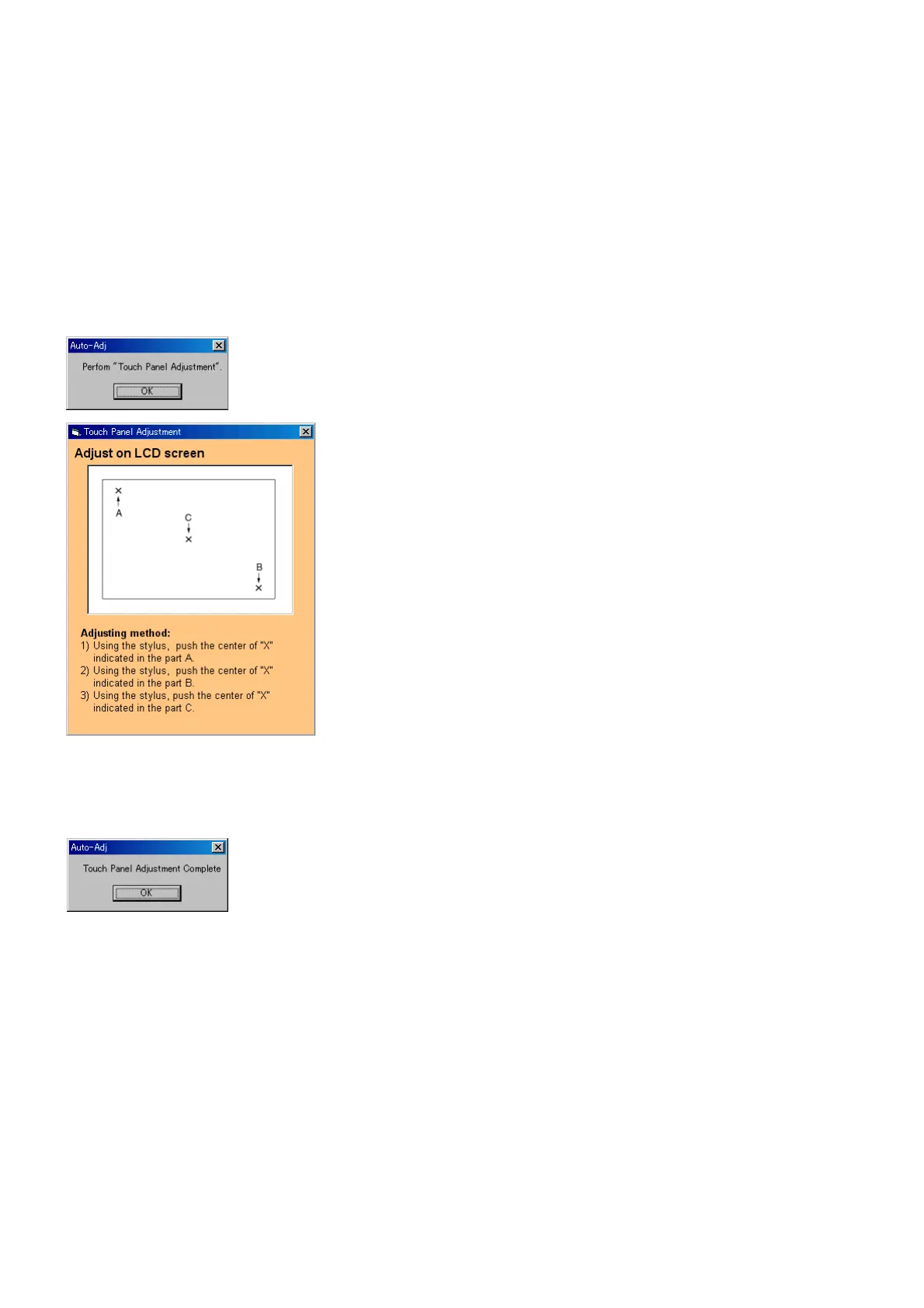
1) Click the [Start] button of the Touch Panel Adjustment.
2) The Automatic Adjustment Program executes the “1. Touch
Panel Adj.1”. The following message is displayed, and then
adjust the LCD screen in accordance with the instructions given
on the screen. After the adjustment, click the [OK] button in
the message window.
3) If the [OK] button is clicked, “2. Release of Data Setting dur-
ing LCD Adj.” will be executed.
4) Upon successful completion of all item the Touch Panel Ad-
justment, the following message is displayed. Click the [OK]
button.



 To Next Page