6-46
DCR-SR32E/SR33E/SR42/SR42A/SR42E/SR52E/SR62/SR62E/SR72E/SR82/SR82C/SR82E_ADJ
1-10-2. Precautions When an Error Occurred
The Automatic Adjustment Program sets the data for adjustment
before the adjustment starts. Accordingly, if the adjustment termi-
nates by an error, the data during the adjustment may be left in the
camera.
Note: With this data left in the camera, the camera will not oper-
ate normally.
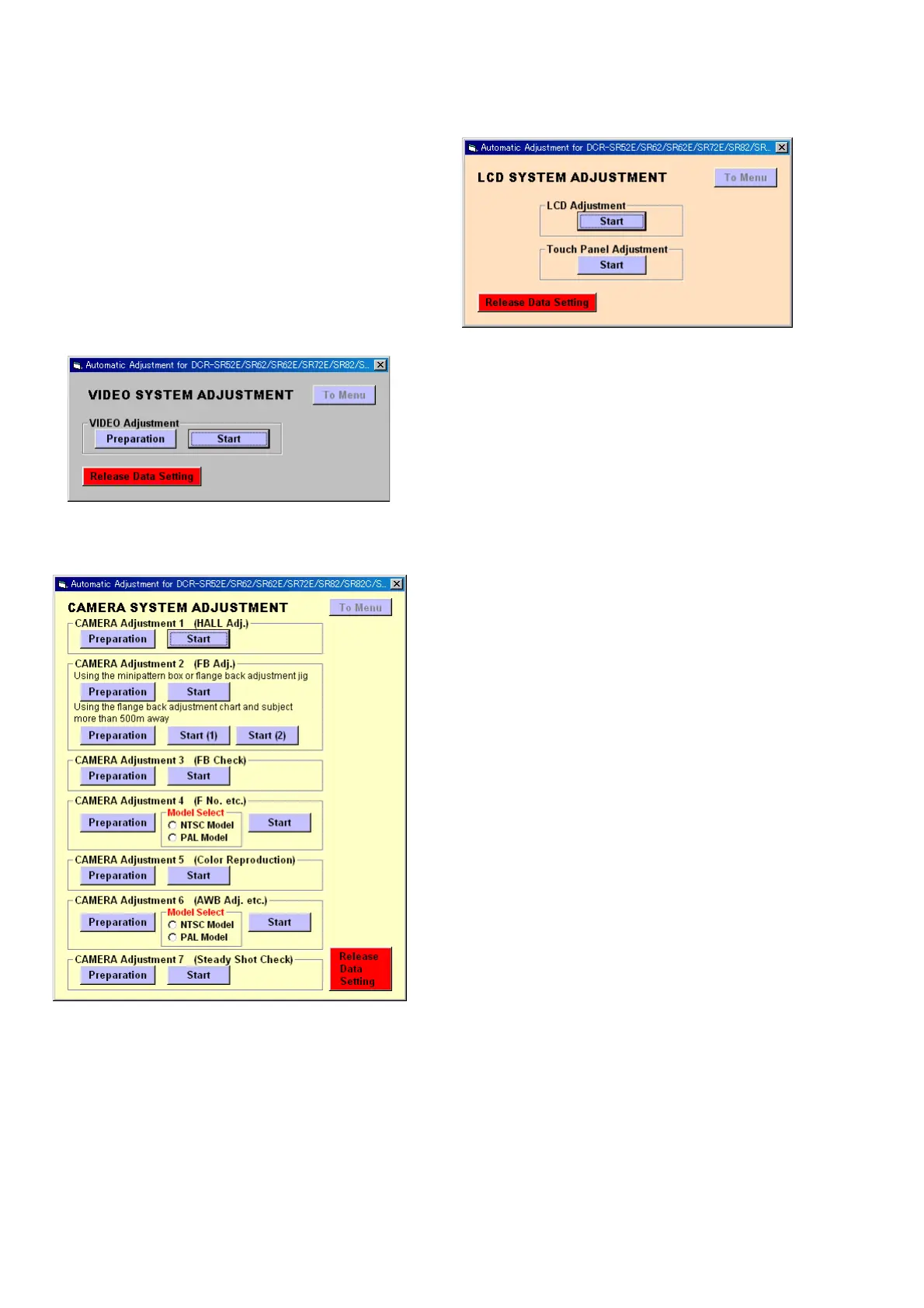
In this case, the [Release Data Setting] button is displayed in “red”
on the screen as shown in Fig. 6-1-24 to Fig. 6-1-26. Click the
[Release Data Setting] button to cancel the data setting. When the
data setting is cancelled, the button color becomes “white”.
Video System Adjustment screen
Fig. 6-1-24
Camera System Adjustment screen
Fig. 6-1-25
LCD System Adjustment screen
Fig. 6-1-26
Ver. 1.7 2008.04



 To Next Page