65
Advanced Playback Operations
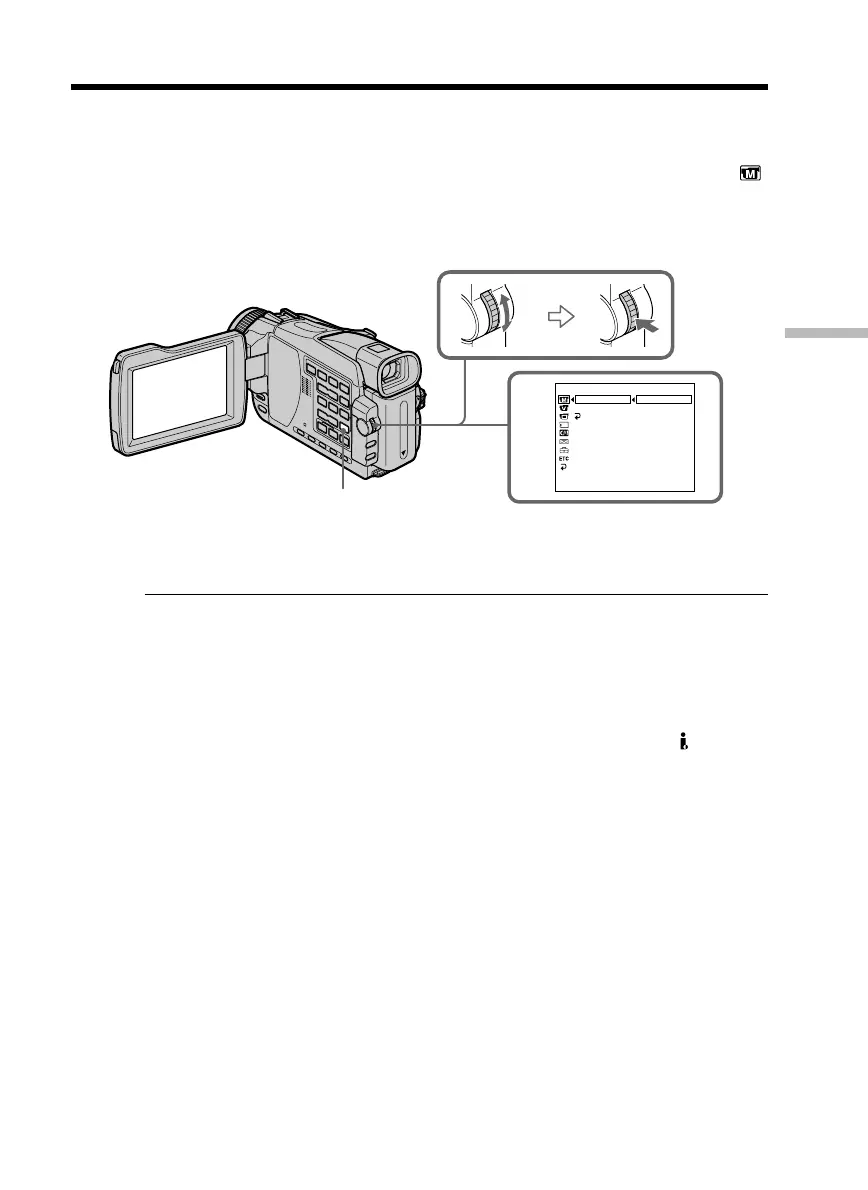
During playback, you can process a scene using the following picture effect functions:
NEG. ART, SEPIA, B&W and SOLARIZE.
(1) In the playback or playback pause mode, press MENU. Select P EFFECT in
with the SEL/PUSH EXEC dial (p. 176).
(2) Select the desired mode by turning the SEL/PUSH EXEC dial.
For details of each picture effect function, see page 54.
To cancel the picture effect
Set P EFFECT to OFF in the menu settings.
Notes
•You cannot process externally input scenes using the picture effect function.
•To record images that you have processed using the picture effect function, record
images on a “Memory Stick” (except DCR-TRV16) (p. 117, 128), or on a VCR using
your camcorder as a player.
Pictures processed by picture effect functions
Pictures processed by the picture effect function are not output through the DV IN/
OUT jack.
When you set the POWER switch to OFF (CHG) or stop playing back
The picture effect function is automatically canceled.
— Advanced Playback Operations —
Playing back tapes with picture effect
1
MANUAL SET
P EFFECT
D EFFECT
RETURN
[
MENU
]
:
END
OFF
NEG. ART
SEPIA
B&W
SOLARIZE
MENU



 To Next Page