32
Opnemen bij tegenlicht
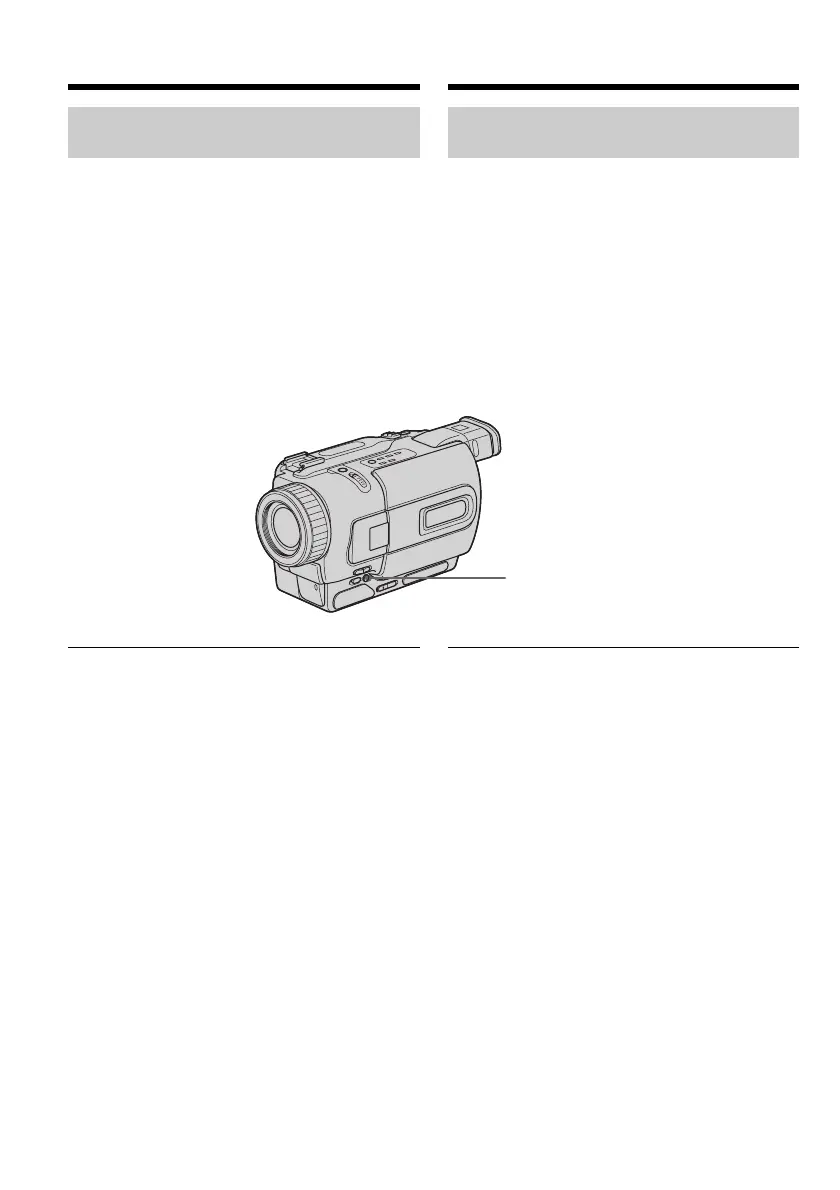
– BACK LIGHT
Voor het maken van tegenlicht-opnamen, met
achter uw onderwerp een lichtbron of een erg
lichte achtergrond, kunt u ter correctie de
tegenlicht-compensatie inschakelen.
Druk in de “CAMERA” of de “MEMORY” stand
(alleen voor de DCR-TRV325E/TRV330E/
TRV430E/TRV530E) op de BACK LIGHT toets.
De . tegenlicht-indicator verschijnt op het
scherm. Om de tegenlicht-compensatie uit te
schakelen, drukt u nogmaals op de BACK LIGHT
toets.
Als u op de EXPOSURE toets drukt tijdens het
opnemen bij tegenlicht
Dan wordt de tegenlicht-compensatie
uitgeschakeld.
Recording a picture
Shooting backlit subjects
– BACK LIGHT
When you shoot a subject with the light source
behind the subject or a subject with a light
background, use the backlight function.
Press BACK LIGHT in CAMERA or MEMORY
(DCR-TRV325E/TRV330E/TRV430E/TRV530E
only) mode.
The . indicator appears on the screen.
To cancel, press BACK LIGHT again.
If you press EXPOSURE when shooting backlit
subjects
The backlight function will be canceled.
BACK LIGHT
Video-opnamen maken




 To Next Page