61
Advanced operations Operaciones avanzadas
1
2
3
ON OFF
AUTO LOCK
WHT BAL
AUTO
MANUAL
Adjusting white balance
manually
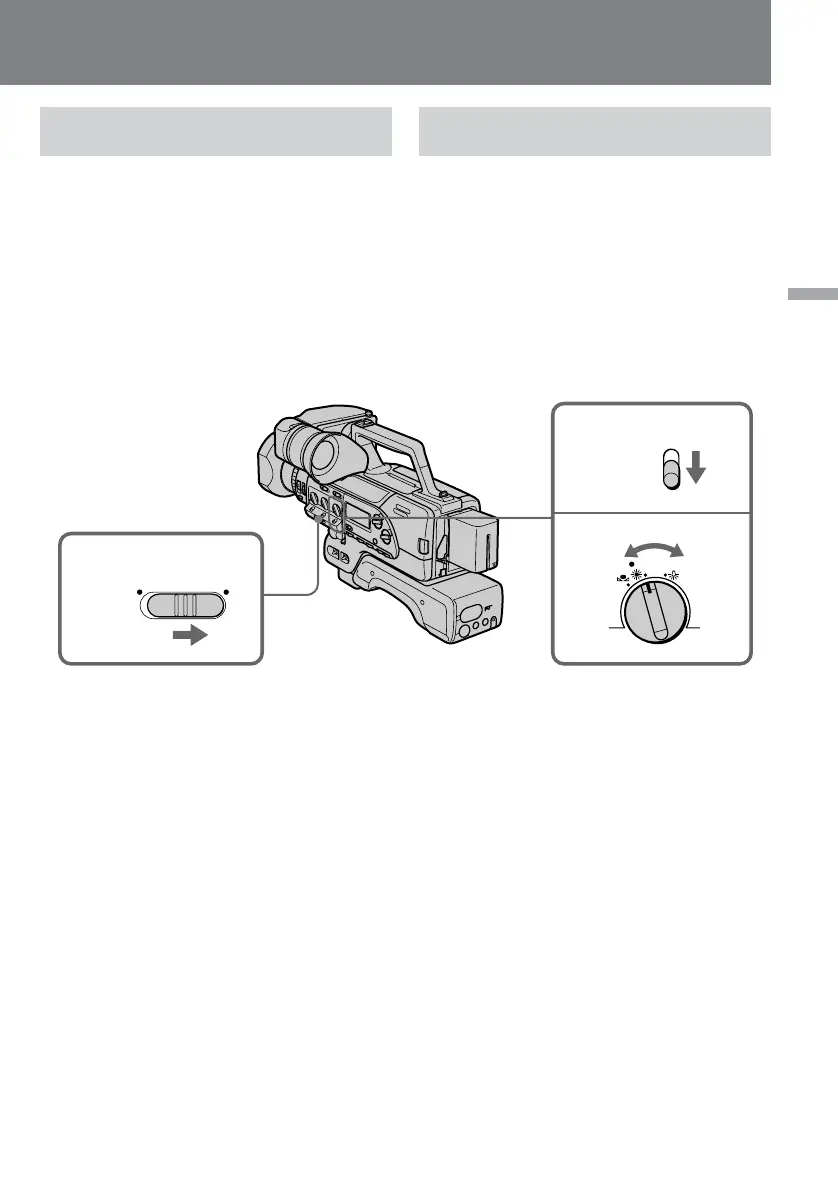
(1)Set AUTO LOCK to OFF.
(2)Set AUTO/MANUAL under the WHT BAL
dial to MANUAL.
(3)Turn WHT BAL to select a white balance.
Usually select e (indoor mode) or w
(outdoor mode). To fix the white balance by
using one-push white balance, select ∑ and
see "Locking the white balance setting".
Ajuste manual del equilibrio del
blanco
(1)Ponga AUTO LOCK en OFF.
(2)Ponga AUTO/MANUAL debajo del mando
WHT BAL en MANUAL.
(3)Gire WHT BAL para seleccionar un equilibrio
del blanco.
Normalmente seleccione e (modo de
interiores) o w (modo de exteriores). Para
fijar el equilibrio del blanco utilizando una
sola tecla, seleccione ∑ y consulte “Bloqueo
del ajuste del equilibrio del blanco”.
To return to automatic white balance
mode
Set AUTO/MANUAL below the dial to AUTO.
Para volver al modo de equilibrio
automático del blanco solamente
Ponga AUTO/MANUAL debajo del mando en
AUTO.















 To Next Page