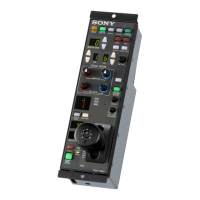
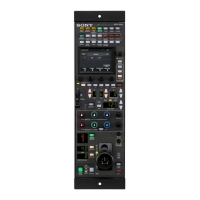
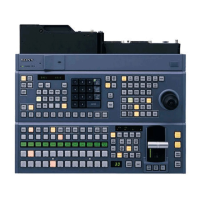
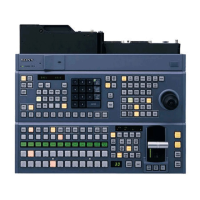
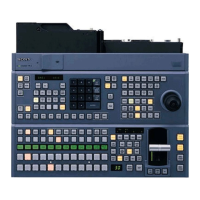
Names and Functions of Parts
27
+ (SCL +): Functions as a + symbol input button when
pressed alone. Functions as an SCL + (zoom in)
button when pressed with the CTRL button.
CTRL: Functions as a function switching button (like a
keyboard Ctrl key).
ENTER: Functions as an Enter (confirmation) button.
b ESC/TAB/NUM LOCK buttons
ESC: Functions as an escape (forcible cancel) key.
TAB: Functions as a tab input key.
NUM LOCK: Functions as a number lock button. The
indicator lights when the num lock function is on.
c Timecode section
TC/CTL (F/TC): This is a time data display switch
button. Functions as a TC (timecode)/CTL button
when pressed alone. Functions as an F/TC (frame
count display/hours:minutes:seconds:frames display)
button when pressed with a SHIFT button.
CTL RESET: Functions as a CTL reset button.
SET DUR: Functions as a set duration button.
TRANS TIME: Functions as a transition option setting
button.
d Function button section
You can assign functions to the F1 to F12 buttons to allow
you to start the various tools of the XPRI /XPRI NS system
or execute tool functions with a single button press. The
indicators on the F9 to F12 buttons light when the assigned
function is on.
e Track section
A1 to A4, V1, V2, DSK: Function as track selection
buttons. The A1 to A4 buttons select tracks A5 to A8
when pressed with a SHIFT button. The
corresponding buttons light when the A1 to A4 tracks
are selected as targets of editing operations. The A5 to
A8 indicators light when the A5 to A8 tracks are
selected as targets of editing operations.
EDIT MODE: Switches the edit mode.
f Timeline editing section
MATCH FRAME (REV MATCH, GANG): Functions
as a Match Frame button when pressed alone.
Functions as a Reverse Match List button when
pressed with a SHIFT button. Functions as a GANG
(ganging) button when pressed with the CTRL button.
EXTRC (LIFT): Functions as an EXTRC (Extract)
button when pressed alone. Functions as a LIFT (Lift)
button when pressed with a SHIFT button.
EXTEND: Functions as an extend button.
ADD EDIT: Functions as an add edit button.
UNDO (REDO): Functions as an UNDO button when
pressed alone. Functions as a REDO button when
pressed with a SHIFT button.
CUT (COPY): Functions as a CUT button when pressed
alone. Functions as a COPY button when pressed with
a SHIFT button.
PASTE (Toggle A/B/AB Side Trim): Functions as a
PASTE button when pressed alone. Functions as a
Toggle A, B or AB Side Trim button (to switch
between A-side Single Trim mode, B-side Single
Trim mode and Dual Trim mode) when pressed with
a SHIFT button.
TRIM: Functions as a Trim mode button. The indicator
lights when Trim mode is on.
g Master/source section
MASTR: Functions as a button to move the focus to the
Master Viewer. Lights when the Master Viewer is
active.
SRC: Functions as a button to move the focus to the
Source Viewer. Lights when the Source Viewer is
active.
P1: Functions as a button to move the focus to the Logging
Tool and select Port1.
P2: Functions as a button to move the focus to the Logging
Tool and select Port2.
h Position section
BS: Functions as a backspace input button.
GOTO IN (GOTO OUT): Functions as a GOTO IN
(jump to Mark In) button when pressed alone.
Functions as a GOTO OUT (jump to Mark Out)
button when pressed with a SHIFT button.
FS: Currently no function is assigned.
PREV EVENT (HOME): Functions as a PREV EVENT
(move to previous event) button when pressed alone.
Functions as a HOME (back to home position) button
when pressed with a SHIFT button.
R (PG UP): Functions as an up arrow button when pressed
alone. Functions as a PG UP (Page Up) button when
pressed with the CTRL button.
NEXT EVENT (END): Functions as a NEXT EVENT
(move to next event) button when pressed alone.
Functions as an END button when pressed with a
SHIFT button.
T: Functions as a left arrow button.
r (PG DN):
Functions as a down arrow button when
pressed alone. Functions as a PG DN (Page Down)
button when pressed with the CTRL button.
t: Functions as a right arrow button.
i SHIFT/ALL STOP/OVER WRITE/REVIEW
button
SHIFT: There are two SHIFT buttons (left and right).
Function as function switching buttons (like keyboard
Shift keys).
REVIEW: Functions as a preroll/review button.
OVER WRITE (SPLICE IN, REC): Functions as an
OVER WRITE button (to paste clips to the Timeline
Editor in Overwrite mode) when pressed alone.


 To Next Page