Saving the Changed Effects
(SAVE)
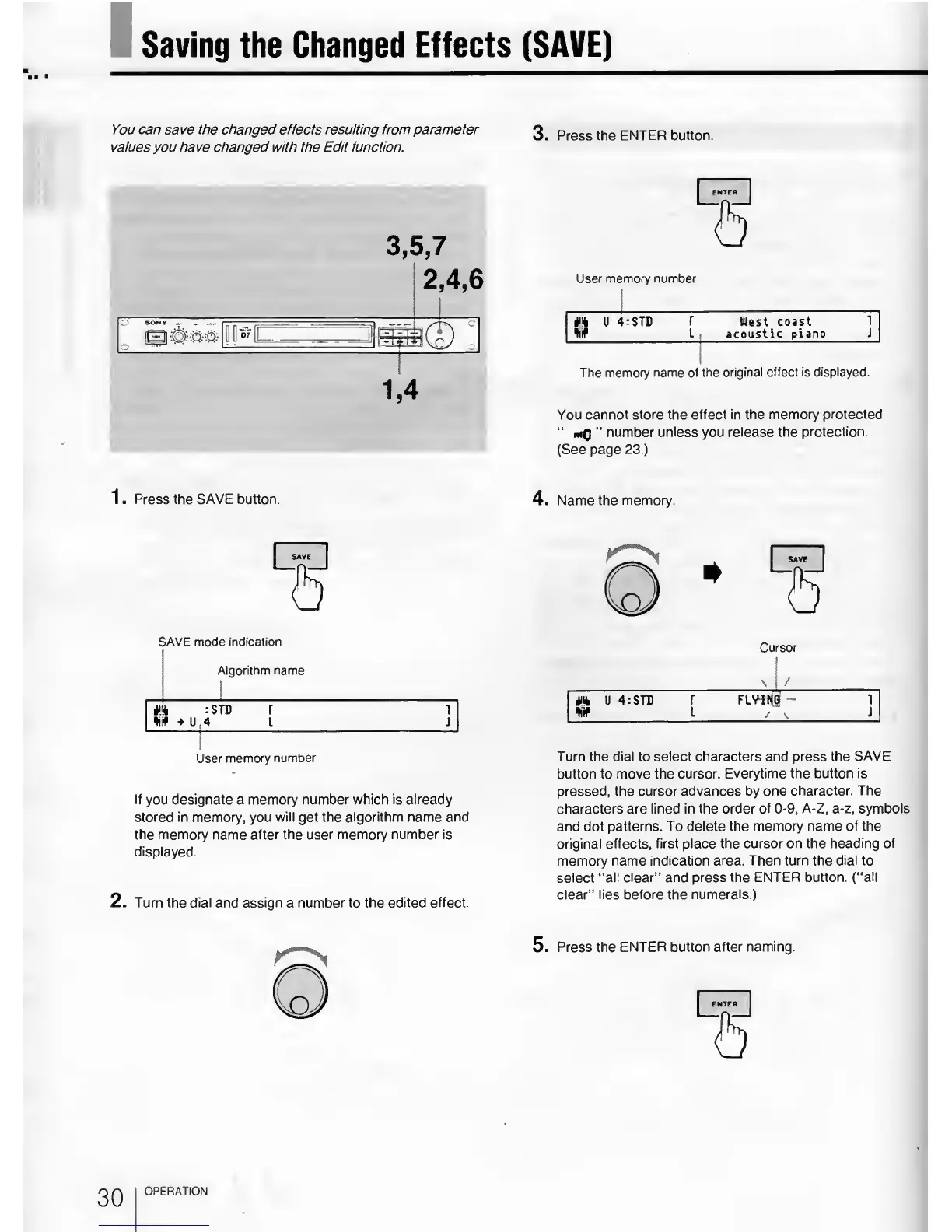
You can save the changed effects resulting from parameter
o
Procc th FMXpR hl lttrin
values
you
have changed with the Edit function.
3,
5,7
2,4,6
1
s&©
V
\
User memory number
U
4:$TD
r
West
coast
1
4iif L :
acoustic
piano
J
The memory
name of the
original effect is displayed.
You cannot
store the effect in the memory
protected
“
”
number unless
you
release the
protection.
(See page 23.)
1 . Press the SAVE button.
4. Name
the memory.
SAVE mode indication
l
Mgorithm
name
*
1
f
»
u
: STB r 1
4
L J
User memory
number
If
you
designate
a
memory number which is already
stored in memory,
you
will
get
the algorithm name and
the memory name after the user memory number is
displayed.
2. Turn the dial and assign
a
number
to
the edited effect.
Cursor
\
1
/
ft
U 4:
STL r FLYilfGf
-
*if
i
/
\
j
Turn the
dial
to
select characters and
press
the
SAVE
button
to
move the
cursor. Everytime the button is
pressed, the
cursor advances by
one character. The
characters are lined in the
order of
0-9,
A-Z,
a-z,
symbols
and dot
patterns. To delete the memory name
of the
original
effects, first place the cursor
on the heading of
memory name
indication area. Then turn the
dial
to
select
“all clear” and press the
ENTER button, (“all
clear”
lies before the
numerals.)
5.
Press the
ENTER button after naming.
OPERATION



 To Next Page