15
Enjoying the camera
Adjusting the ISO sensitivity
ISO is unit of measurement (sensitivity), estimating how much light an image pickup device
(equivalent to photo films) receives. Even when the exposure is the same, images differ
depending on the ISO sensitivity.
To adjust the ISO sensitivity t page 47
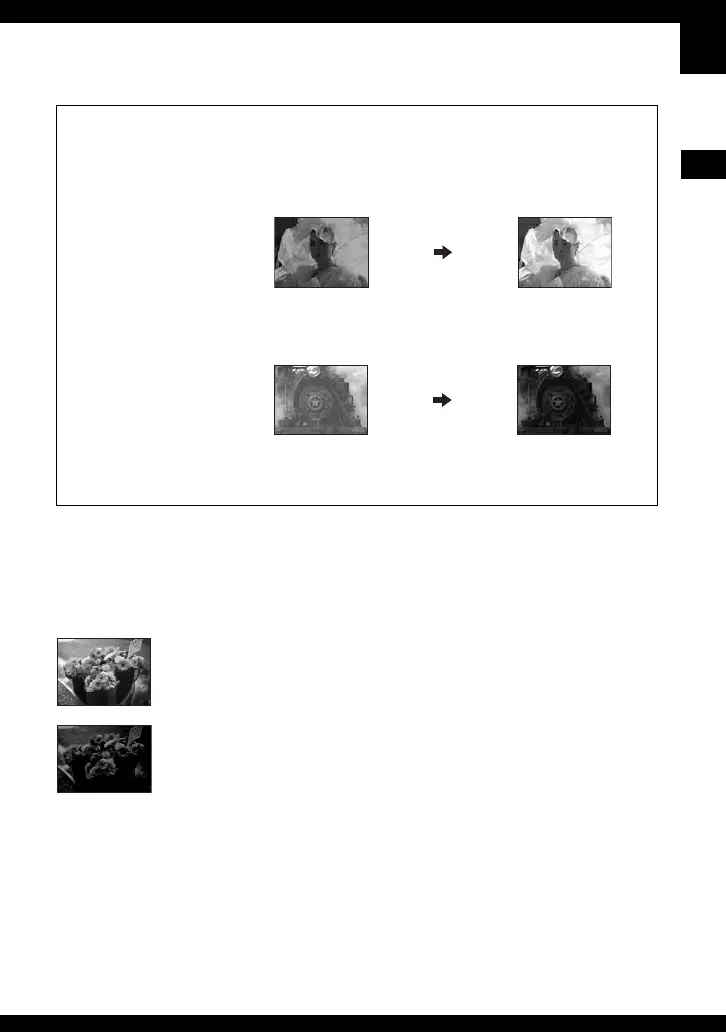
Hints for adjusting the exposure (EV)
The camera judges that the
subject is bright so that the
exposure is darker.
Adjust in the +
direction
When shooting a whitish
overall image such as a backlit
subject or a snowy scene
The camera judges that the
subject is dark so that the
exposure is brighter.
Adjust in the –
direction
When shooting a darker overall
image
You can check the exposure referring to the histogram chart. Be careful not to overexpose or
underexpose your subject (giving a whitish or darkish image). t step 5 in “Read This
First”, page 38
High ISO sensitivity
Records a bright image even when shooting in a dark location.
However, the image tends to become noisy.
Low ISO sensitivity
Records a smoother image.
However, when the exposure is insufficient, the image may become darker.



 To Next Page
 Loading...