19
GB
[ Shooting in the dark
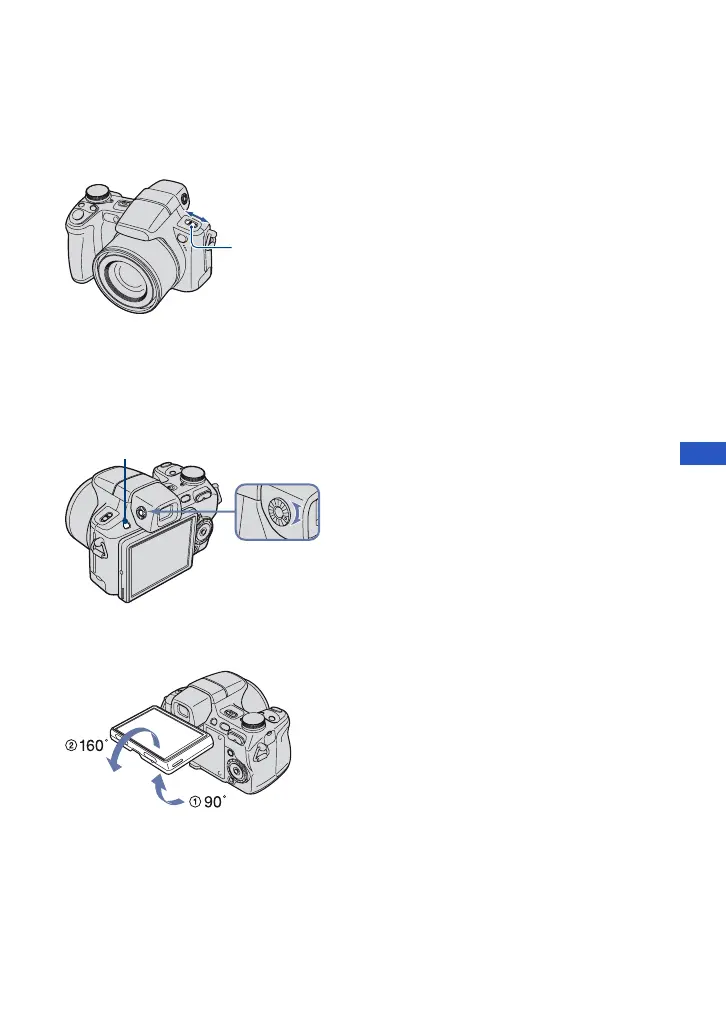
The Night Shot function lets you shoot subjects in the dark places without using the flash.
Set NIGHTSHOT switch to ON.
[ To shoot using the finder
With the FINDER/LCD button, you can choose to shoot either using the finder or the LCD
screen. When you use the finder, the image does not appear on the LCD screen. Adjust the
finder adjustment dial to your eyesight so that the image appears clearly within the finder, then
shoot the image.
[ Adjusting the angle of the LCD screen
You can adjust the angle of the LCD screen to meet various shooting situation.
• Forcing the LCD screen to move over the range of movement may cause malfunction.
NIGHTSHOT switch
FINDER/LCD button
Finder Adjustment dial












 To Next Page