[237] How to Use Using a computer Using the software
Installing PlayMemories Home
1. Using your computer's Internet browser, go to the URL below and download
PlayMemories Home by following the on-screen instructions.
http://www.sony.net/pm/
An internet connection is required.
For detailed instructions, visit the PlayMemories Home support page.
http://www.sony.co.jp/pmh-se/
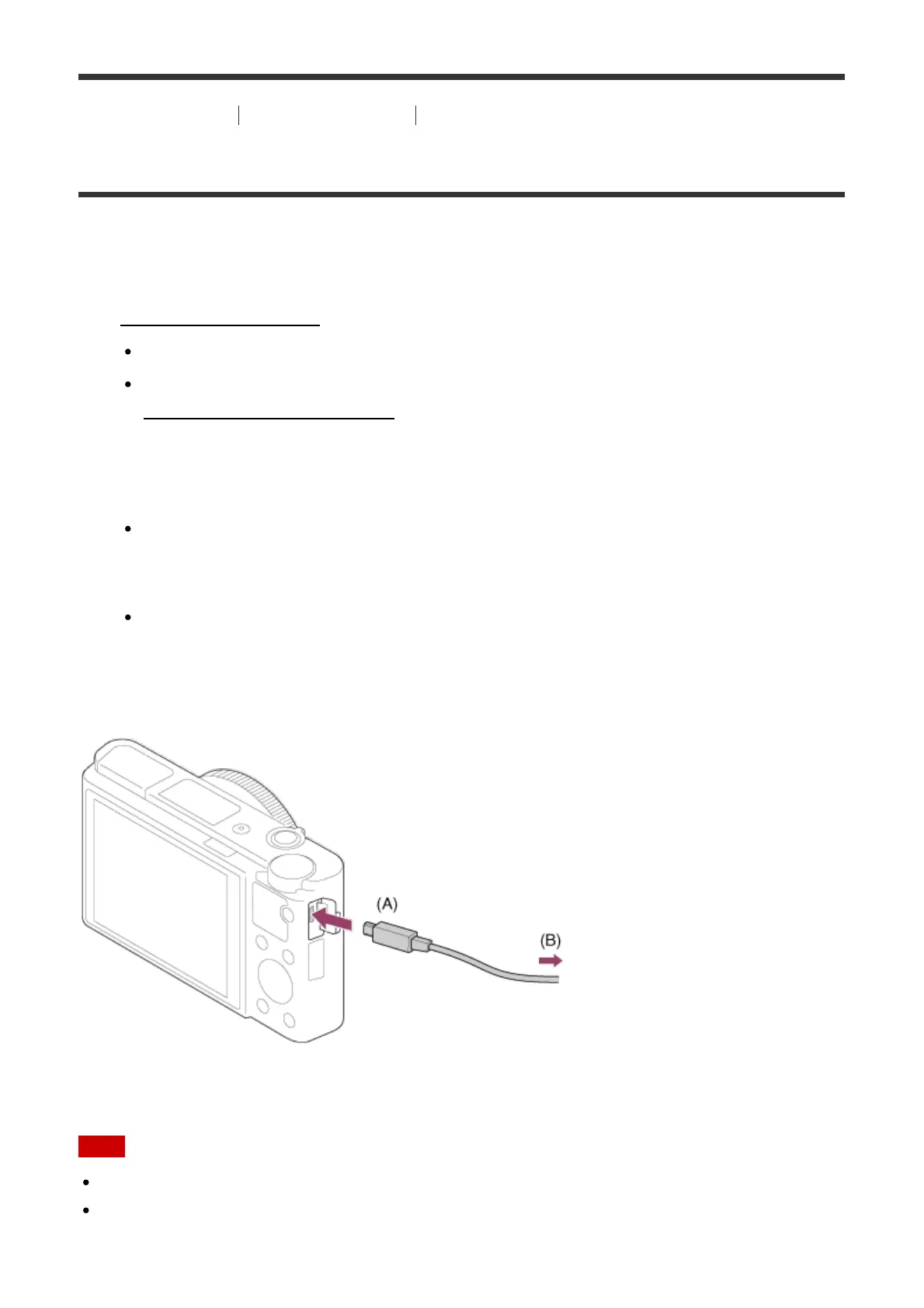
2. Connect the product to your computer using the micro USB cable (supplied), then turn
the product on.
New functions may be added to PlayMemories Home. Even if PlayMemories Home
has already been installed on your computer, connect this product and your
computer again.
Do not remove the micro USB cable (supplied) from the camera while the camera is
in operation or the access screen is displayed. Doing so may damage the data.
A: To the Multi/Micro USB Terminal
B: To the USB jack of the computer
Note
Log on as Administrator.
It may be necessary to restart your computer. When the restart confirmation message
appears, restart the computer following the instructions on the screen.








 To Next Page