Allows you to shoot after adjusting the aperture value manually.
Shutter Priority:
Allows you to shoot after adjusting the shutter speed manually.
Manual Exposure:
Allows you to shoot after adjusting the exposure (both the shutter speed and the aperture
value) manually.
[44] How to Use Using shooting functions Using the zoom
Zoom
This product is not equipped with a zoom lens, but a zoom function is available.
1. MENU → (Camera Settings) → [Zoom] → press the left/right side of the control
wheel or turn the control wheel to adjust the zoom scale.
Hint
When you select other than [Smart zoom only] for [Zoom Setting], you can exceed the
zoom range of the smart zoom to zoom images.
[45] How to Use
Using shooting functions Using the zoom
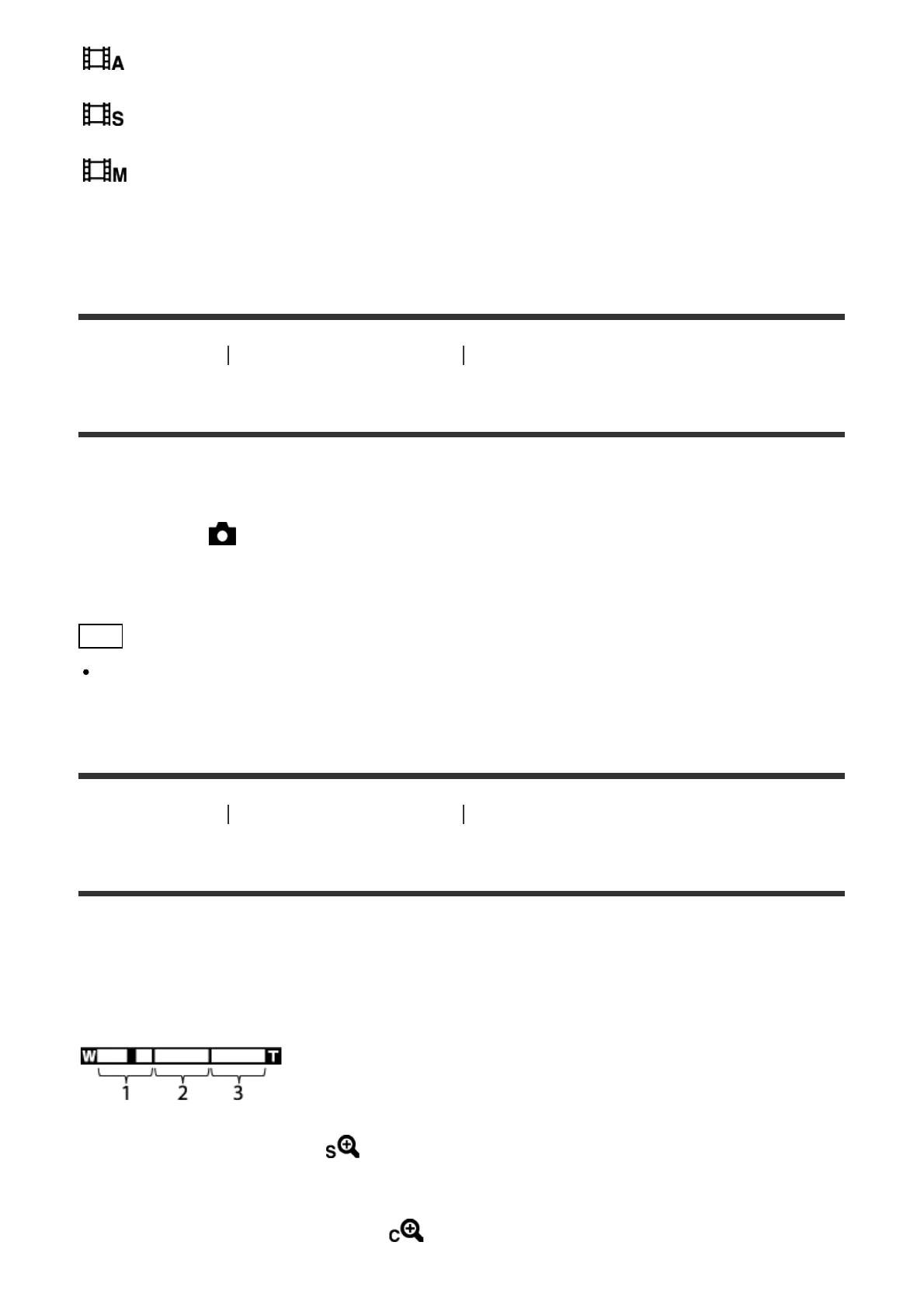
The zoom features available with this product
The zoom feature of the product provides a higher magnification zoom by combining various
zoom features. The icon displayed on the screen changes, according to the selected zoom
feature.
1. Smart Zoom range ( )
Zoom images without causing the original quality to deteriorate by partially cropping an
image (only when the image size is [M] or [S]).
2. Clear Image Zoom range ( )
Zoom images using an image process with less deterioration. Set [Zoom Setting] to













 To Next Page