90
The maximum number of continuous shots
The number of continuous shooting images obtainable has an upper limit.
Notes
• You cannot shoot images continuously when “0” flashes in the viewfinder. Wait
until the indicator disappears.
• When the exposure mode is set to a Scene Selection mode other than (Sports
Action), you cannot shoot continuously.
• The speed of continuous shooting may be slower when the battery level is
insufficient or at low ambient temperatures.
The 10-second self-timer is convenient when the photographer appears in a
photo and the 2-second self-timer is convenient to reduce the camera shake.
[Self-timer(Cont.)] is convenient to prevent failure because the camera
continuously shoots either three or five images after a 10 second pause.
To cancel the self-timer
Press on the control button.
Fine/Standard No limit (Until the memory card is full)
RAW & JPEG 3 images
RAW 6 images
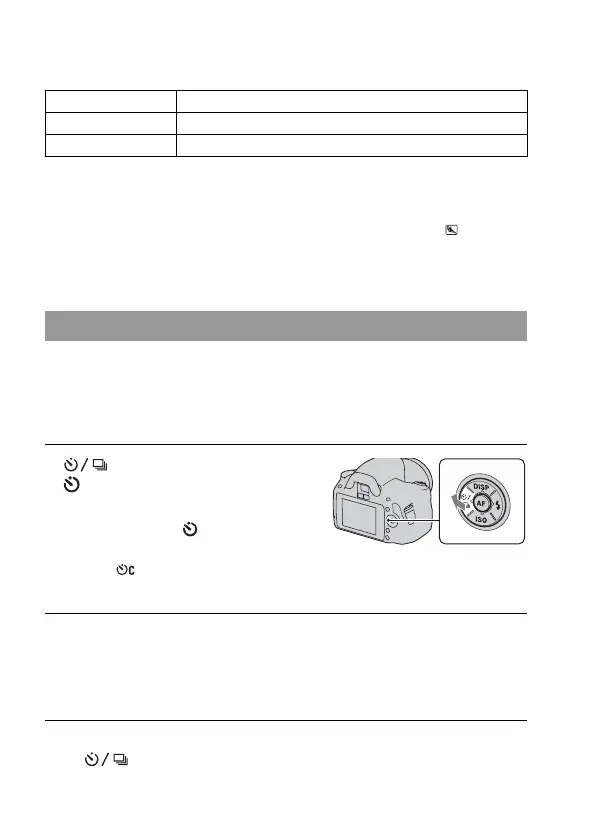
Using the self-timer
1 on the control button t
(Self-timer) t Select the
desired setting
• The number after is the number of
seconds that is currently selected.
• Select to use the continuous self-
timer.
2 Adjust the focus and shoot the subject.
• When the self-timer is activated, audio signals and the self-timer lamp
indicate the condition. The self-timer lamp flashes quickly and the audio
signal sounds quickly right before the shooting.



 To Next Page
 Loading...








