Turn
the
camera
on/set
the
clock
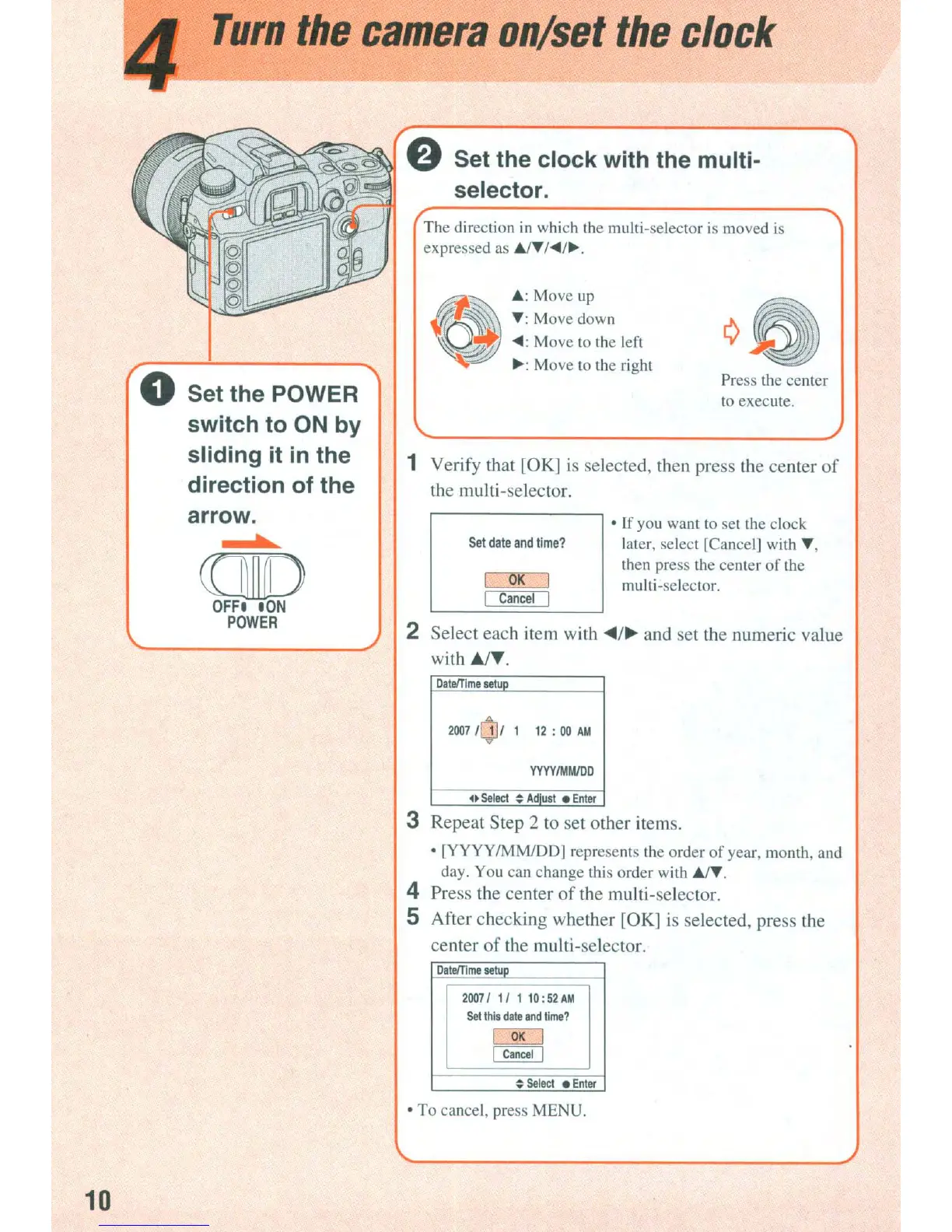
The direction
in
which
the
multi-selector
is
moved
is
expressed as
AIT
I~/~.
1 Verify that [OK]
is
selected, then press the center
of
the multi-selector.
Press the center
to
execute.
• If you want to set the clock
later, select ICancel] with
T,
then press the center
of
the
multi-seleclOr.
OK
Cancel
Set
date
and
time?
~
A: Move up
(({-'~
T:
Move down
~
~:
Move to the left
~:
Move to the right
2 Select each item with ...
/~
and set the numeric value
with
~T.
8 Set the clock with the multi-
selector.
b
CCID
OFF'
'ON
POWER
o Set the POWER
switch to ON by
sliding it
in
the
direction of the
arrow.
Datelllme
aetuD
2007
lOll
1
12
:
00
AM
YYYYIMMIDD
.~
Select
~
Adjust
•
Enter
3 Repeat Step 2 to set other items.
• [YYYY
IMMlDD]
represents the order
of
year, month, and
day. You can change this order with
AlT.
4 Press the center
of
the multi-selector.
S After checking whether [OK]
is
selected, press the
center
of
the multi-selector.
DataITtme
setup
20071
1/ 1 10:
52
AM
Set
this
date
and
time?
I
OK
I
I
Cancel
I
~
Setect
•
Enter
• To cancel, press MENU.
10














 To Next Page