12
• The player goes to standby, 15 minutes
after starting the screen saver function.
Press N to come out of standby mode.
To resume playback from the point
where you stopped the disc (Resume
Play)
When you press N again after you stop
playback, the player starts playback from
the point when you pressed x.
z
• To play from the beginning of the disc, press
x twice, and press N.
• When turning power on again after power off,
resume play starts automatically.
b
• Depending on the stop point, Resume play
may not start from exactly the same point.
• The resume point is cleared when:
– you open the disc lid.
– you press INPUT SELECT.
To play repeatedly (Repeat Play)
• When playing a DVD VIDEO, press
DISPLAY to select “Repeat” (page 12).
• When playing a CD or VIDEO CD (PBC
function is off), press MENU repeatedly
(page 5).
To play VIDEO CDs with PBC Functions
(PBC Playback)
PBC (Playback Control) allows you to
play VIDEO CDs interactively using a
menu. When you start playing a VIDEO
CD with PBC functions, the menu appears.
Select an item using the number buttons on
the remote, and press ENTER. Then,
follow the instructions in the menu (press
N when “Press SELECT.” appears).
Using the Playback
Information Display
While playing a DVD, you can check the
playback information. The playback
information display also allows you to set
a title/chapter or change sound/subtitle,
and so on.
When you enter the numbers, use the
remote.
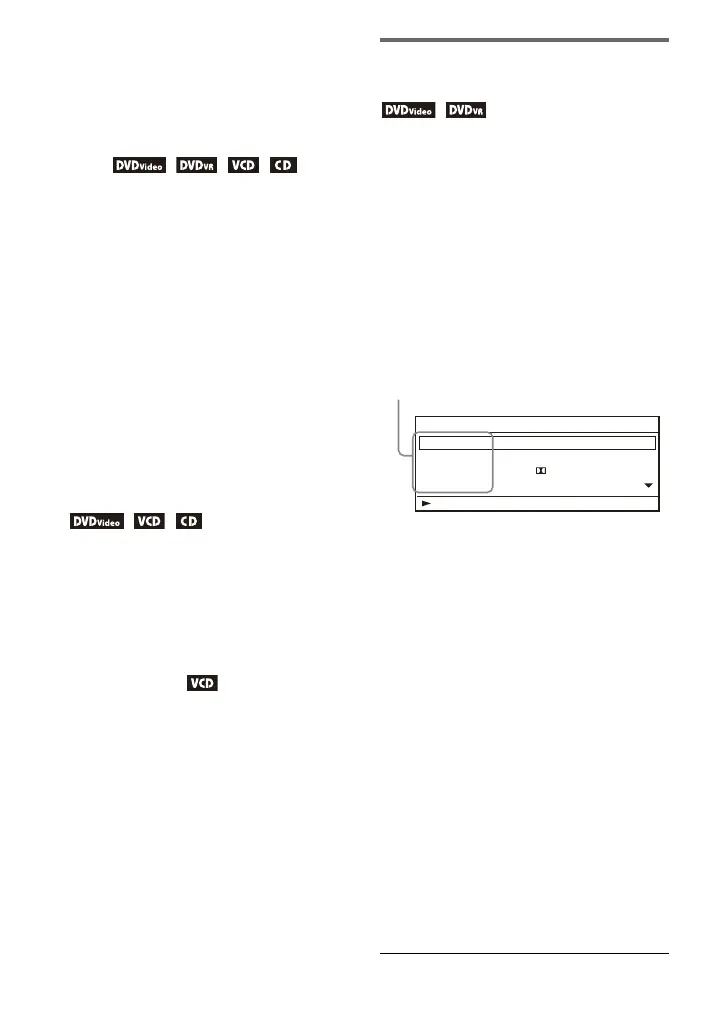
1 Press DISPLAY while playing a
DVD.
Example: When playing a DVD
VIDEO
2 Select and adjust each of the
following items by pressing X/x
and ENTER.
• Title: Select the title number.*
2
• Chapter: Select the chapter
number.*
2
• Audio: Select the sound.
• Subtitle: Select the subtitle.
• Angle: Select the angle.
• T.Time: Time appears while playing
a title. “00:00:00” will appear by
pressing ENTER. Enter the desired
time code number.
• C.Time: Time appears while playing
a chapter. “00:00:00” will appear by
pressing ENTER. Enter the desired
time code number.
• Repeat: Select the Repeat mode.
• Time Disp.: Select the time
information displayed.
Menu
Title
Chapter
Audio
Subtitle
02/07
03/20
01 5.1CH D English
01 English
Title Elapsed 00:12:01
Items
*
1



 To Next Page