Playback
15
Adjusting the Picture
Size and Quality
You can adjust the picture displayed on the
LCD screen.
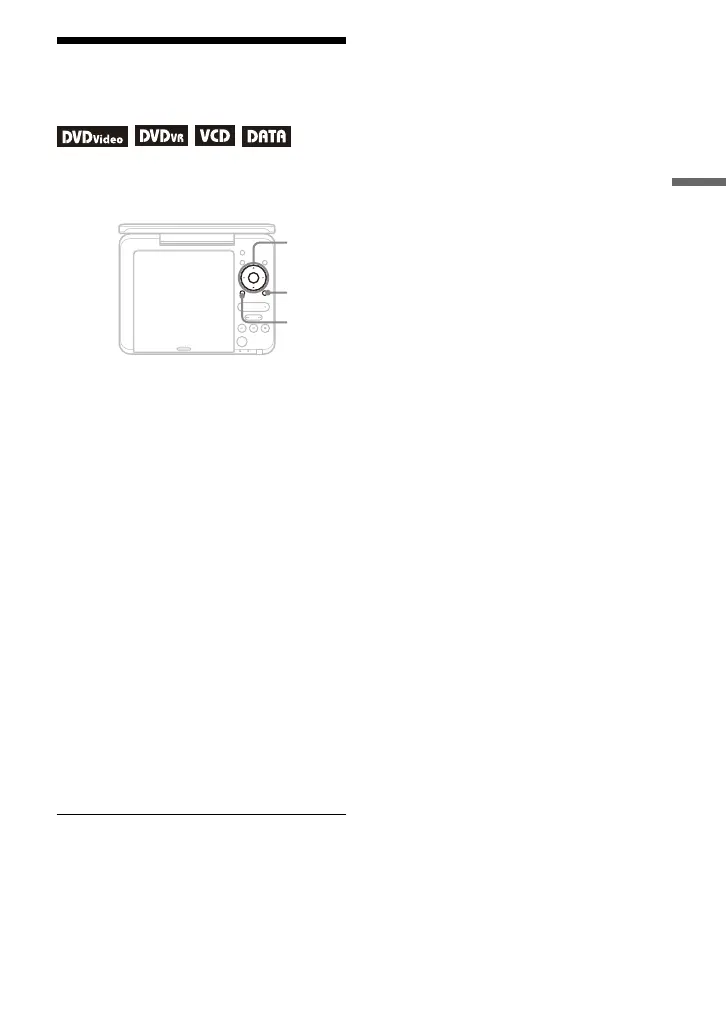
1 Press OPTIONS.
2 Press X/x to select “LCD
Mode” and press ENTER.
3 Select and adjust each of the
following items by pressing C/
X/x/c and ENTER.
• LCD Aspect: Change the picture size.
• Backlight: Adjust the brightness.
• Contrast: Adjust the difference
between light and dark areas.
• Hue: Adjust the red and green colour
balance.
• Color: Adjust the richness of
colours.
• Default: Return all settings to the
factory defaults.
To turn off the menu display
Press OPTIONS or RETURN.
b
Depending on the disc, the screen size you can
select differs.
PUSH CLOSE
INPUT SELECT
DISPLAY MENU
RETURN
OPEN
OPTIONS
ENTER
VOLUME
C/X/x/c
ENTER
OPTIONS
RETURN



 To Next Page