EasyManua.ls Logo

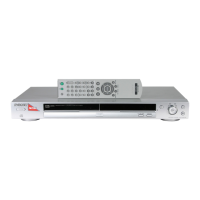
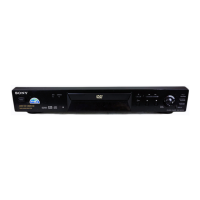
Sony DVP-NS300 - User Manual

Sony DVP-NS300
76 pages
Print Icon
To Next Page IconTo Next Page
Loading...
Operating Instructions
3-067-116-42(1)
CD/DVD Player
DVP-NS300
© 2001 Sony Corporation

Table of Contents

Other manuals for Sony DVP-NS300

Questions and Answers

  • M
    Megan RamirezSep 9, 2025
    Why can't I change the language for the sound track on my Sony DVP-NS300 DVD Player?
    • D
      Donna CollinsSep 9, 2025
      If you're unable to change the language for the sound track on your Sony DVD player, it could be because multilingual tracks aren't recorded on the DVD, or the DVD prohibits changing the sound track language.
  • C
    claire43Aug 23, 2025
    How to turn on Sony DVD Player if it's not powering on?
    • S
      Samantha HansonAug 23, 2025
      If your Sony DVD player isn't turning on, the first thing to check is the AC power cord (mains lead). Make sure it is securely connected to both the DVD player and the power outlet.
  • R
    Robert BlairAug 25, 2025
    Why won't my Sony DVP-NS300 DVD Player play the disc?
    • M
      Mr. Anthony Butler IIAug 25, 2025
      If your Sony DVD player isn't playing the disc, consider these possibilities: * Ensure there's a disc inside. * Verify the disc is inserted correctly, with the playback side facing down. * Make sure the disc isn't a CD-ROM or another format the player doesn't support. * Check if the DVD region code matches the player's. * If moisture has condensed inside, remove the disc and leave the player on for about half an hour.
  • R
    rogersbrianAug 26, 2025
    How to fix a Sony DVD Player remote that is not working?
    • A
      Amy JonesAug 26, 2025
      If the remote for your Sony DVD player isn't working, check for the following: * Make sure there are no obstacles blocking the path between the remote and the DVD player. * Ensure you're not too far away from the DVD player. * Point the remote directly at the remote sensor on the DVD player. * Try replacing the batteries in the remote.
  • K
    kramerryanAug 27, 2025
    Why does picture noise appear on my Sony DVD Player?
    • S
      sawyeremilyAug 27, 2025
      If you're seeing picture noise on your Sony DVD Player, it could be due to a few things. The disc may be dirty or flawed. If the picture output goes through your VCR, the copy-protection signal on some DVDs might affect picture quality. Try connecting the DVD player directly to your TV, and if problems persist, use the TV's S video input. Also, ensure the DVD player's color system matches your TV's; if not, change the DVD player's color system.
  • S
    Scott FowlerAug 29, 2025
    Why is the sound noisy on my Sony DVD Player?
    • D
      Daniel QuinnAug 29, 2025
      If the sound from your Sony DVD player is noisy, the disc may be dirty or flawed. Additionally, when playing a CD with DTS sound tracks, noise may come from the LINE OUT L/R (AUDIO) 1/2 jacks.
  • C
    Christopher BergerSep 17, 2025
    How to fix Sony DVD Player error C 13?
    • L
      lopezsusanSep 18, 2025
      If your Sony DVD player displays 'C 13 The disc is dirty', clean the disc with a soft cloth.
  • M
    Mary MoralesSep 19, 2025
    How to resolve Sony DVP-NS300 error C 31?
    • M
      Mary BishopSep 22, 2025
      If your Sony DVD player shows the error message 'C 31 The disc is not inserted correctly', re-insert the disc correctly.
  • K
    Kayla GuerreroSep 7, 2025
    Why can't I change the subtitle language on my Sony DVD Player?
    • C
      Carrie WoodSep 7, 2025
      If you can't change the subtitle language on your Sony DVD player, it's either because multilingual subtitles aren't recorded on the DVD or the DVD prohibits changing the subtitles.
  • D
    Dennis JacksonSep 4, 2025
    What to do if my Sony DVP-NS300 DVD Player is not operating properly?
    • C
      Cesar JohnsonSep 4, 2025
      If your Sony DVD player isn't operating correctly, it could be due to static electricity or other abnormal causes. Try pressing POWER on the player to turn it off and then on again. Also, if “DIMMER” in “CUSTOM SETUP” is set to “OFF,” set it to “BRIGHT” or “DARK.”

Summary

Safety and Player Overview

Warnings and Cautions

Essential safety instructions to prevent hazards like electric shock, fire, and eye injury.

Manual Guide and Disc Compatibility

Explains manual icons, disc types supported, and region code information.

Player Components and Controls

Identifies front panel parts, controls, and displays for player operation.

Setup and Connections

Getting Started: Unpacking and Remote Setup

Steps for unpacking the player, checking accessories, and installing batteries in the remote.

Connecting to Your TV and Audio System

Guides on connecting video and audio cords to TVs and sound systems.

Power Connection and Quick Setup

Instructions for connecting the power cord and performing the initial quick setup.

Operating Your Player

Basic Playback and Disc Navigation

How to play discs, stop, resume, and navigate basic menus.

Advanced Playback and Search Modes

Explains VIDEO CD PBC, Program Play, Shuffle, Repeat, and search functions.

Picture and Sound Adjustments

Adjusting audio tracks, languages, TVS surround sound, and picture quality.

Custom Settings and Additional Functions

Setting parental controls, sound effects, TV control, and using the setup display.

Troubleshooting and Reference

Troubleshooting Common Issues

Solutions for power, picture, sound, remote, and disc playback problems.

Glossary, Specifications, and Index

Definitions of terms, technical specifications, language codes, and manual index.

Sony DVP-NS300 Specifications

General IconGeneral
BrandSony
ModelDVP-NS300
CategoryDVD Player
LanguageEnglish

Related product manuals