EasyManua.ls Logo

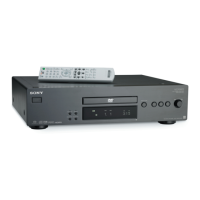
Sony DVP-NS333 - User Manual

Sony DVP-NS333
74 pages
Print Icon
To Next Page IconTo Next Page
Loading...
3-080-598-12(1)
Operating Instructions
© 2003 Sony Corporation
DVP-NS330
DVP-NS333
DVP-NS430
DVP-NS433
CD/DVD
Player

Table of Contents

Other manuals for Sony DVP-NS333

Questions and Answers

  • P
    peterhardinAug 17, 2025
    What to do if my Sony DVP-NS333 remote does not function?
    • D
      danielbowmanAug 17, 2025
      If your remote isn't working, first ensure there are no obstacles between the remote and the player. Also, make sure you're not too far from the player and that you're pointing the remote directly at the remote sensor on the player. Finally, check if the batteries in the remote are weak and replace them if necessary.
  • J
    Justin WuAug 22, 2025
    What to do if my Sony DVP-NS333 disc does not play?
    • H
      Hannah RoachAug 22, 2025
      If your disc isn't playing, make sure it's inserted correctly with the playback side facing down on the disc tray and that it is not skewed. The region code on the DVD must match the player. Also, the player cannot play a recorded disc that is not correctly finalized.
  • F
    fbishopAug 25, 2025
    Why is the sound volume low on my Sony DVP-NS333?
    • J
      Joseph SinghAug 26, 2025
      The sound volume may be low on some DVDs. You can try setting 'AUDIO DRC' to 'TV MODE' to improve it. Also, make sure that 'AUDIO ATT' in 'AUDIO SETUP' is set to 'OFF'.
  • G
    Gregory PriceAug 28, 2025
    Why is there no picture/picture noise appears on my Sony DVD Player?
    • M
      Molly PhelpsAug 28, 2025
      There could be several reasons for the picture issues you're experiencing. The connecting cords might be damaged, so ensure they are securely re-connected. The disc itself may be dirty or flawed. If your player's video output runs through a VCR to your TV, or if you're using a combination TV/VIDEO player, the copy-protection signal on some DVDs might be affecting picture quality. Also, check if the player is set to progressive format while your TV doesn't support it; if the PROGRESSIVE indicator is lit, press the PROGRESSIVE button to turn it off.
  • S
    Sandy CooperAug 30, 2025
    Why is the sound noisy on my Sony DVP-NS333?
    • L
      lscottAug 30, 2025
      When playing a CD with DTS sound tracks, noise may come from the LINE OUT L/R (AUDIO) jacks or DIGITAL OUT (OPTICAL or COAXIAL) jack.
  • T
    Tiffany DaySep 2, 2025
    Why does my Sony DVP-NS333 start playing the disc automatically?
    • L
      lvalenzuelaSep 2, 2025
      Your DVD player might be starting discs automatically because the disc itself features an auto playback function. Alternatively, check if 'AUTO PLAY' in 'CUSTOM SETUP' is set to 'ON'.
  • A
    allisonthomasSep 4, 2025
    Why does my Sony DVP-NS333 DVD Player stop playback automatically?
    • K
      Karen DuarteSep 5, 2025
      If you're playing discs with an auto pause signal, the player will stop playback at that signal.
  • L
    Lauren AllenSep 7, 2025
    Why won't my Sony DVP-NS333 play MP3 audio tracks?
    • K
      karenhollandSep 8, 2025
      The DATA CD may not be recorded in the MP3 format that conforms to ISO9660 Level 1/Level 2 or Joliet. The MP3 audio track may not have the extension '.MP3.' The data may not be formatted in MP3 even though it has the extension '.MP3.' The data may not be MPEG1 Audio Layer 3 data. The player cannot play audio tracks in MP3PRO format.
  • S
    Samantha MartinezSep 10, 2025
    Why doesn't the disc start playing from the beginning on my Sony DVD Player?
    • N
      Nicole JimenezSep 10, 2025
      The disc might not be starting from the beginning because Program Play, Shuffle Play, Repeat Play, or A-B Repeat Play has been selected. Also, Resume play may have taken effect.
  • D
    dakotabaldwinSep 10, 2025
    Why is there no sound coming from my Sony DVP-NS333?
    • M
      Michael FloresSep 12, 2025
      Several factors can cause a lack of sound. Check that the connecting cord is securely re-connected. The player might be connected to the wrong input jack on the amplifier (receiver), or the amplifier input might not be correctly set. Also, the player may be in pause mode, Slow-motion Play mode, fast forward, or fast reverse mode. If using DIGITAL OUT, check the audio settings. When playing a Super VCD, sound won't come out if audio track 2 isn't recorded and you select '2:STEREO,' '2:1/L,' or '2:2/R.'

Sony DVP-NS333 Specifications

General IconGeneral
TypeDVD Player
Video OutputComposite, S-Video, Component
Progressive ScanYes
Remote ControlYes
Disc Formats SupportedDVD, CD, CD-R, CD-RW
Audio OutputCoaxial Digital
ConnectionsComponent Video output, Composite Video Output, S-Video Output, Coaxial Digital Audio Output
Playback FeaturesRepeat, Slow Motion
Output Resolution480i
Audio D/A Converter24-bit/96kHz

Related product manuals