EasyManua.ls Logo

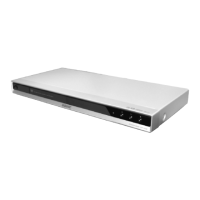
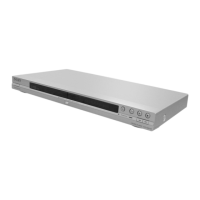
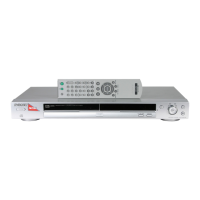
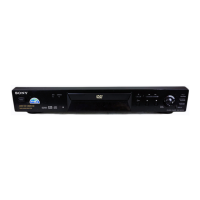
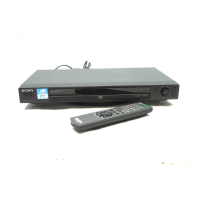
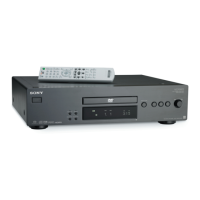
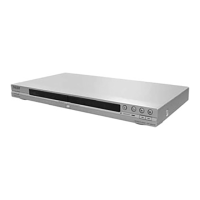
Sony DVP-NS360 - User Manual

Sony DVP-NS360
78 pages
Print Icon
To Next Page IconTo Next Page
Loading...
3-089-857-E2(1)
Operating Instructions
© 2004 Sony Corporation
DVP-NS355
DVP-NS360
DVP-NS585P
DVP-NS590P
CD/DVD
Player

Table of Contents

Questions and Answers

  • R
    Ryan WyattAug 13, 2025
    Why is there no sound coming from my Sony DVP-NS360?
    • P
      Peter CallahanAug 13, 2025
      If there is no sound from your Sony DVD Player, it could be due to several reasons. The connecting cord might be damaged, so try reconnecting it securely. Also, if the audio signal does not come through the DIGITAL OUT (COAXIAL) jack, check the audio settings. Note that while playing a Super VCD on which the audio track 2 is not recorded, no sound will come out when you select '2:STEREO,' '2:1/L,' or '2:2/R.'
  • J
    Jeremy FieldsAug 17, 2025
    Why is there no picture on my Sony DVP-NS360 DVD Player?
    • S
      Sandra MorganAug 17, 2025
      If there's no picture or picture noise appears on your Sony DVD Player, the connecting cords may be damaged, so try reconnecting them securely. Also, check the connection to your TV and switch the input selector on your TV. If you set the NORMAL/PROGRESSIVE switch to PROGRESSIVE on the rear panel, even though your TV cannot accept the progressive signal, set the NORMAL/PROGRESSIVE switch to NORMAL. Set to the PROGRESSIVE only when you connect your TV to the player's COMPONENT VIDEO OUT jacks using a COMPONENT VIDEO cord.
  • C
    Cody PowersAug 20, 2025
    How to fix sound distortion on Sony DVP-NS360 DVD Player?
    • I
      ianburtonAug 20, 2025
      If sound distortion occurs on your Sony DVD Player, set 'AUDIO ATT' in 'AUDIO SETUP' to 'ON'.
  • M
    Megan McclainAug 25, 2025
    What to do if the disc tray does not open and “TRAY LOCKED” appears on the front panel display of my Sony DVP-NS360?
    • W
      wgentryAug 26, 2025
      Contact your Sony dealer or local authorized Sony service facility.
  • B
    brettjohnsonAug 28, 2025
    Why can't I change the language on my Sony DVP-NS360?
    • W
      Wendy SharpAug 28, 2025
      If the language for the sound track cannot be changed on your Sony DVD Player, it may be because multilingual tracks are not recorded on the DVD being played, or the DVD prohibits the changing of the language for the sound track. Try using the DVD’s menu instead of the direct selection button on the remote.
  • M
    Mary RobersonSep 1, 2025
    What to do if the subtitle language cannot be changed on Sony DVD Player?
    • D
      Deborah GarzaSep 1, 2025
      If the subtitle language cannot be changed or turned off on your Sony DVD Player, it may be because multilingual subtitles are not recorded on the DVD being played, or the DVD prohibits the changing of subtitles. Try using the DVD’s menu instead of the direct selection button on the remote.
  • J
    Jeffrey RichardsSep 4, 2025
    Why can't I change the angles on my Sony DVP-NS360?
    • J
      Joanne McphersonSep 4, 2025
      If the angles cannot be changed on your Sony DVD Player, it may be because multi-angles are not recorded on the DVD being played, or the DVD prohibits changing of the angles. Try using the DVD’s menu instead of the direct selection button on the remote.
  • J
    Jean ShortSep 8, 2025
    Why are 5 numbers or letters displayed on the screen of my Sony DVD Player?
    • J
      Jacqueline PalmerSep 8, 2025
      The self-diagnosis function was activated.

Sony DVP-NS360 Specifications

General IconGeneral
TypeDVD Player
Video OutputComposite, S-Video, Component
Video SystemNTSC, PAL
Remote ControlYes
UpscalingNo
Disc Formats SupportedCD, DVD
Media TypeCD
Playback FeaturesZooming
Audio OutputDigital audio coaxial, Digital audio optical

Related product manuals