EasyManua.ls Logo

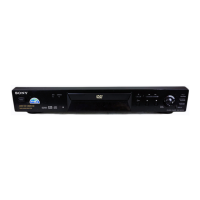
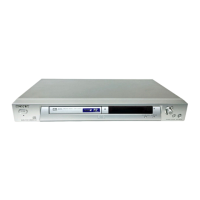
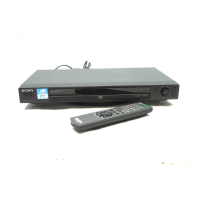
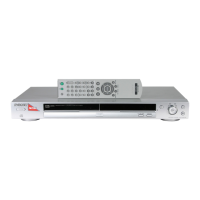
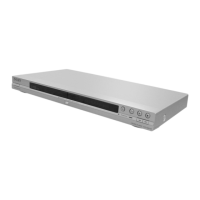
Sony DVP-NS315 - User Manual

Sony DVP-NS315
73 pages
Print Icon
To Next Page IconTo Next Page
Loading...
3-073-379-11(1)
Operating Instructions
© 2002 Sony Corporation
DVP-NS315
DVP-NS415
CD/DVD
Player
Downloaded from: https://www.usersmanualguide.com/

Table of Contents

Other manuals for Sony DVP-NS315

Question and Answer IconNeed help?

Do you have a question about the Sony DVP-NS315 and is the answer not in the manual?

Summary

Precautions

On safety

Ensures safe operation by detailing potential hazards and precautions.

On power sources

Details safe handling and connection of power sources.

On placement

Guidelines for optimal placement to ensure ventilation and safety.

On operation

Instructions for proper operation, including handling moisture and disc management.

On adjusting volume

Advice on adjusting volume to prevent speaker damage.

On cleaning

Methods and materials for cleaning the player's exterior.

On cleaning discs

Recommendations for cleaning discs to maintain playback quality.

Simple Start Guide

Quick Overview

Provides a brief introduction to using the player for enjoyment.

Step 1: Unpacking

Instructions for checking the included items after purchase.

Step 2: Inserting Batteries into the Remote

Guide on how to insert batteries into the remote control.

Step 3: TV Hookups

Step-by-step instructions for connecting the player to a TV.

Step 4: Playing a Disc

Procedure for inserting and playing a disc on the player.

Hookups

Hooking Up the Player

Overview of steps to connect and adjust the player settings.

Step 1: Connecting the Video Cords

Detailed steps for connecting video cables to the player.

Step 2: Connecting the Audio Cords

Detailed steps for connecting audio cables to the player.

Step 3: Connecting the Power Cord

Instructions for connecting the player to an AC power outlet.

Step 4: Quick Setup

Guide for making essential initial adjustments to the player.

Enjoying Movies

Changing the Angles

How to select different camera angles for DVD scenes.

Displaying the Subtitles

Instructions for changing or turning subtitles on/off.

Adjusting the Picture Quality (BNR)

How to reduce picture noise using the BNR function.

Adjusting the Playback Picture (CUSTOM PICTURE MODE)

Guide to customizing picture settings for optimal viewing.

Enhancing the Playback Picture (DIGITAL VIDEO ENHANCER)

Using DVE to make the picture clear and crisp.

Using Various Additional Functions

Locking Discs (CUSTOM PARENTAL CONTROL, PARENTAL CONTROL)

Setting playback restrictions for discs.

Controlling Your TV with the Supplied Remote

Using the remote to control basic TV functions.

Settings and Adjustments

Using the Setup Display

Navigating the setup menu for adjustments.

Setting the Display or Sound Track Language (LANGUAGE SETUP)

Selecting languages for menus, audio, and subtitles.

Settings for the Display (SCREEN SETUP)

Adjusting display settings based on TV type.

Custom Settings (CUSTOM SETUP)

Configuring various playback and system settings.

Settings for the Sound (AUDIO SETUP)

Adjusting audio output and surround sound settings.

Additional Information

Troubleshooting

Guidance for resolving common player issues.

Glossary

Definitions of technical terms used in the manual.

Specifications

Technical details and dimensions of the player.

Language Code List

List of language codes for subtitle and audio settings.

Index

Alphabetical listing of topics for quick reference.

Summary

Precautions

On safety

Ensures safe operation by detailing potential hazards and precautions.

On power sources

Details safe handling and connection of power sources.

On placement

Guidelines for optimal placement to ensure ventilation and safety.

On operation

Instructions for proper operation, including handling moisture and disc management.

On adjusting volume

Advice on adjusting volume to prevent speaker damage.

On cleaning

Methods and materials for cleaning the player's exterior.

On cleaning discs

Recommendations for cleaning discs to maintain playback quality.

Simple Start Guide

Quick Overview

Provides a brief introduction to using the player for enjoyment.

Step 1: Unpacking

Instructions for checking the included items after purchase.

Step 2: Inserting Batteries into the Remote

Guide on how to insert batteries into the remote control.

Step 3: TV Hookups

Step-by-step instructions for connecting the player to a TV.

Step 4: Playing a Disc

Procedure for inserting and playing a disc on the player.

Hookups

Hooking Up the Player

Overview of steps to connect and adjust the player settings.

Step 1: Connecting the Video Cords

Detailed steps for connecting video cables to the player.

Step 2: Connecting the Audio Cords

Detailed steps for connecting audio cables to the player.

Step 3: Connecting the Power Cord

Instructions for connecting the player to an AC power outlet.

Step 4: Quick Setup

Guide for making essential initial adjustments to the player.

Enjoying Movies

Changing the Angles

How to select different camera angles for DVD scenes.

Displaying the Subtitles

Instructions for changing or turning subtitles on/off.

Adjusting the Picture Quality (BNR)

How to reduce picture noise using the BNR function.

Adjusting the Playback Picture (CUSTOM PICTURE MODE)

Guide to customizing picture settings for optimal viewing.

Enhancing the Playback Picture (DIGITAL VIDEO ENHANCER)

Using DVE to make the picture clear and crisp.

Using Various Additional Functions

Locking Discs (CUSTOM PARENTAL CONTROL, PARENTAL CONTROL)

Setting playback restrictions for discs.

Controlling Your TV with the Supplied Remote

Using the remote to control basic TV functions.

Settings and Adjustments

Using the Setup Display

Navigating the setup menu for adjustments.

Setting the Display or Sound Track Language (LANGUAGE SETUP)

Selecting languages for menus, audio, and subtitles.

Settings for the Display (SCREEN SETUP)

Adjusting display settings based on TV type.

Custom Settings (CUSTOM SETUP)

Configuring various playback and system settings.

Settings for the Sound (AUDIO SETUP)

Adjusting audio output and surround sound settings.

Additional Information

Troubleshooting

Guidance for resolving common player issues.

Glossary

Definitions of technical terms used in the manual.

Specifications

Technical details and dimensions of the player.

Language Code List

List of language codes for subtitle and audio settings.

Index

Alphabetical listing of topics for quick reference.

Sony DVP-NS315 Specifications

General IconGeneral
TypeDVD Player
Video OutputComposite, S-Video, Component
Progressive ScanYes
Remote ControlYes
UpscalingNo
Audio OutputDigital Coaxial
Supported Disc FormatsCD-R, CD-RW

Related product manuals