EasyManua.ls Logo

Sony DXF-801 - Page 26

Sony DXF-801
58 pages
Print Icon
To Next Page IconTo Next Page
To Previous Page IconTo Previous Page
Loading...
1-2.
Replacement
of
Main
Parts
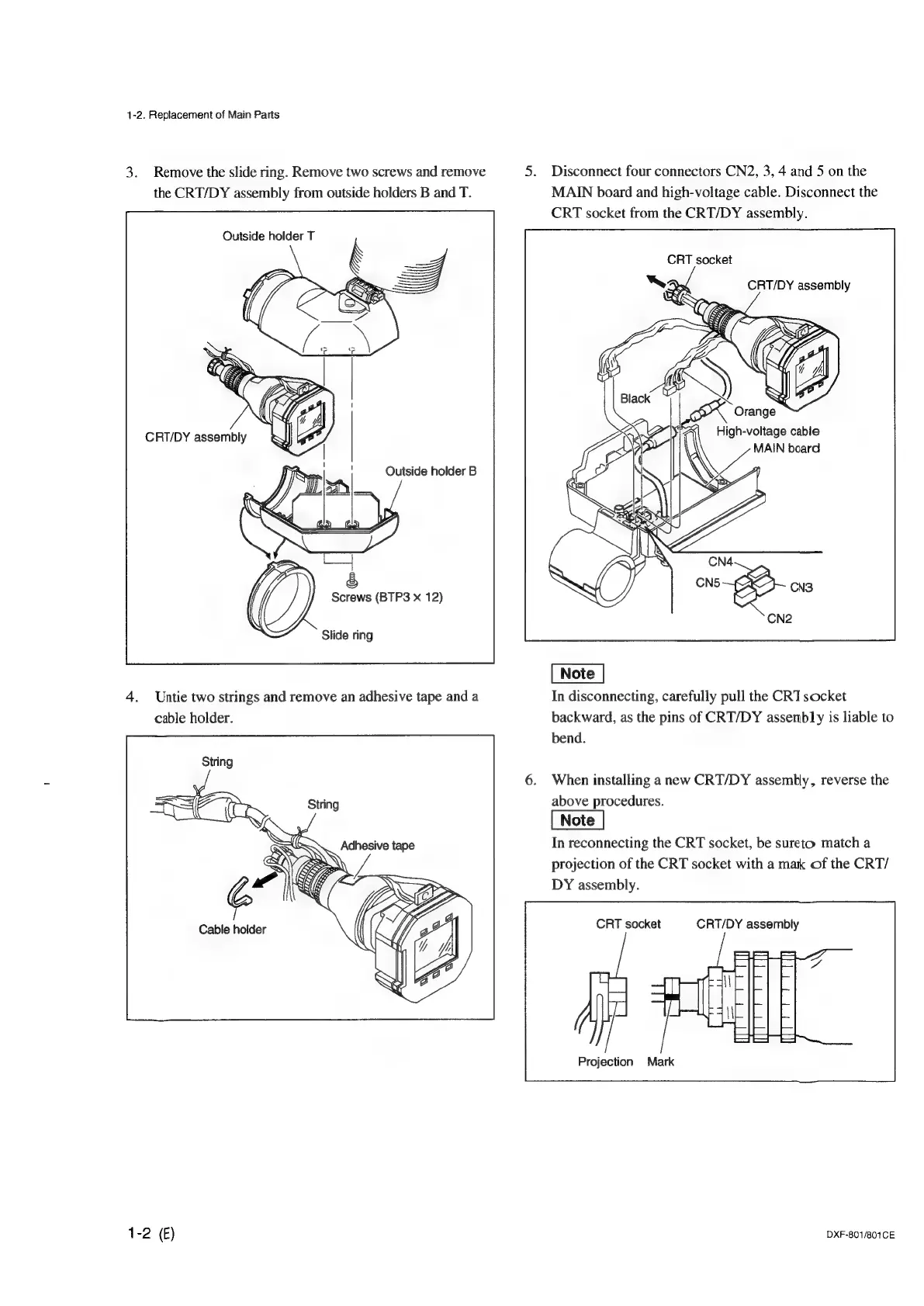
3.
Remove
the
slide
ring.
Remove
two
screws
and
remove
5.
Disconnect
four
connectors
CN2,
3,
4
and
5
on
the
the
CRT/DY
assembly
from
outside
holders
B
and
T.
MAIN
board
and
high-voltage
cable.
Disconnect
the
CRT
socket
from
the
CRT/DY
assembly.
Outside
holder
T
CRT
socket
CRT/DY
assembly
Orange
High-voltage
cable
MAIN
beard
Outside
holder
B
Screws
(BTP3
x
12)
Slide
ring
4.
Untie
two
strings
and
remove
an
adhesive
tape
and
a
In
disconnecting,
carefully
pull
the
CRT
socket
cable
holder.
backward,
as
the
pins
of
CRT/DY
assembly
is
liable
to
bend.
6.
When
installing
anew
CRT/DY
assembly,
reverse
the
above
procedures.
In
reconnecting
the
CRT
socket,
be
sureto
match
a
projection
of
the
CRT
socket
with
a
mak
of
the
CRT/
DY
assembly.
CRT
socket
CRT/DY
assembly
Projection
Mark
1-2
()
DXF-801/801CE

Other manuals for Sony DXF-801

Related product manuals