EasyManua.ls Logo

Sony ECM-929LT - Parts Identifications

Sony ECM-929LT
16 pages
Print Icon
To Next Page IconTo Next Page
To Previous Page IconTo Previous Page
Loading...
PARTS IDENTIFICATION
0 - - -- - -
6
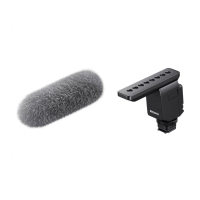
o Wind screen
Cover
the
microphone
with
the
supplied wind screen,
whether
it
is used
indoors
or out. The wind screen
will
reduce wind
or
breath noises.
o Battery check
lamp
When
the
mode
selector
is moved
from
OFF
to
STEREO, the
battery
check lamp
will
illuminate
momentarily.
{)
Coverage angle
switch
Select
the
coverage angle
switch
among
,
90·
and 120
·.
0°:
For monaural usage.
900: The
sounds
around a source are picked up
with
less
strength
and
the
source is emphasized.
o 120°: A sound is well
distributed
to
the
left
and right.
o Mode selector
OFF: Set here
to
turn
the
power
off
.
STEREO: Set here
to
turn
the
power on.
REMOTE: Set here
to
operate
the
microphone
remotely
with
a
remote
control
unit
(optional).
()
Microphone stand
The supplied
microphone
stand is designed
to
avoid
resonance. Use
the
microphone
stand
not
only
to
stand
the
microphone
up on a table,
but
also when
holding
the
microphone
in
your
hand so
that
handling
noise is minimized.
See
"Microphone
stand"
on page
9.
7

Related product manuals