EasyManua.ls Logo

Sony EV-C3 - Page 11

Sony EV-C3
22 pages
Print Icon
To Next Page IconTo Next Page
To Previous Page IconTo Previous Page
Loading...
20
Editing
editing
with
another
VCR.
Take
a
look
at
the
list
You
can
create
your
own
video
program
by
the
type
of
editing
you
can
perform
To
Make
a
Copy
of
the
Tape
Playing
back
with
another
VCR
and
recording
with
the
EV-C3
..
Playing
back
with
the
EV-C3
and
recording
with
another
VCR
..
..-Page
21
Page
22
To
Gather
Desired
Scenes
from
the
Original
Tape
Assemble
Editing
Hf
your
VCR
is
equipped
with
a
contro!
terminal
Playing
back
with
another
VCR
and
recording
with
the
EV-C3...........Page
23
Playing
back
with
the
EV-C3
and
recording
with
another
VCR.
Page
26
4f
your
VCR
Is
not
equipped
with
a
control
terminal
Playing
back
with
another
VCR
and
recording
with
the
EV-C3
Playing
back
with
the
EV-C3
and
recording
with
another
VCR
.
Page
28
To
Re-record
New
Scenes
onto
the
Original
Tape
Insert
Editing
Playing
back
with
another
VCR
and
recording
with
the
EV-C3
...........Page
29
Editing
with
a
Video
Remote
Controller
Notes
tor
Editing
Use
of
the
EDIT
button
When
assemble
editing
ts
activated
by
the
SYNCHRO
EDIT
button
The
unit
will
automatically
stop
when
the
counter
reaches
“Ov00m00s.""
contrary
to
the
pr
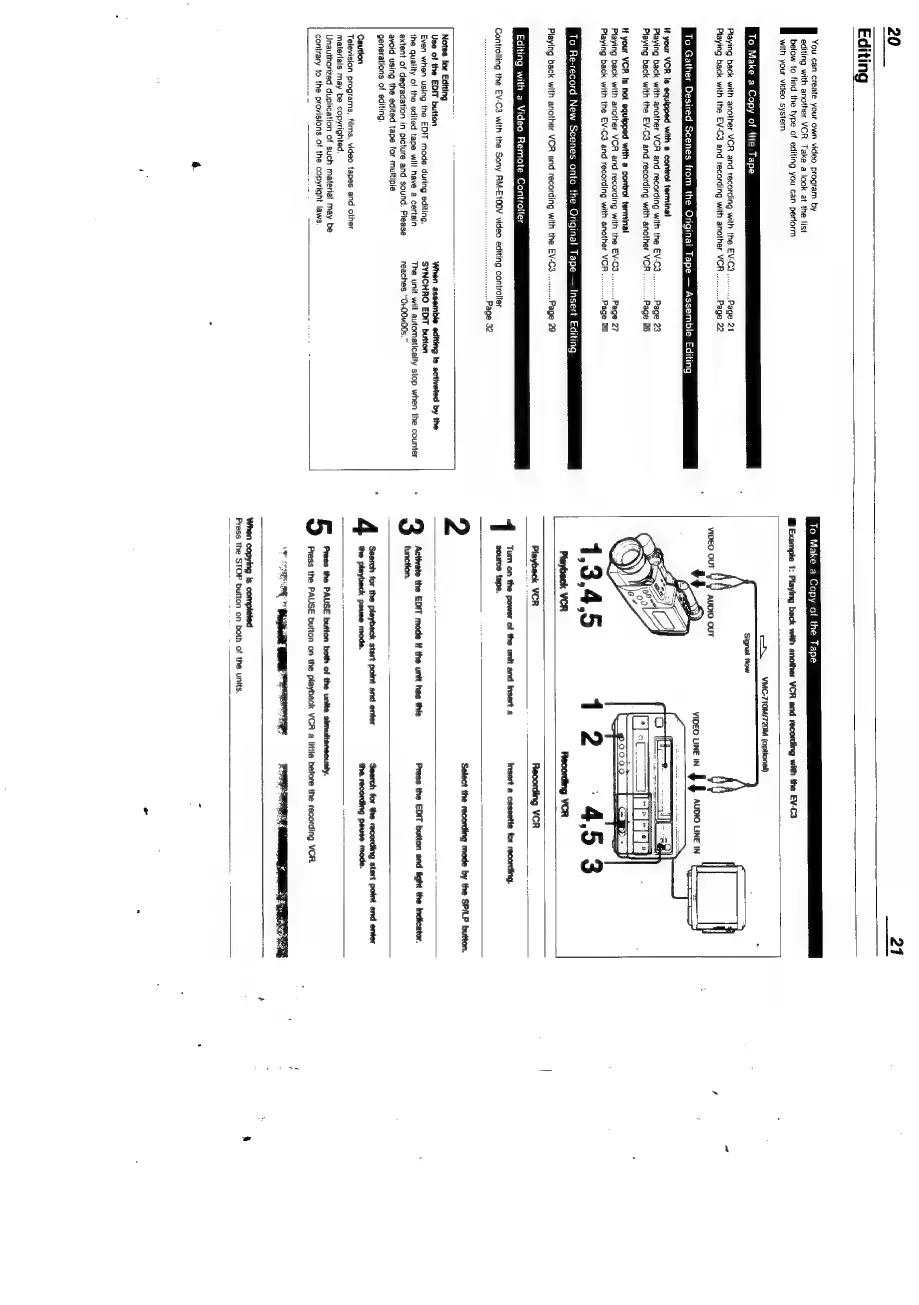
To
Make
a
Copy
of
the
Tape
@
Example
1:
Playing
back
with
another
VCR
and
recording
with
the
EV-C3
os
VMG-710M/720M
(optional)
‘Signal
flow
:
——
VIDEO
LINE
IN
|
}
AUDIO
LINE
IN
||
q
a
ft)
=a
aa
(9000
Leap]
poooo0
Playback
VCR
Recording
VCR
insert
a
cassette
for
recording.
Turn
on
the
power
of
the
unit
and
insert
a
source
tape.
Select
the
recording
mode
by
the
SP/LP
button.
1
2
<n
S
5
Press
the
EDIT
button
and
light
the
indicator.
Search
for
the
playback
start
point
and
enter
the
playback
pause
mode.
Search
for
the
recording
start
point
and
enter
the.
recording
pause
mode.
Press
the
PAUSE
button
both
of
the
units
simultaneously.
Press
the
PAUSE
button
on
the
playback
VCR
a
little
before
the
recording
VCR.
Press
the
STOP
button
on
both
of
the
units.

Related product manuals