EasyManua.ls Logo

Sony EV-C3 - Page 4

Sony EV-C3
22 pages
Print Icon
To Next Page IconTo Next Page
To Previous Page IconTo Previous Page
Loading...
Before
You
Begin...
Please
go
through
this
section
before
starting
the
Handling
Video
Cassettes
operation
of
this
unit.
Supplied
Accessories
Please
check
that
the
following
accessories
are
supplied
with
your
unit.
*
Remote
Commander
RMT-450
*
Size
AA
(Ré)
Battery
E
»
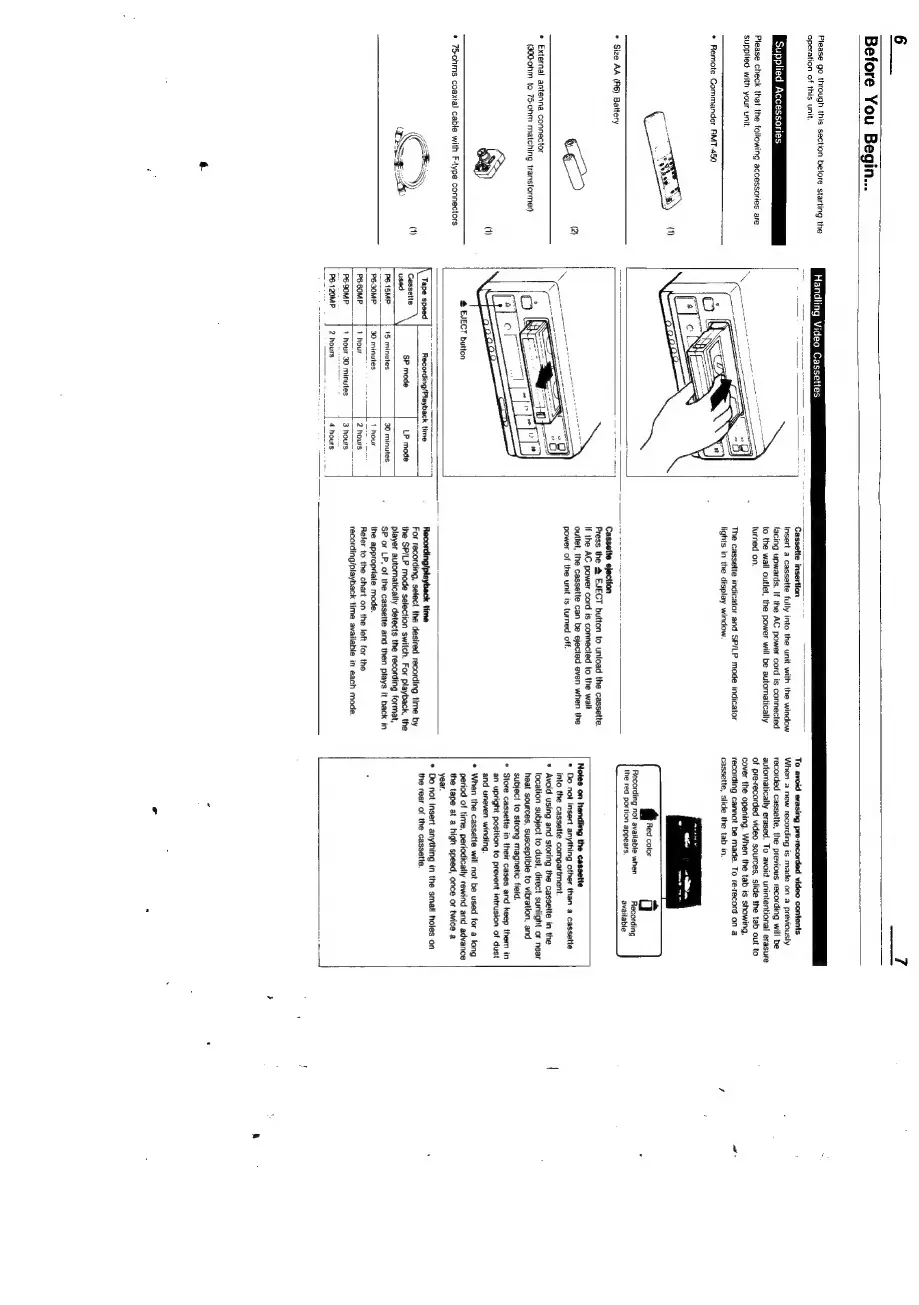
Insert
a
cassette
fully
into
the
unit
with
the
window
facing
upwards.
If
the
AC
power
cord
is
connected
to
the
wail
outlet,
the
power
will
be
automatically
turned
on.
The
cassette
indicator
and
SP/LP
mode
indicator
lights
in
the
display
window.
Cassette
ejection
Press
the
4
EJECT
button
to
unload
the
cassette.
If
the
AC
power
cord
is
connected
to
the
wall
outlet,
the
cassette
can
be
ejected
even
when
the
power
of
the
unit
is
turned
off.
To
avoid
erasing
pre-recorded
video
contents
When
a
new
recording
is
made
on
a
previously
recorded
cassette,
the
previo
automatically
erased.
To
avoid
of
pre-recorded
video
sources,
slide
the
tab
out
to
cover
the
opening.
When
the tab
is
showing,
recording
cannot
be
made.
To
re-record
on
a
cassette,
slide
the tab
in.
am
4
Recording
not
available
when
Recording
the
red
portion
appears.
available
Notes
on
handling
the
cassette
*
Do
not
insert
anything
other
than
a
cassette
into
the
cassette
compartment.
Avoid
using
and
storing
the
cassette
in
the
location
subject
to
dust,
direct
sunlight
or
near
heat
sources,
susceptible
to
vibration,
and
subject
to
strong
magnetic
field.
their
cases
and
keep
them
in
Nn
to
prevent
intrusion
of
dust
*
External
antenna
connector
(30G-0hm
to
75-ohm
matching
transformer)
Go
|
not
be
used
for
a
long
@
EJECT
button
period
of
time,
periodically
rewind
and
advance
«
75otims
coaxial
cable
with
F-ype
connectors
the
tape
at
a
high
speed,
once
or
twice
a
S
ne
S
year.
a
*
Do
not
insert
anything
in
the
smal!
holes
on
{\
Tape
speed
Recording/Playback
time
Recording/playback
time
the
rear
of
the
cassette.
(1)
Canis
\l
>
ee
ae
al
For
recording,
select
the
desired
recording
time
by
used
‘SP
mode
LP
mode
the
SP/LP
mode
selection
switch.
For
playback,
the
+
player
automatically
detects
the
recording
format,
P6-1SMP
{5
minutes
30
minutes,
:
SP
or
LP,
of
the
cassette
and
then
plays
it
back
in
PB-30MP-
30
minutes
1
hour
the
appropriate
mode.
|
P66OMP
1
hour
=F
=
2
hours
Refer
to
the
chart
on
the
left
for
the
—-
———-=-
—}-.
aaa
|
recording/playback
time
available
in
each
mode.
P6-90MP
1
hour
30
minutes
3
hours
P6-120MP
2
hours
4
hours

Related product manuals