EasyManua.ls Logo

Sony EV-C3 - Page 7

Sony EV-C3
22 pages
Print Icon
To Next Page IconTo Next Page
To Previous Page IconTo Previous Page
Loading...
12
13
Playing
Back
a
Tape
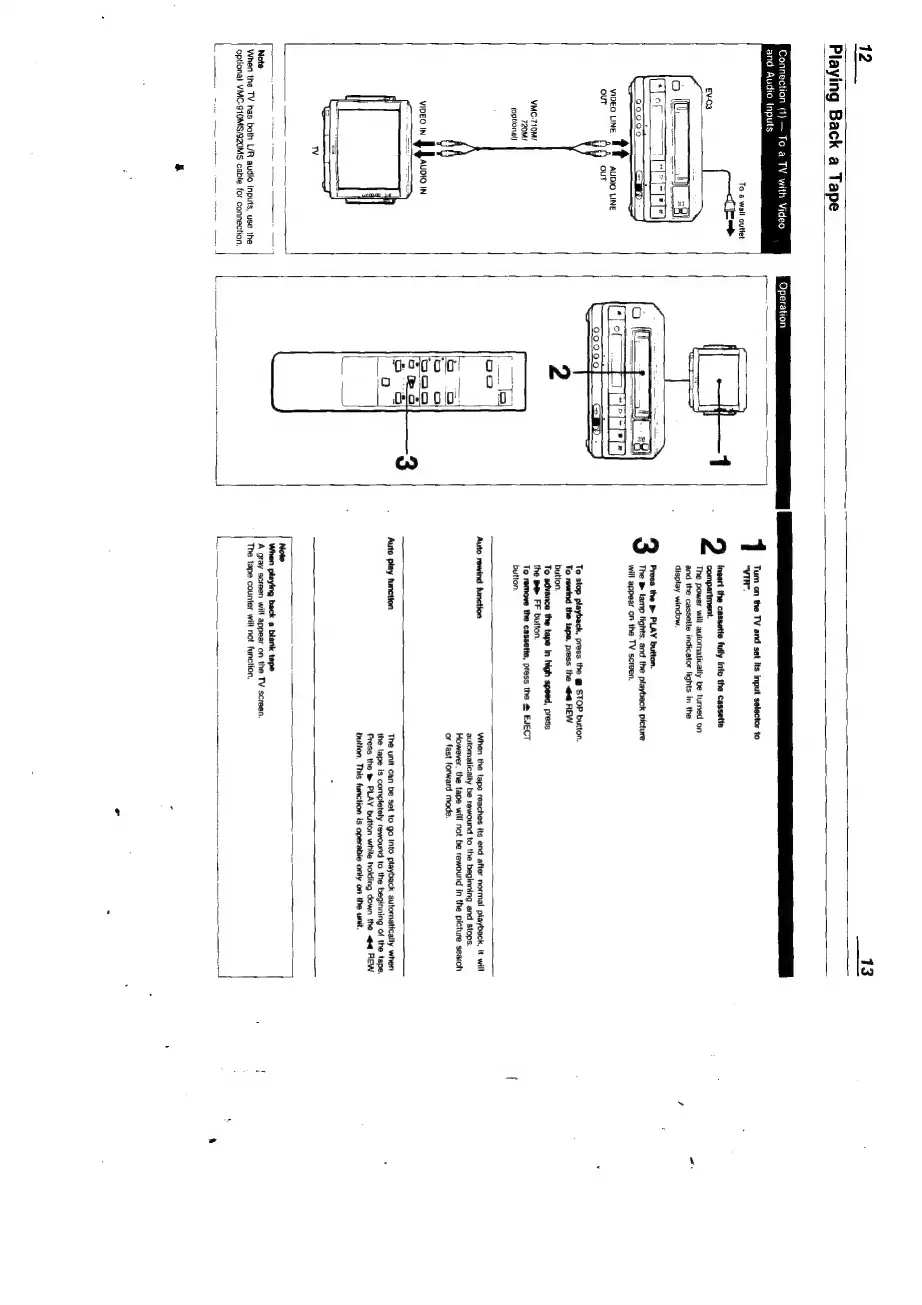
Connection
(1}
To
a
TV
with
Video
Operation
and
Audio
Inputs
To
a
wall
outlet
VIDEO
LINE
tt
AUDIO
LINE
OUT
out
VMC-710M/
720Mi
(optional)
VIDEO
IN
JJ.
IN
Note
When
the
TV
has
both
L/R
audio
inputs,
use
the
optional
VMC-910MS/920MS
cable
for
connection.
Turn
on
the
TV
and set
its
input
selector
to
“VIR”.
2
Ingert
the
cassette
fully
into
the
cassette
compartment.
The
powers
will
automaticaily
be
turned
on
and
the
cassette
indicator
lights
in
the
display
window.
3
Press
the
B
PLAY
button.
The
lamp
tights,
and
the
playback
picture
will
appear
on
the
TV
screen.
To
stop
playback,
press
the
@
STOP
button.
To
rewind
the
tape, press
the
<@
REW
button.
To
advance
the
tape
in
high
speed,
press
the
BR
FF
button.
To
remove
the
cassette,
press
the
@
EJECT
button.
Auto
rewind
function
When
the
tape
reaches
its
end
after
normal
playback,
it
will
automatically
be
rewound
to
the
beginning
and
stops.
However,
the
tape
will
not
be
rewound
in
the
picture
search
or
fast
forward
mode.
Auto
play
function
The
unit
can
be
set
to
go
Into
playback
automatically
when
the
tape
is
completely
rewound
to
the
beginning
of
the
tape.
Press
the
t
PLAY
button
while
holding
down
the
<q
REW
button.
This
function
is
operable
only
on
the
unit.
Note
When
playing
back
a
blank
tape
A
gray
screen
will
appear
on
the
TV
screen.
‘The
tape
counter
will
not
function,

Related product manuals