EasyManua.ls Logo

Sony EV-C3 - Getting to Know the EV-C3; Front Panel Overview; Rear Panel Connections; Display Window Indicators

Sony EV-C3
22 pages
Print Icon
To Next Page IconTo Next Page
To Previous Page IconTo Previous Page
Loading...
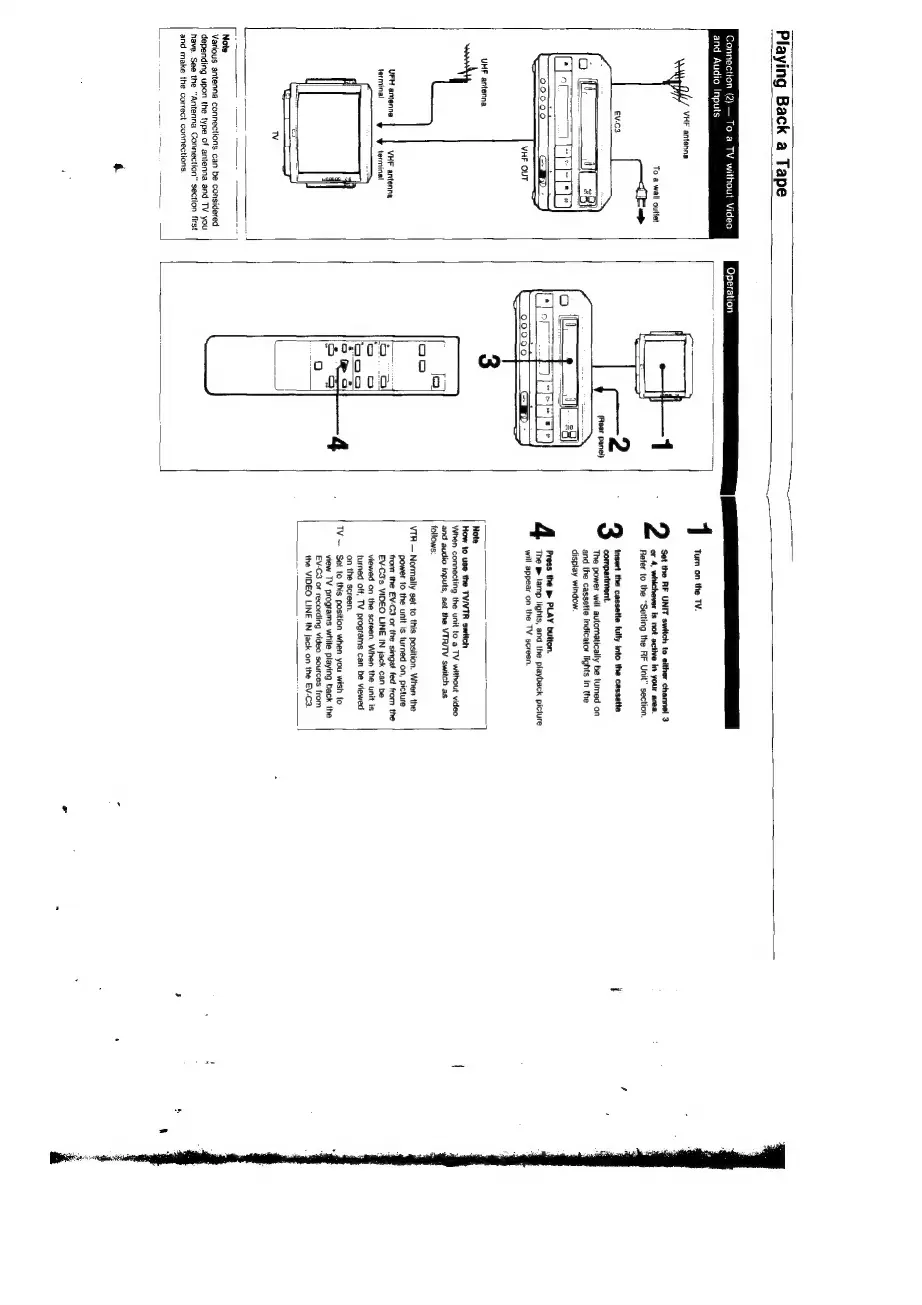
Playing
Back
a
Tape
Connection
(2)
To
a
TV
without
Video
Operation
Sw
ee
and
Audio
Inputs
Tum
on
the TV.
VHF
antenna
To
a
wall
outiet
or
4,
whichever
is
not
active
in
your
area.
Refer
to
the
“Setting
the
RF
Unit"
section.
2
Set
the
RF
UNIT
switch
to
either
channel
3
=
Gage
2
insert
the
cassette
fully
into
the
cassette
i
f
compartment.
(Rest
panel)
The
power
will
automatically
be
turned
on
e.
eee
and
the
cassette
indicator
lights
in
the
2
=
Tol
display
window.
iE)
VHF OUT
Press
the
p
PLAY
button.
The
m
lamp
lights,
and
the
playback
picture
will
appear
on
the
TV
screen.
UHF
antenna
Note
How
to
use
the
TV/VTR
switch
‘When
connecting
the
unit
to
a
TV
without
video
and
audio
inputs,
set
the
VTR/TV
switch
as
follows:
VTR
Normally
set
to
this
position.
When
the
power
to
the
unit
is
turned
on,
picture
from
the
EV-C3
or
the
singat
fed
from
the
EV-C3's
VIDEO
LINE
IN
jack
can
be
viewed
on
the
screen.
When
the
unit
is
turned
off,
TV
programs
can
be
viewed
UFH
antenna
terminal
VHF
antenna
terminal
‘on
the
screen.
TV
~
Set
to
this
position
when
you
wish
fo
view
TV
programs
while
playing
back
the
EV-C3
of
recording
video
sources
from
the
VIDEO
LINE
IN
jack
on
the
EV-C3.
Note
Various
antenna
connections
can
be
considered
depending
upon
the
type
of
antenna
and
TV
you
have.
See
the
“Antenna
Connection”
section
first
and
make
the
correct
connections.

Related product manuals