EasyManua.ls Logo

Sony EV-C3 - Page 9

Sony EV-C3
22 pages
Print Icon
To Next Page IconTo Next Page
To Previous Page IconTo Previous Page
Loading...
16
VW
Various
Playback
Modes
Use
of
the
Tape
Counter
To
obtain
a
stilt
picture
During
playback
press
the
I}
PAUSE
button.
The
#4
lamp
lights
and
a
still
picture
can
be
seen.
To
resume
norma!
playback,
press
the
Bm
PLAY
button
or
the
U8
PAUSE
button
again.
When
the
pause
mode
lasts
for
more
than
approximately
7
minutes,
the
unit
will
enter
the
playback
mode.
To
recall
the
scene
selected
during
playback
or
recording
To
search
for
a
desired
scene
Picture
search
During
playback
or
still
mode,
press
the
<td
REW
button
or
the
me
FF
button.
While
the
button
is
pressed,
a
high
speed
picture
without
sound
will
appear
on
the
TV
screen.
When
the
button
is
released,
the
unit
will
return
to
the
previous
mode.
To
view
the
picture
during
fast-
forward
or
rewind
mode
Locked
picture
search
During
playback
or
still
mode,
press
the
SEARCH
«i
or
the
SEARCH
6
on
the
Remote
Commander.
A
high
speed
picture
in
forward
or
reverse
will
appear
on
the
screen
even
when
the
button
is
released.
To
resume
normal
playback,
press
B
PLAY.
of
.__]
=ye]=
To
view
a
playback
picture
at
2
times
the
normal
speed
in
the
forward
direction.
During
playback
or
still
mode,
press
the
x
2
button
on
the
Remote
Commander.
The
sound
can
be
heard
in
this
mode.
To
resume
normal
playback,
press
®
PLAY.
(90000
OGD
To
view
a
slow
motion
playback
During
playback
or
still
mode,
press
the
1/10
or
the
1/5
button
on
the
Remote
Commander.
The
sound
is
muted
in
these
modes.
To
resume
normal
playback,
press
pm»
PLAY.
To
advance
the
picture
frame-by-frame
While
in
stl
mode,
tap
the
I>
FRAME
button.
The
picture
advances
frame-by-frame
and
the
sound
is
muted.
To
resume
normal
playback,
press
#
PLAY.
To
view
the
picture
momentarily
white
the
unit
Is
in
the
fast
forward
or
rewind
mode
without
picture
on
the
screen.
During
fast-forward
mode,
press
>.
During
rewind
mode,
press
<4.
A
playback
picture
can
be
viewed
while
the
button
is
pressed.
Release
the
button
to
return
to
the
previous
mode.
Notes
Pleture
and
sound
during
picture
search
‘modes
When
the
picture
shakes
vertically
during
two
times
the
normal
speed
playback
or
still
mode
Adjust
the
picture
by
the
SLOW/STILL
ADJ
¥/a
buttons
on
the
front
panel,
When
streaks
appear
during
slow
motion
Playback
or
mode
Adjust
the
by
the
SLOW/STILL
ADJ
V/&
IS
OF
the
fr
panel,
During
still
mode,
the
slow
motion
mode
and
make
adjustments.
Readjust
the
picture
if
streaks
should
appear
when
a
tape
recorded
in
a
different
mode
is
played
back.
i
pale
aeees
A
few
st ‘$
will
appear
on
the
screen
but
these
are
not
a
failure
of
the
unit.
Sound
will
be
muted
in
the
search
modes,
When
playing
back
tapes
recorded
in
SP
mode
A
wider
streak
will
appear
on
the
screen
during
picture
search
mode
compared
to
tapes
recorded
in
LP
mode.
When
viewing
the
picture
in
still
or
picture
search
mode,
the
picture
may
shake
vertically
or
the
color
in
the
white
and
black
portion
may
be
reversed,
depending
upon
the
TV
you
are
using.
1
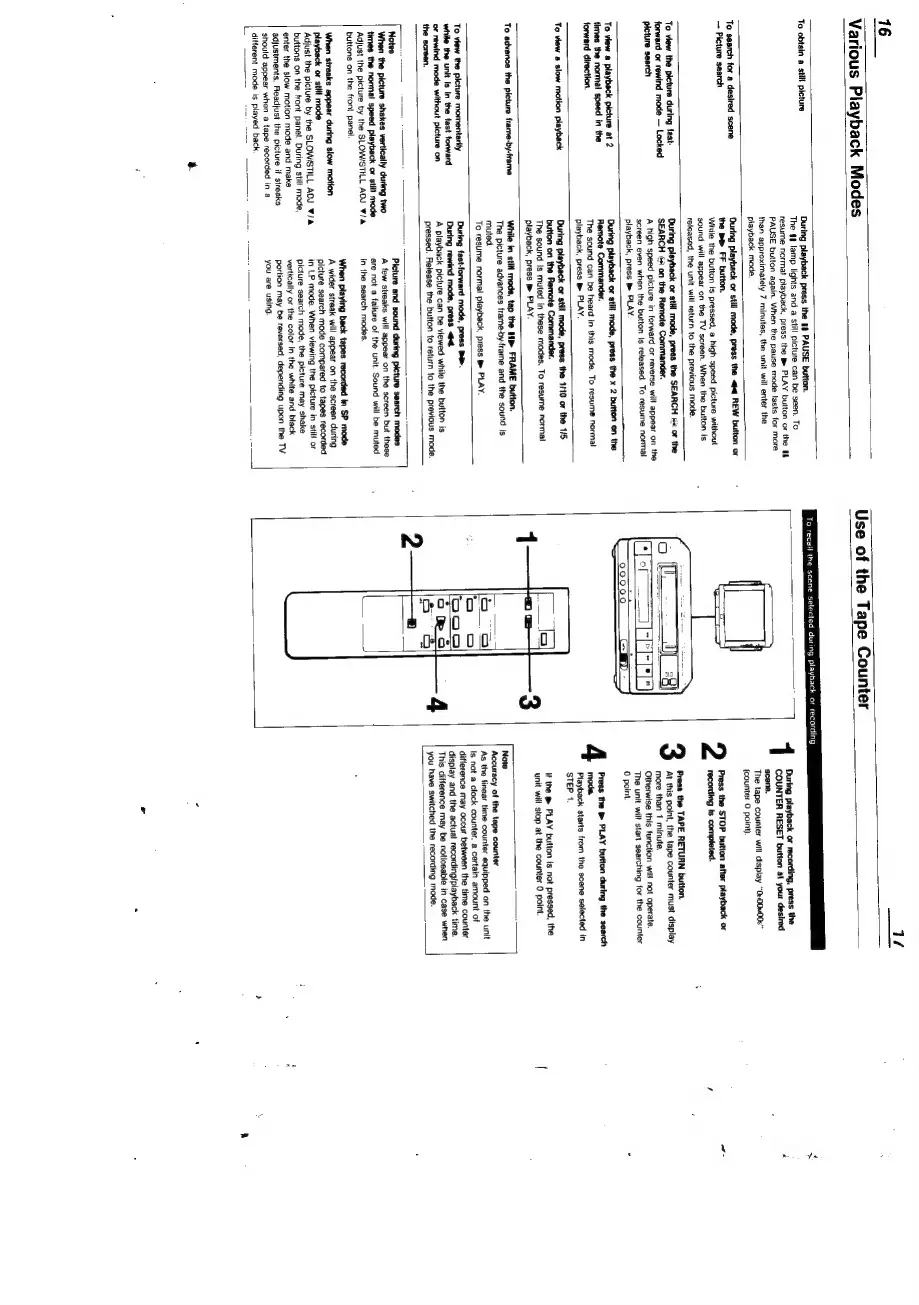
During
playback
or
recording,
press
the
COUNTER
RESET
button
at
your
desired
scene.
The
tape
counter
will
display
“Ov00v00s”
(counter
0
point).
recording
ts
completed.
Press
the
TAPE
RETURN
button.
At
this
point,
the
tape
counter
must
display
more
than
1
minute.
is
function
will
not
operate.
start
searching
for
the
counter
2
Press
the
STOP
button
after
playback
or
4
Press
the
®
PLAY
button
during
the
search
moda.
Piayback
starts
from
the
scene
selected
in
STEP
1.
if
the
@
PLAY
button
Is
not
pressed,
the
unit
will
stop
at
the
counter
0
point.
Note
Accuracy
of
ape
counter
As
the
linear
time
counter
equipped
on
the
unit
Is
not
a
clock
counter,
a
certain
amount
of
display
and
the
actual
recording/playback
time.
This
difference
may
be
noticeable
in
case
when
you
have
switched
the
recording
mode.
ofa

Related product manuals