EasyManua.ls Logo

Sony EV-S350 - Page 46

Sony EV-S350
50 pages
Print Icon
To Next Page IconTo Next Page
To Previous Page IconTo Previous Page
Loading...
46
[Or40]
To
Preset
New
Channels
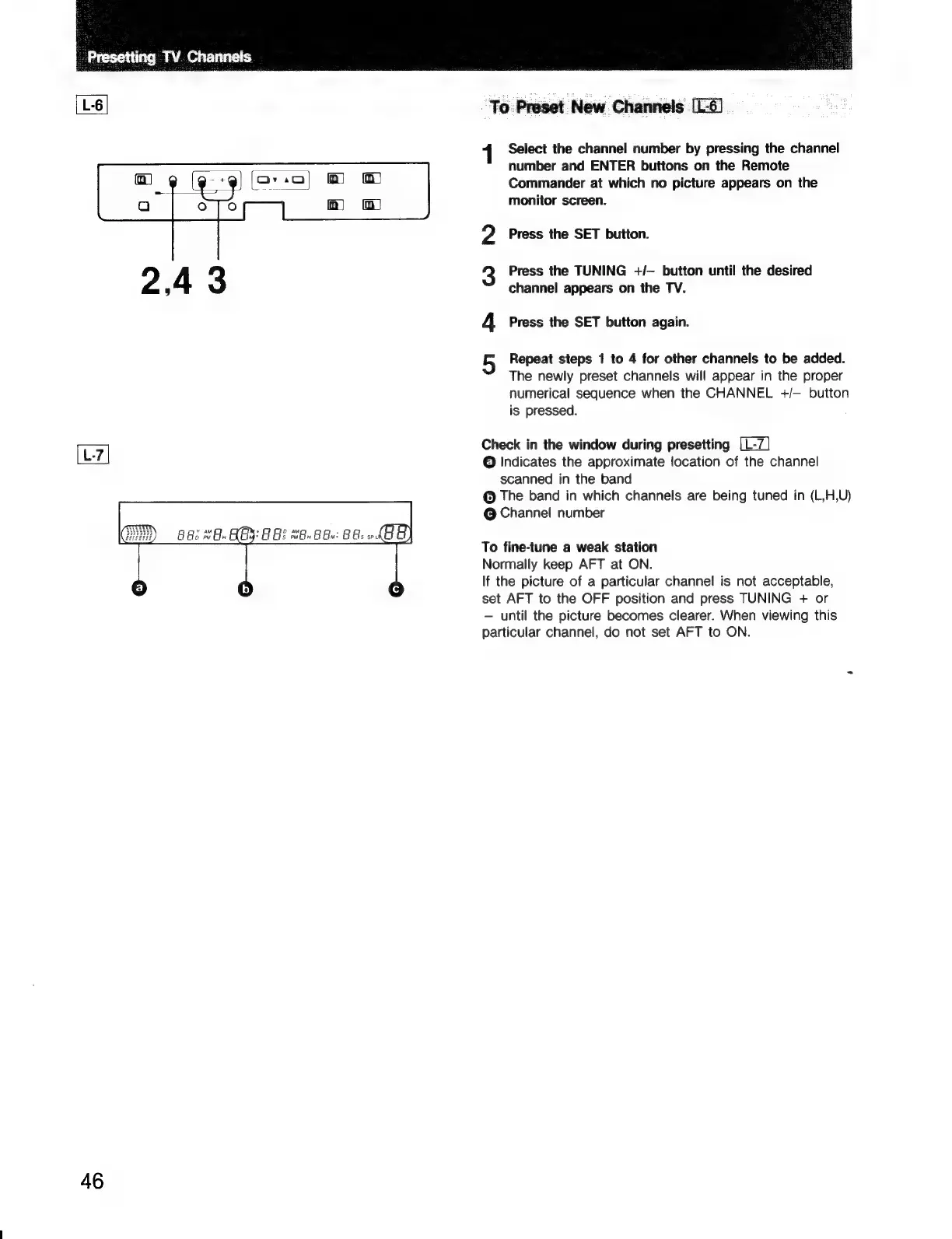
[L-6]
1
of
N
Select
the
channel
number
by
pressing
the
channel
number
and
ENTER
buttons
on
the
Remote
Commander
at
which
no
picture
appears
on
the
monitor
screen.
Press
the
SET
button.
Press
the
TUNING
+/—
button
until
the
desired
channel
appears
on
the TV.
Press
the
SET
button
again.
Repeat
steps
1
to
4
for
other
channels
to
be
added.
The
newly
preset
channels
will
appear
in
the
proper
numerical
sequence
when
the
CHANNEL
+/—
button
is
pressed.
Check
in
the
window
during
presetting
fa]
©
Indicates
the
approximate
location
of
the
channel
scanned
in
the
band
The
band
in
which
channels
are
being
tuned
in
(L,H,U)
©
Channel
number
To
fine-tune
a
weak
station
Normally
keep
AFT
at
ON.
If
the
picture
of
a
particular
channel
is
not
acceptable,
set
AFT
to
the
OFF
position
and
press
TUNING
+
or
until
the
picture
becomes
clearer.
When
viewing
this
particular
channel,
do
not
set
AFT
to
ON.

Related product manuals