EasyManua.ls Logo

Sony EV-S350 - Page 45

Sony EV-S350
50 pages
Print Icon
To Next Page IconTo Next Page
To Previous Page IconTo Previous Page
Loading...
To
Erase
Channels
[1-4]
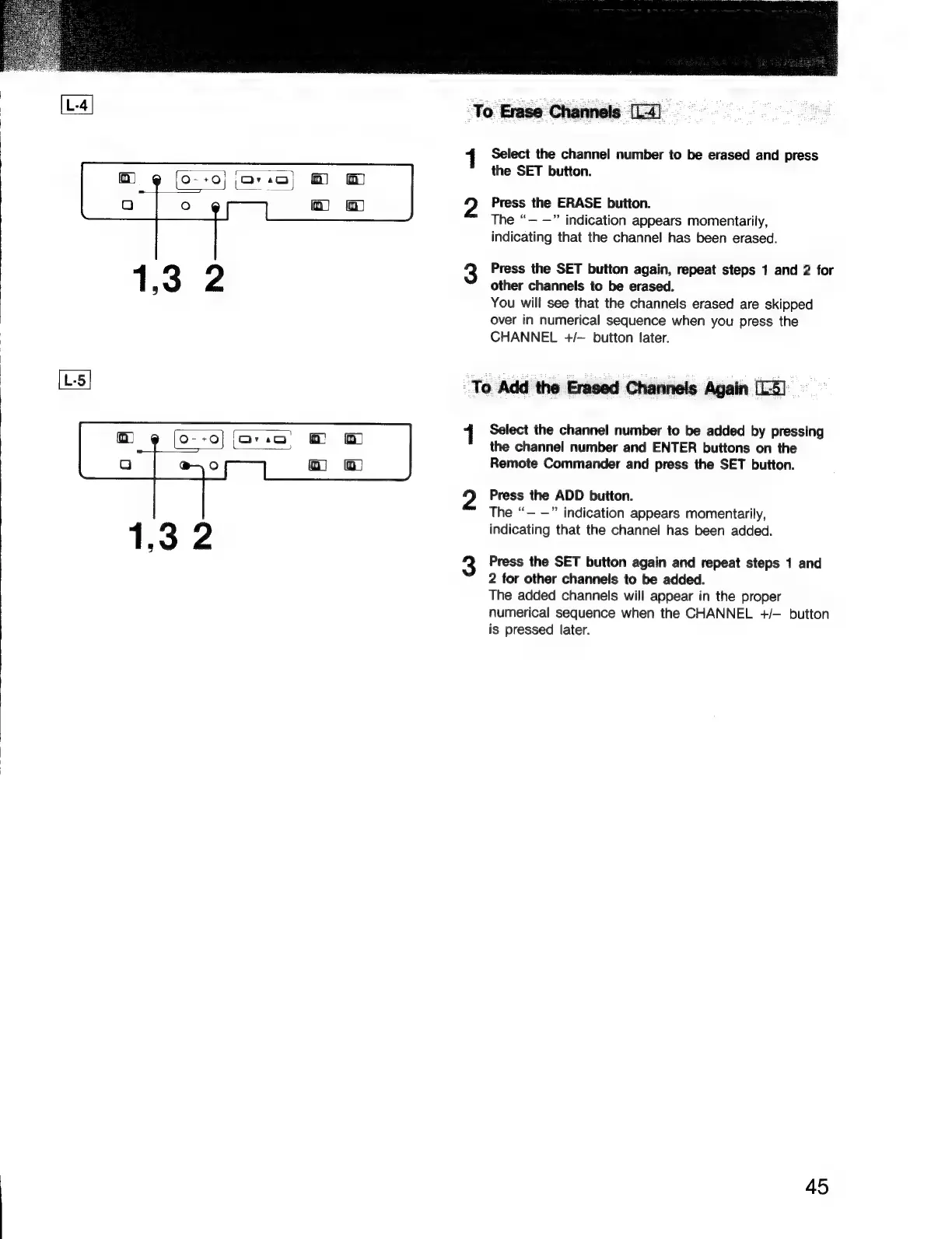
1
Select
the
channel
number
to
be
erased
and
press
the
SET
button.
Press
the
ERASE
button.
The
“—
—”
indication
appears
momentarily,
indicating
that
the
channel
has
been
erased.
Press
the
SET
button
again,
repeat
steps
1
and
2
for
other
channels
to
be
erased.
You
will
see
that
the
channels
erased
are
skipped
over
in
numerical
sequence
when
you
press
the
CHANNEL
+/—
button
later.
To
Add
the
Erased
Channels
Again
[L5]
Select
the
channel
number
to
be
added
by
pressing
the
channel
number
and
ENTER
buttons
on
the
Remote
Commander
and
press
the
SET
button.
Press
the
ADD
button.
The
“—
—”
indication
appears
momentarily,
indicating
that
the
channel
has
been
added.
Press
the
SET
button
again
and
repeat
steps
1
and
2
for
other
channels
to
be
added.
The
added
channels
will
appear
in
the
proper
numerical
sequence
when
the
CHANNEL
+/—
button
is
pressed
later.
45

Related product manuals