EasyManua.ls Logo

Sony EV-S350 - Page 44

Sony EV-S350
50 pages
Print Icon
To Next Page IconTo Next Page
To Previous Page IconTo Previous Page
Loading...
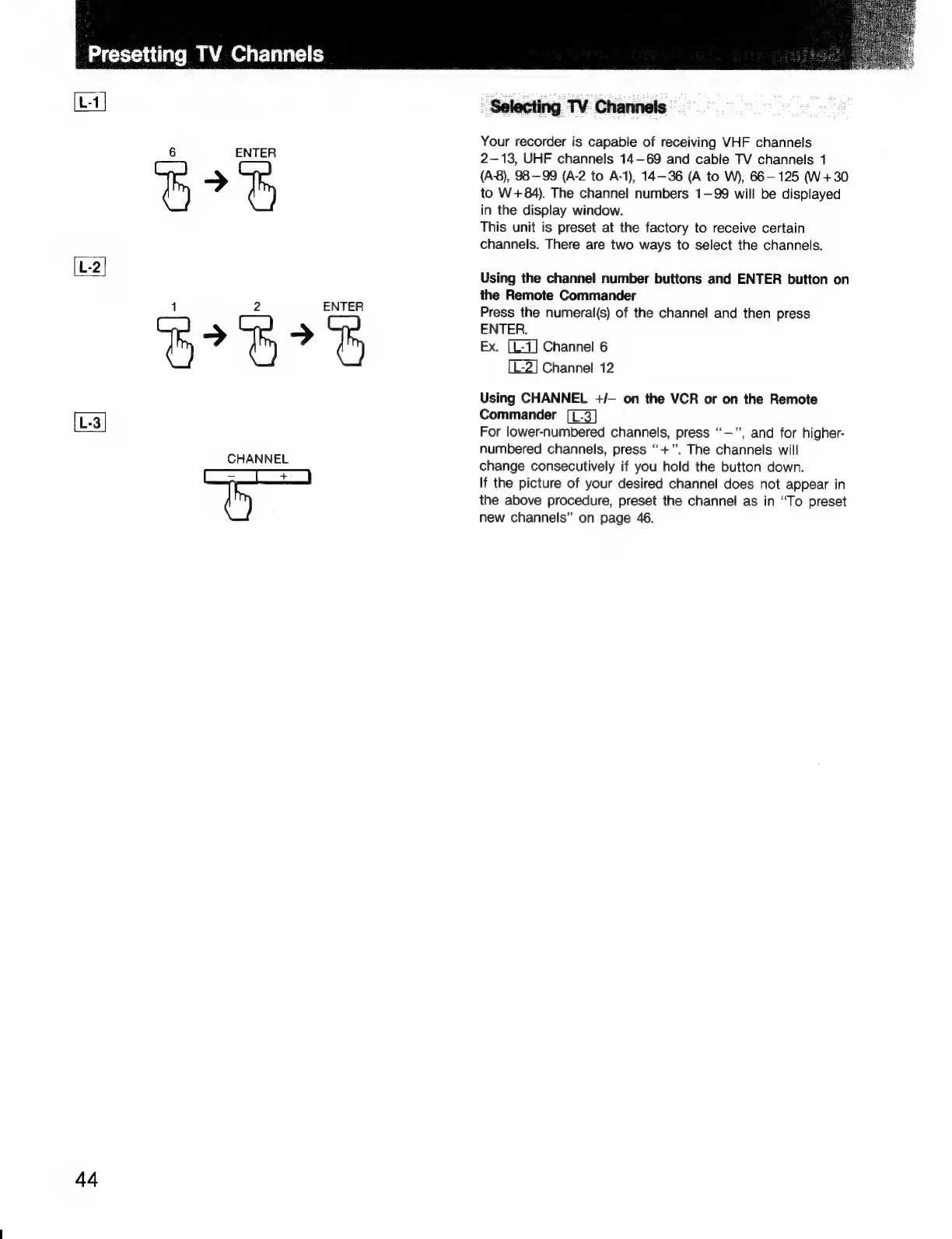
ENTER
BF
1
2
ENTER
CHANNEL
ee
SEE
Toe
44
Selecting
TV
Channels
Your
recorder
is
capable
of
receiving
VHF
channels
2-13,
UHF
channels
14-69
and
cable
TV
channels
1
(A-8),
98-99
(A-2
to
A-1),
14-36
(A
to
W),
66-125
(W+30
to
W+84).
The
channel
numbers
1—99
will
be
displayed
in
the
display
window.
This
unit
is
preset
at
the
factory
to
receive
certain
channels.
There
are
two
ways
to
select
the
channels.
Using
the
channel
number
buttons
and
ENTER
button
on
the
Remote
Commander
Press
the
numeral(s)
of
the
channel
and
then
press
ENTER.
Ex.
Channel
6
[L-2]
Channel
12
Using
CHANNEL
+/—
on
the
VCR
or
on
the
Remote
Commander
For
lower-numbered
channels,
press
“—”,
and
for
higher-
numbered
channels,
press
“+”.
The
channels
will
change
consecutively
if
you
hold
the
button
down.
If
the
picture
of
your
desired
channel
does
not
appear
in
the
above
procedure,
preset
the
channel
as
in
“To
preset
new
channels”
on
page
46.

Related product manuals