17
RDS
Overview of RDS
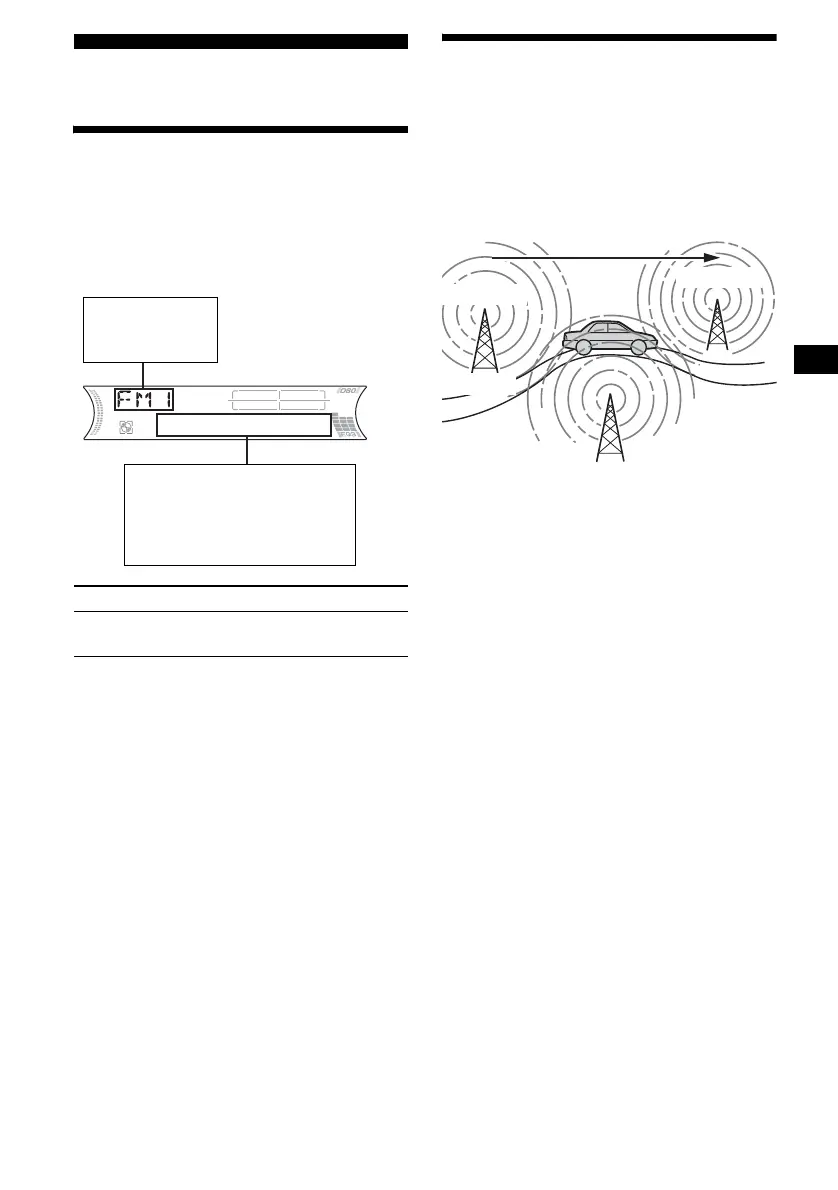
FM stations with Radio Data System (RDS)
service send inaudible digital information along
with the regular radio programme signal. For
example, one of the following will be displayed
upon receiving a station with RDS capability.
RDS services
RDS data offers you other conveniences, such as:
• Automatic retuning of a programme, helpful
during long-distance drives. — AF t page 17
• Receiving traffic announcements, even
when enjoying another programme/source.
— TA t page 18
• Selecting stations by the type of
programme. — PTY t page 19
• Automatic clock time setting.
— CT t page 20
Notes
• Depending on the country/region, not all of the RDS
functions are available.
• RDS will not work properly if the signal strength too
is weak or if the station you are tuned to is not
transmitting RDS data.
Automatic retuning for best
reception results
— AF (Alternative Frequencies)
The AF function allows the radio to always tune
into the area’s strongest signal for the station you
are listening to.
1 Select an FM station (page 15).
2 Press (AF/TA) repeatedly until “AF-
ON” appears.
The unit starts searching for an alternative
frequency with a stronger signal in the same
network.
If “NO AF” flashes, the currently tuned
station does not have an alternative frequency.
To cancel the AF function, select “AF, TA-OFF.”
Tips
• If “AF-ON” is selected, traffic announcements are
cancelled. To activate the traffic announcements
with the AF function, select “AF, TA-ON.”
• If you want to change the on/off setting while playing
a CD, press (AF/TA).
To Press
Switch Clock/
Station name
(DSPL)
Displayable items
• Radio band
• Function
Displayable items
• Preset number/Station
name (frequency)
•Clock
• RDS data
continue to next page t
Frequencies change automatically.
98.5 MHz
Station
102.5 MHz
96.0 MHz



 To Next Page