26
Removing the unit
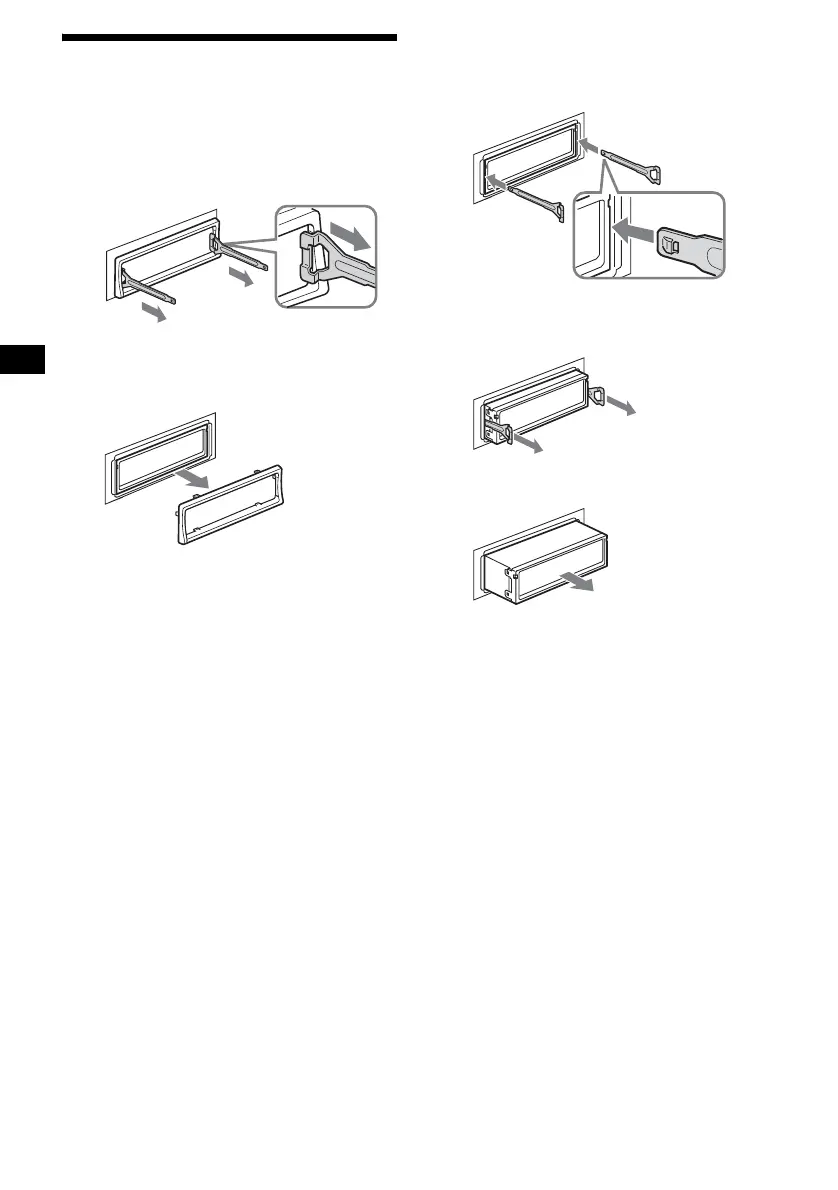
1 Remove the protection collar.
1 Detach the front panel (page 9).
2 Engage the release keys together
with the protection collar.
3 Pull out the release keys to remove
the protection collar.
2 Remove the unit.
1Insert both release keys together
until they click.
2Pull the release keys to unseat the
unit.
3Slide the unit out of the mounting.
Orient the release
key correctly.
Face the hook
inwards.



 To Next Page